Smaily
The Smaily modules enable you to create, launch and retrieve campaigns, trigger automation workflows, send messages, or manage subscribers in your Smaily account.
Getting Started with Smaily
Prerequisites
- A Smaily account
In order to use Smaily with Boost.space Integrator, it is necessary to have a Smaily account. If you do not have one, you can create a Smaily account at www.sendsmaily.net/account/login.
The module dialog fields that are displayed in bold (in the Boost.space Integrator scenario, not in this documentation article) are mandatory!
Connecting Smaily to Boost.space Integrator
To connect your Smaily account to Boost.space Integrator you need to obtain your subdomain, user name and password.
Retrieving a Subdomain
-
Log in to your Smaily account.
-
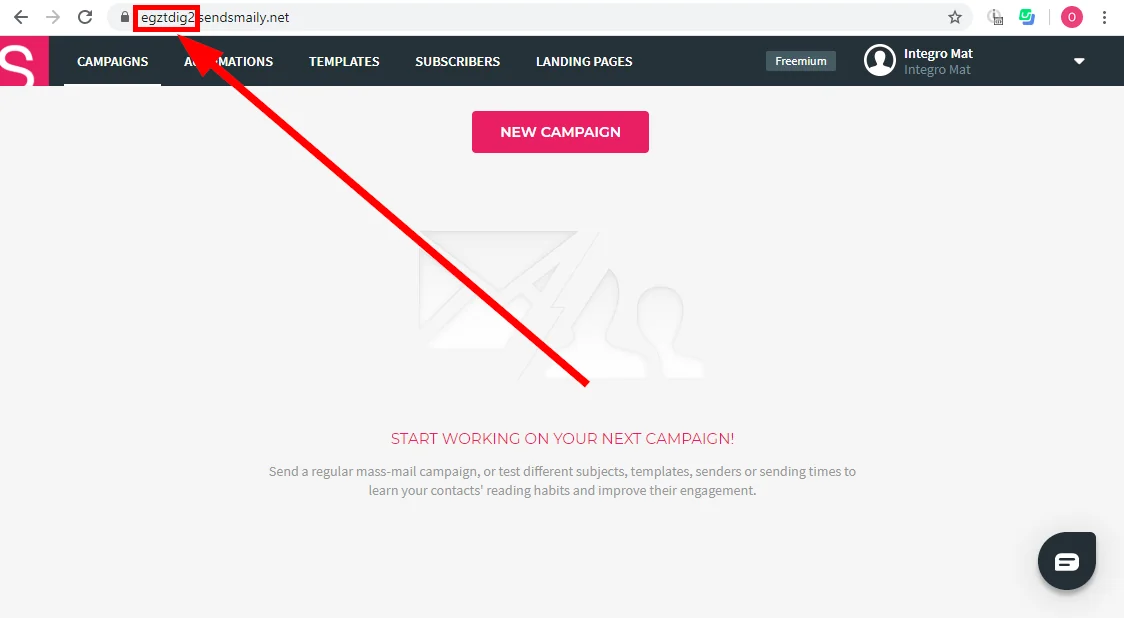
Check the URL in your browser. It looks like this <Subdomain>.sendsmaily.net
-
The part of the URL before .sendsmaily.net is your Subdomain. Copy your subdomain.
Retrieving a User Name and Password
-
Log in to your Smaily account.
-

Click your profile icon in the top-right corner and open Preferences.
-
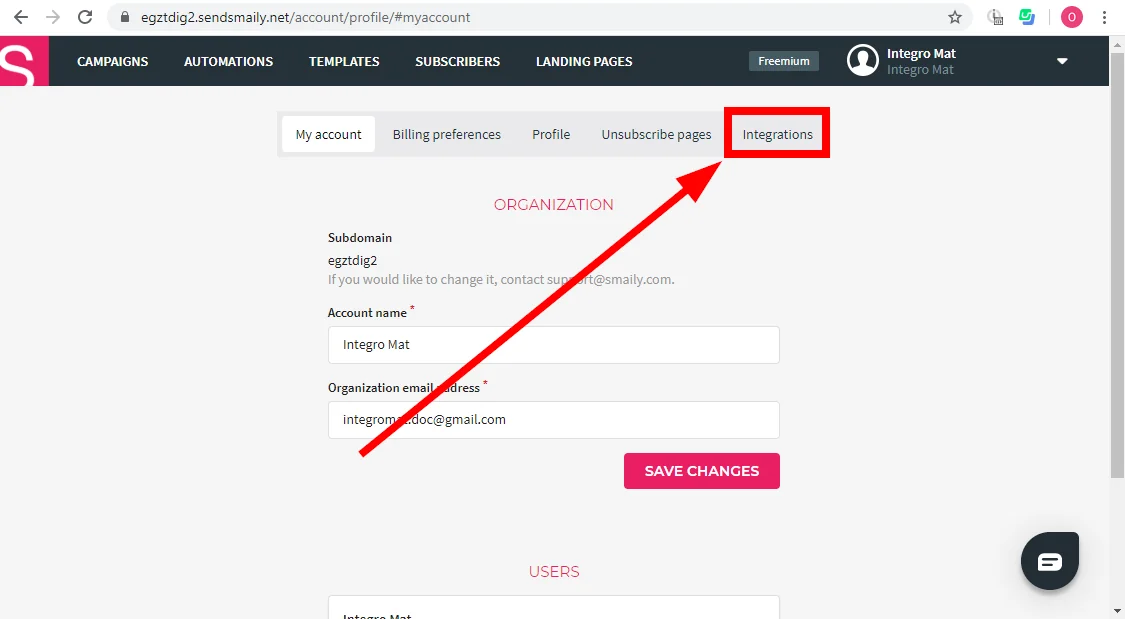
Go to the Integrations tab.
-
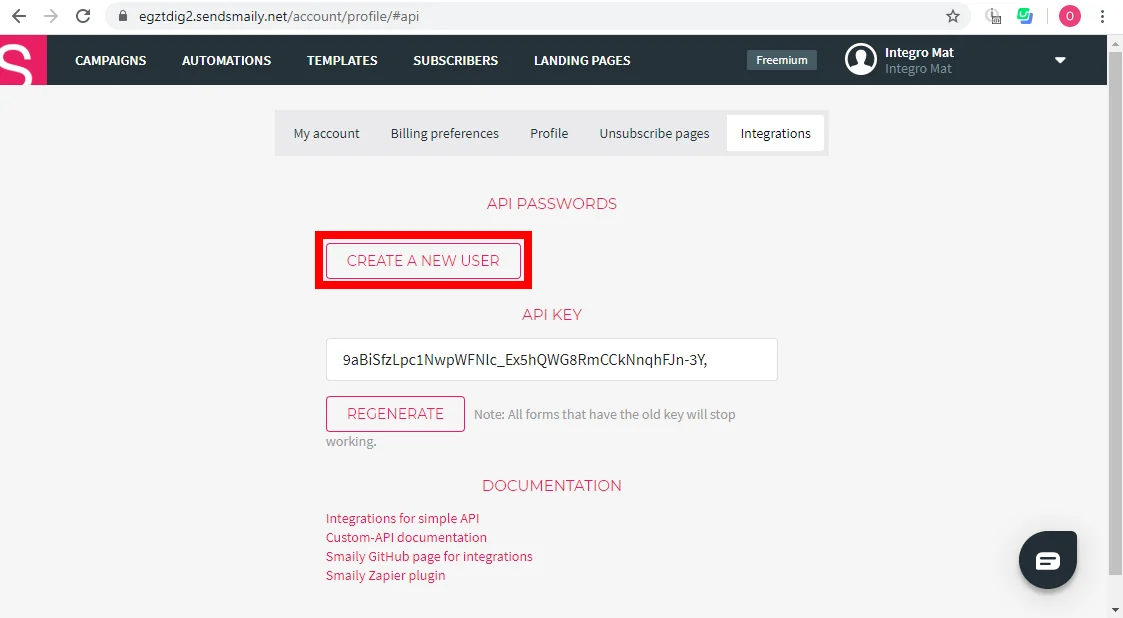
Click the Create a New User button.
-
Store the provided user and password in a safe place.
Now you have all the information needed to connect Boost.space Integrator to your Smaily account.
Go to Boost.space Integrator and open the Smaily module’s Create a connection dialog. Enter the Subdomain, User and Password you have retrieved in the steps above to respective fields and click the Continue button to establish the connection.
Legacy article, imported from the original Boost.space knowledge base (/knowledge-base/applications/marketing/smaily/).

