Deleting user data from Boost.space Integrator
To completely delete all user data that are stored on Boost.space Integrator servers, please follow the instructions below.
Scenarios
-
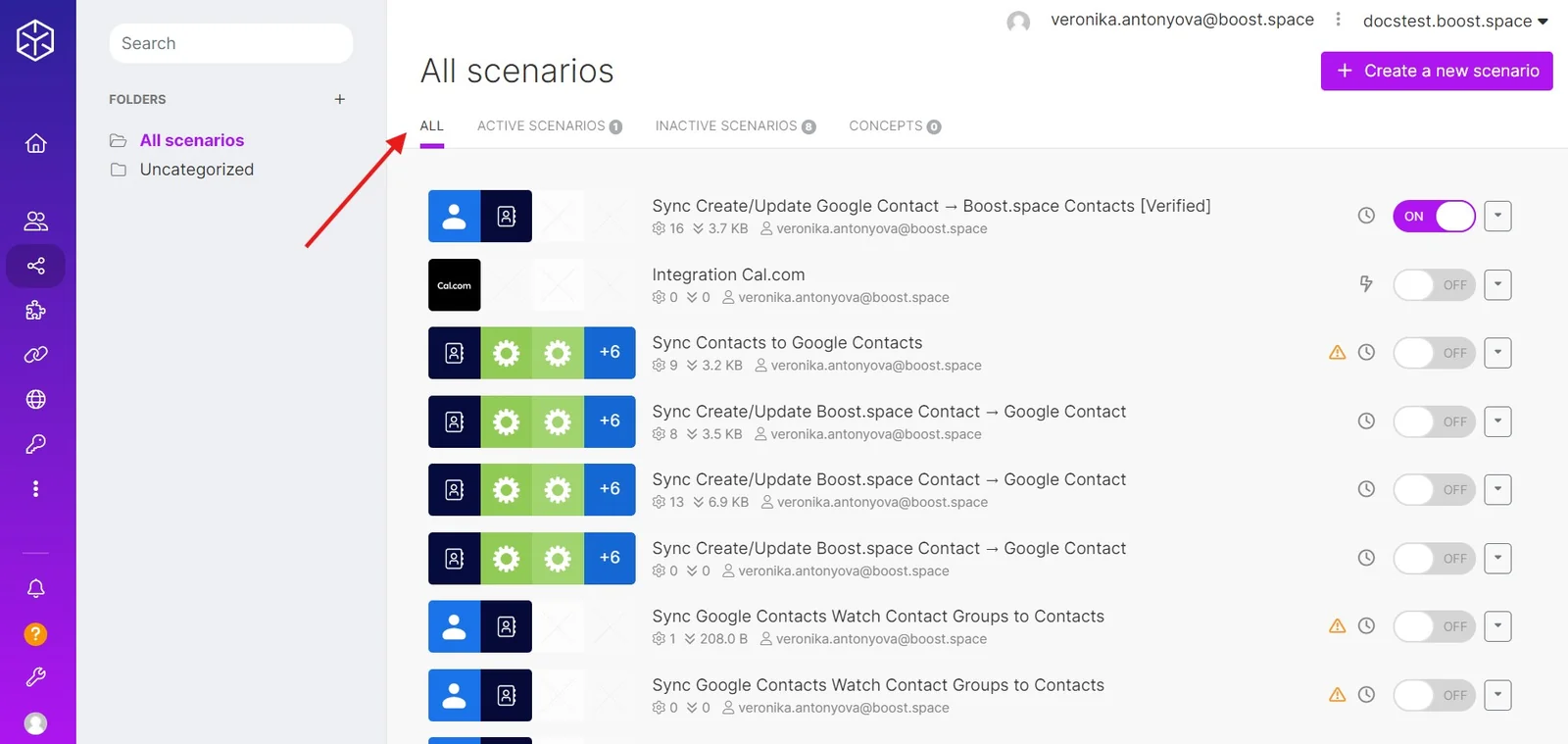
Go to the Scenarios section.
-
Make sure that the All tab is selected.
-
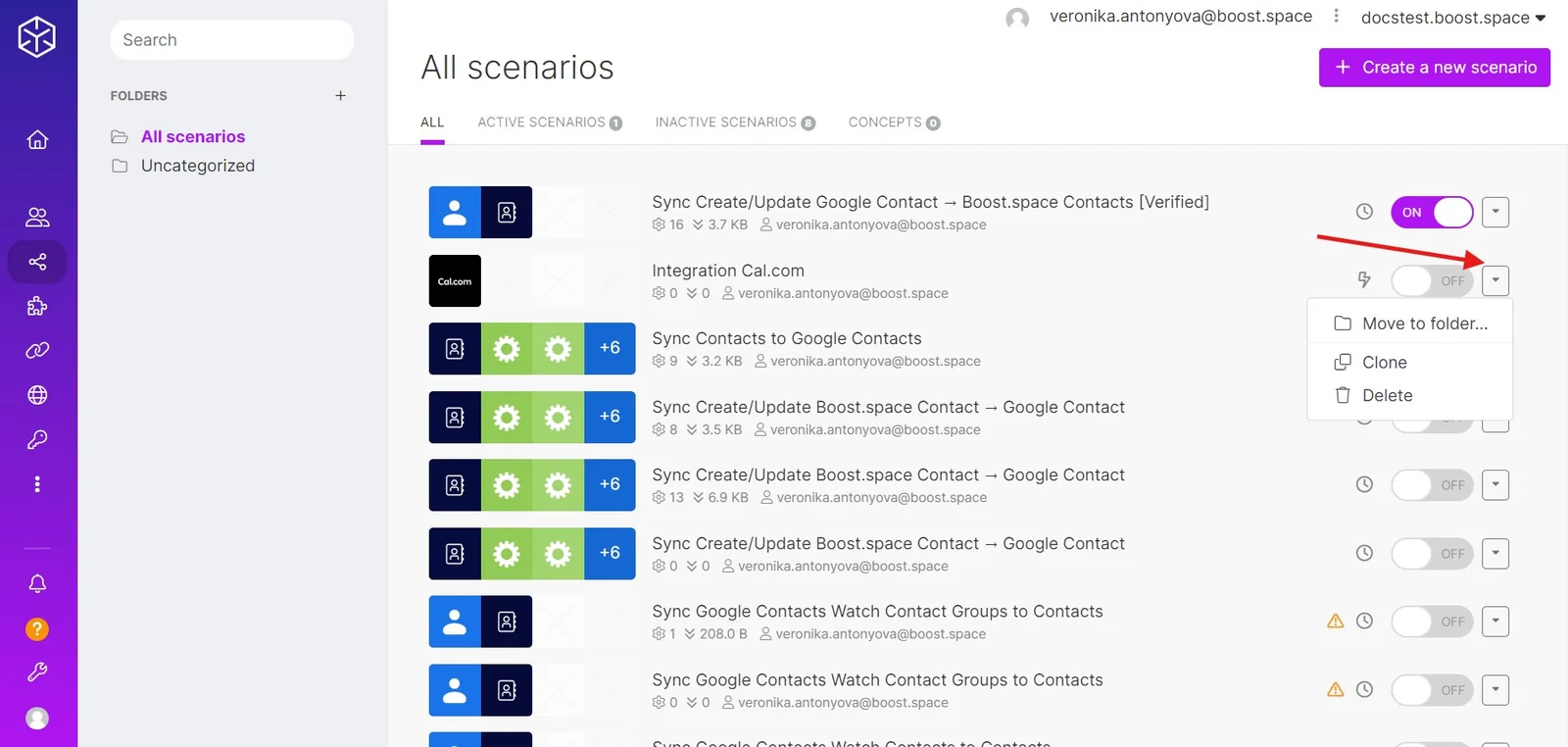
Click on the downward arrow next to the scenario you want to delete to open the menu.
-
Click on the Delete option and confirm by clicking the Really? button.
-
Repeat the steps above for every scenario until the list is empty.
Connections
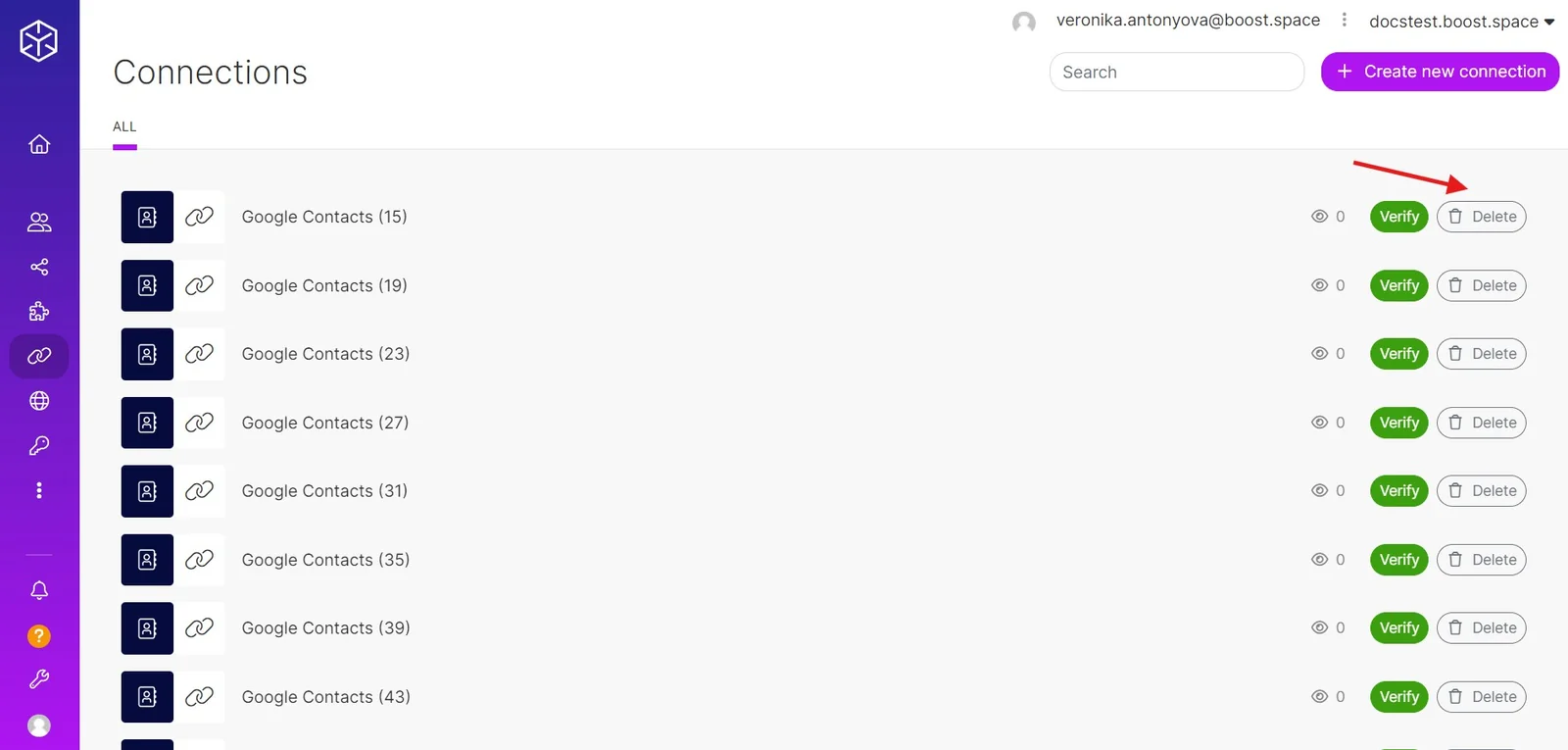
- Open the Connections section.
- Click the Delete button to the right of the connection you want to delete and confirm by clicking the Really? button.
- Repeat the steps above for every connection until the list is empty.
Webhooks
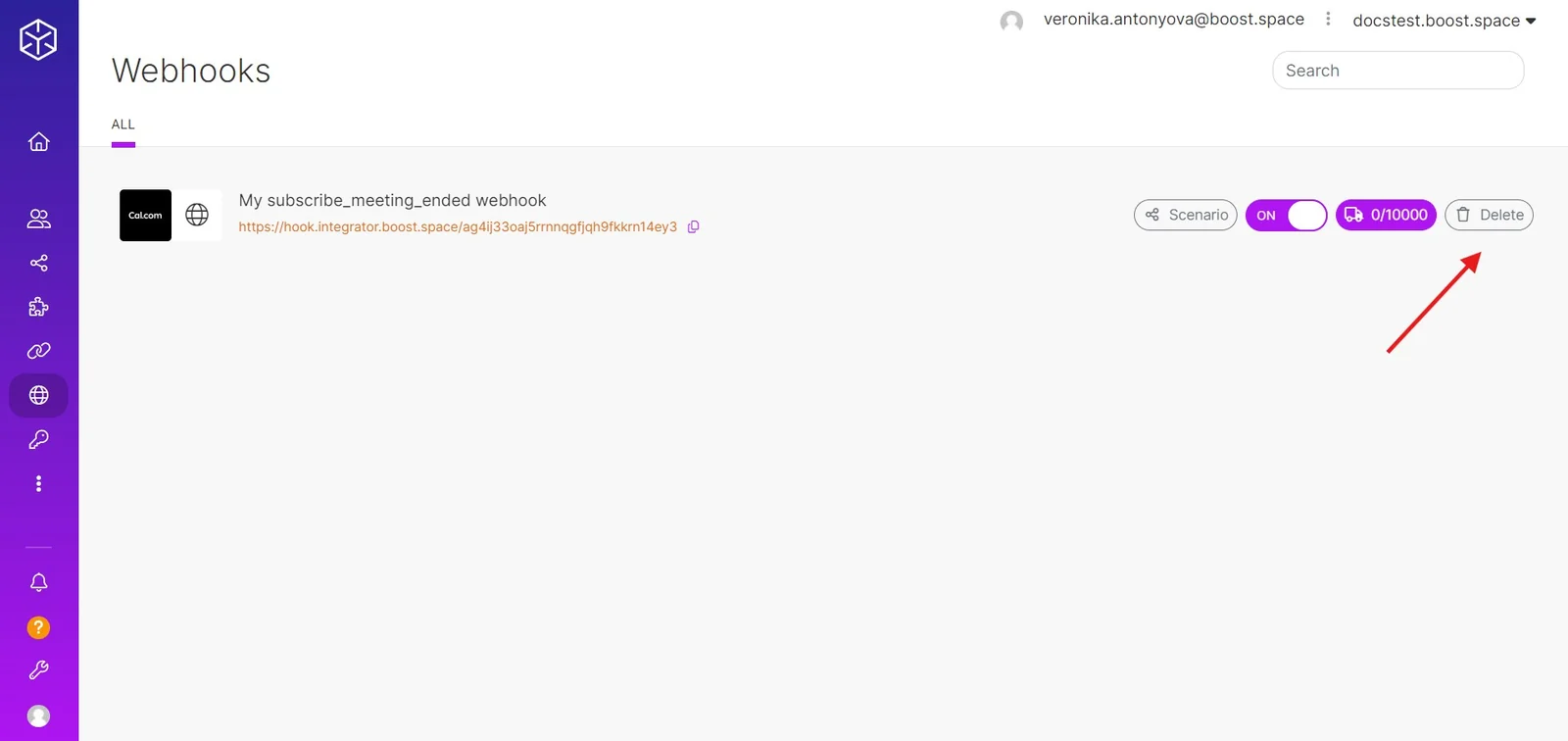
- Open the Webhooks section.
- Click the Delete button to the right of the webhook you want to delete and confirm by clicking the Really? button.
- Repeat the steps above for every webhook until the list is empty.
Keys
- Open the Keys section.
- Click the Delete button to the right of the key you want to delete and confirm by clicking the Really? button.
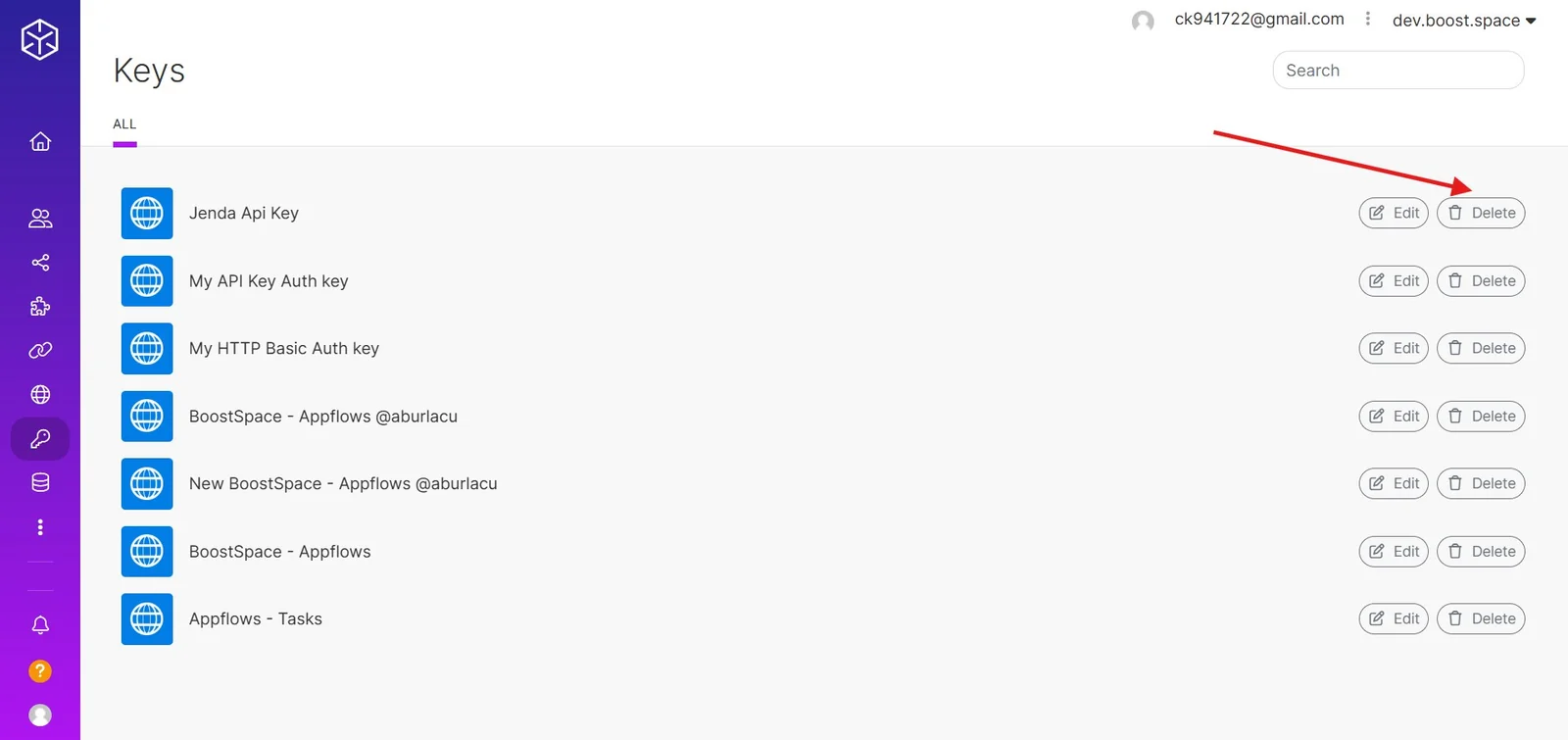
- Repeat the steps above for every key until the list is empty.
Data stores
- Open the Data stores section.
- Click the Delete button to the right of the data store you want to delete and confirm by clicking the Really? button.
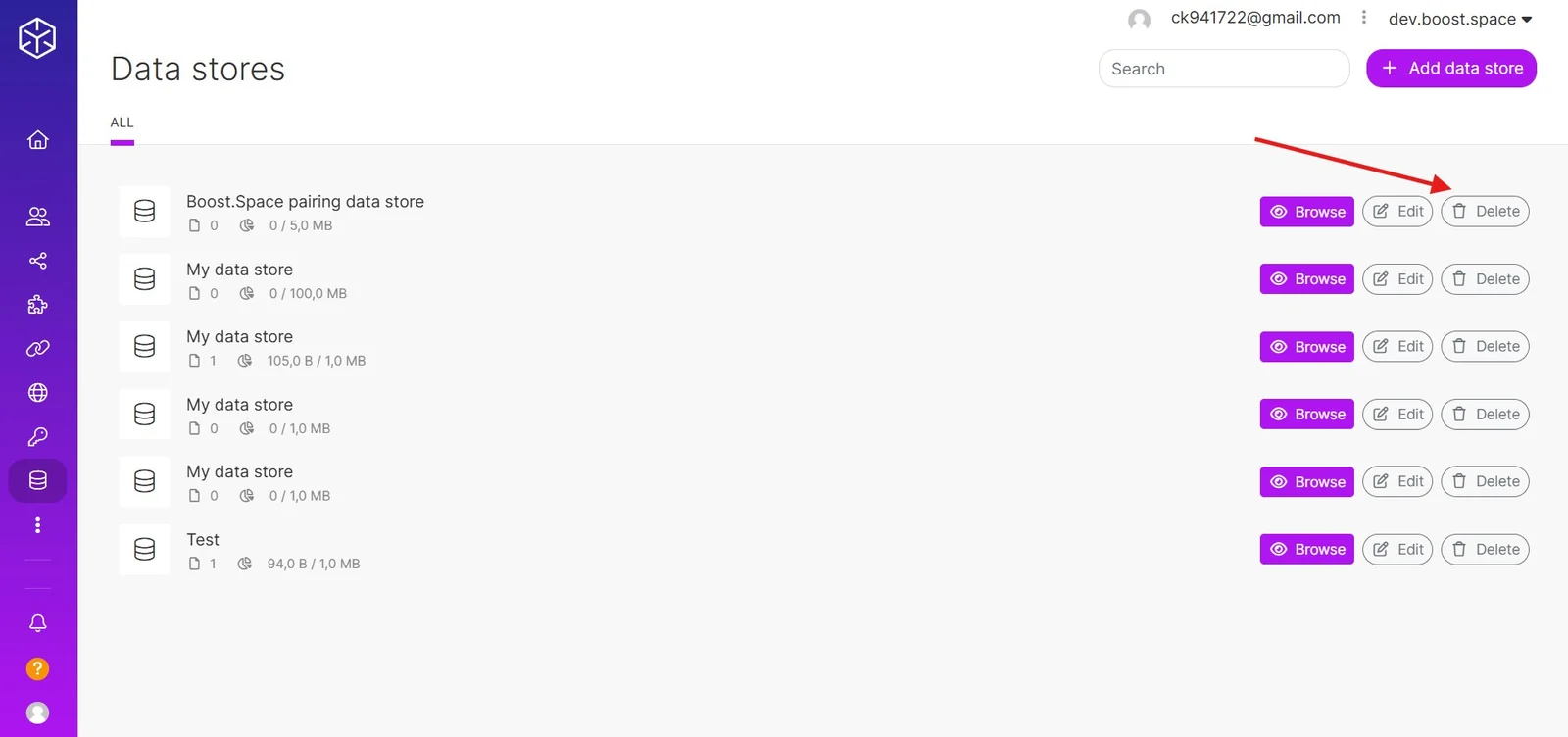
- Repeat the steps above for every data store until the list is empty.

