Streamlining Productivity through Integration with Projects and More
Boosting Efficiency with Seamless Integration: Docs Addon in Boost.Space
The Docs addon in Boost.Space is designed to enhance productivity by integrating with other addons and workflows. One example of this integration is with the Projects addon.
You can insert existing docs or create new ones directly under specific projects.
Navigate to your Projects module and click on “New space”.
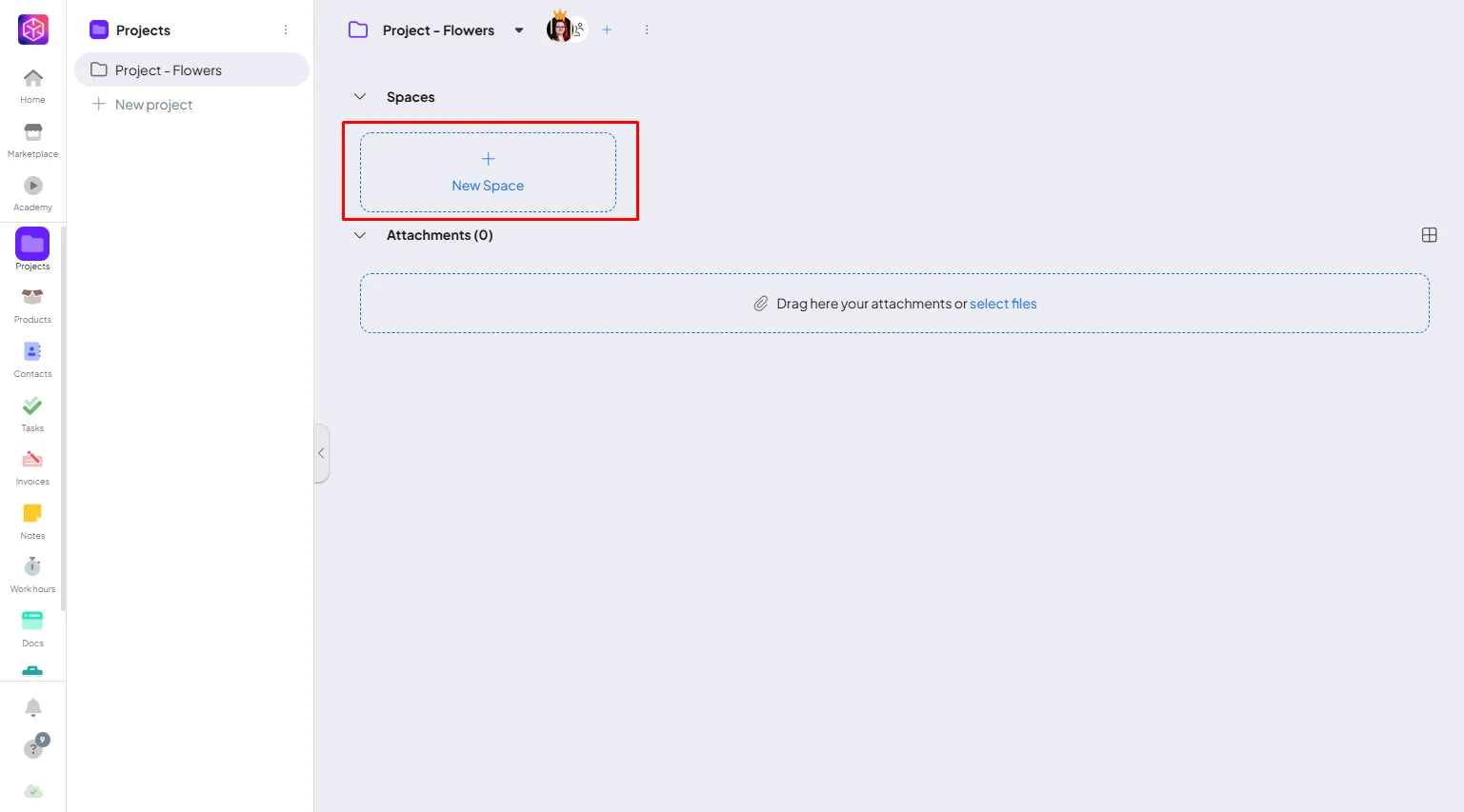
Create a new docs
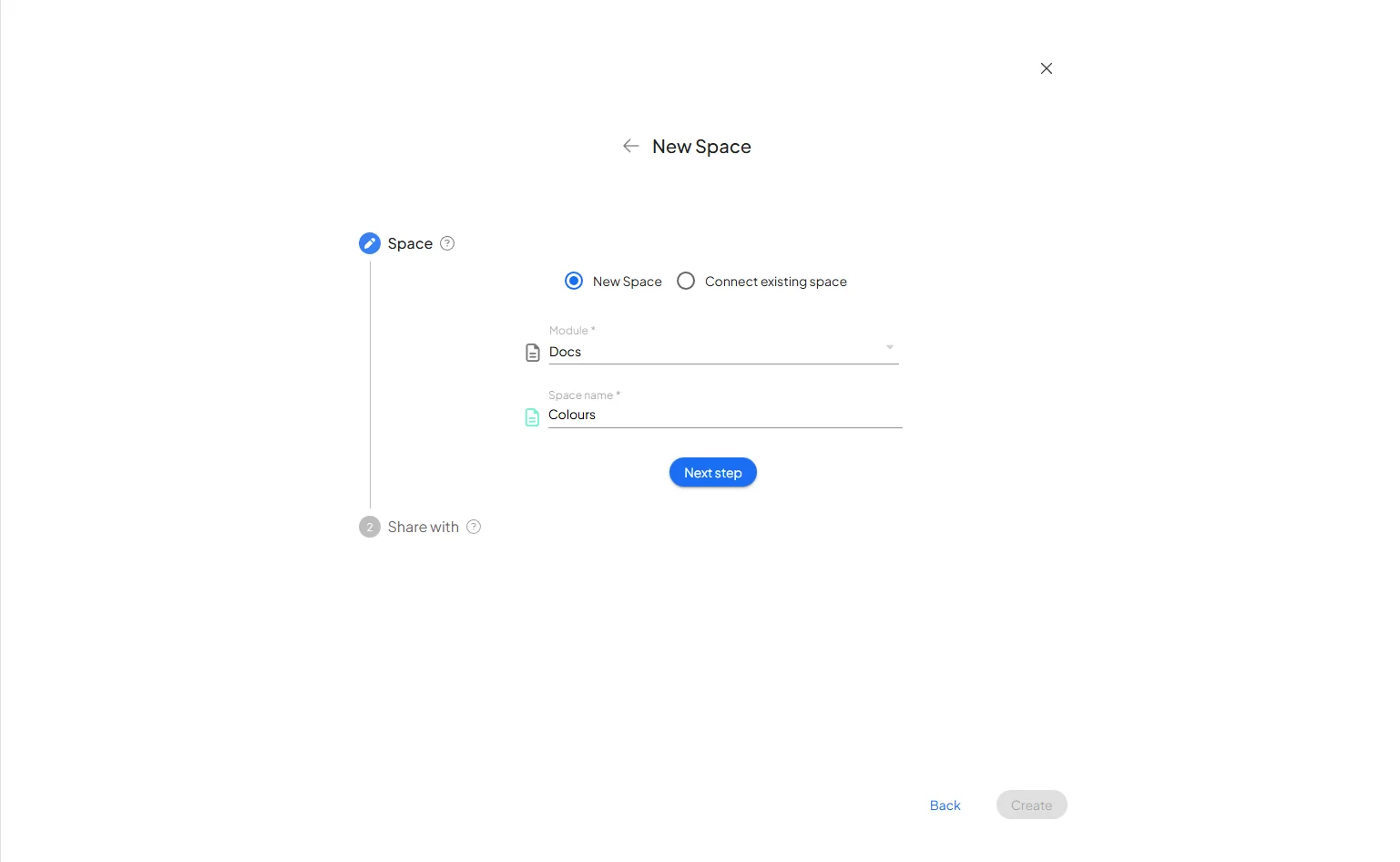
From dropdown menu choose the Docs module and name the space. Click “Next step” and now you can choose with who you will share this space with, and save it.
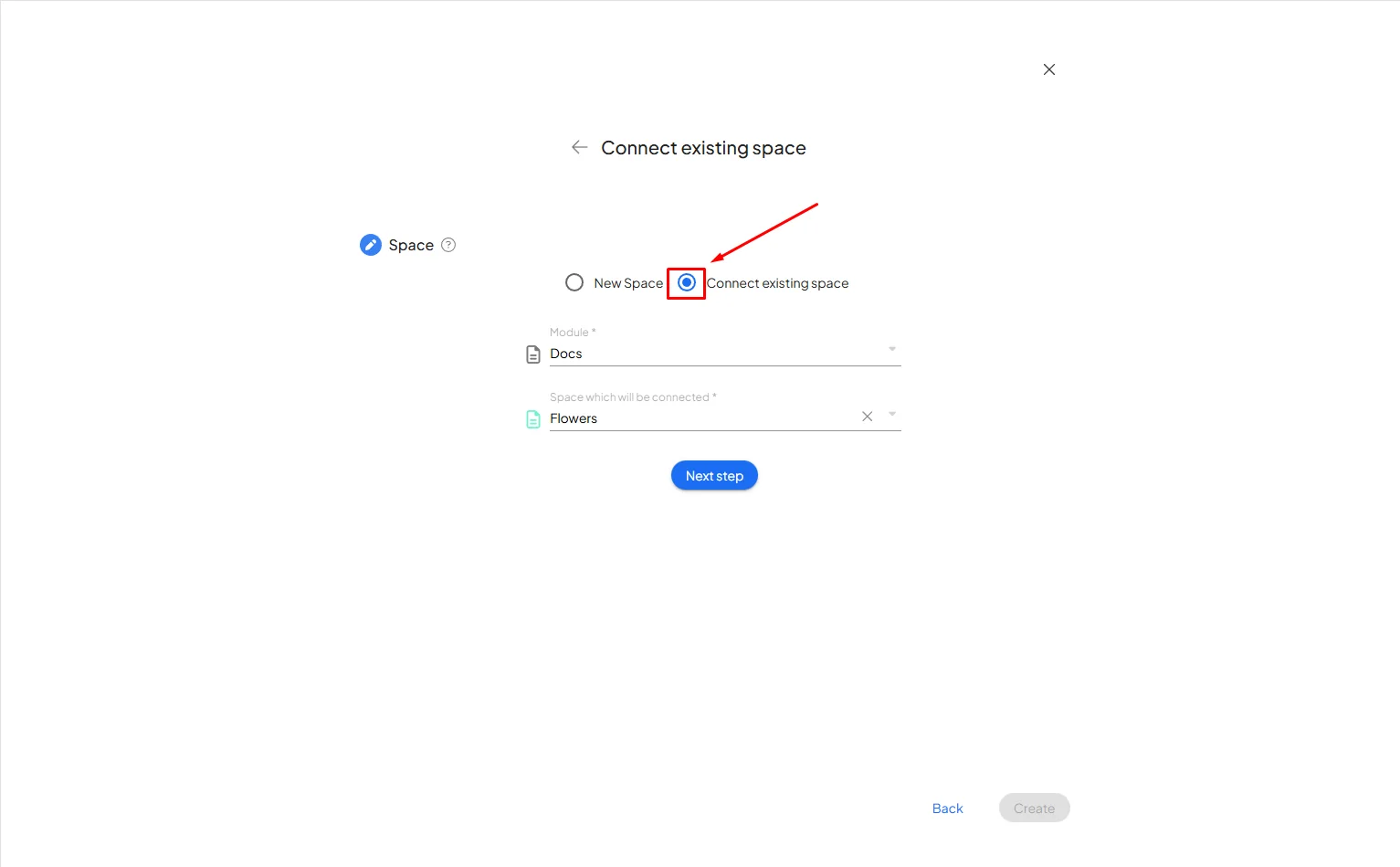
Existing docs
Click on “Connect existing space”. Find the Docs module and space you want to connect the project with and save it.
This enables you to consolidate relevant information and resources, improving organization and accessibility, and thereby facilitating more efficient project management.
In short, the Docs addon’s ability to integrate with other workflows, such as Projects, makes it a valuable tool in your productivity workflow within Boost.Space.
If you need help with anything, please contact us at support@boost.space.

