Utilizing the Work Hours Addon in Boost.space
The Work Hours Addon in Boost.space is an effective tool designed to manage and record your working hours. It allows you to track the time spent on various tasks, helping maintain productivity and time management. This guide will walk you through the basic usage of this addon.
Accessing and Using the Work Hours Addon
To start, navigate to the Work hours addon. By selecting this addon, you can monitor your working hours over different periods, such as daily or monthly.
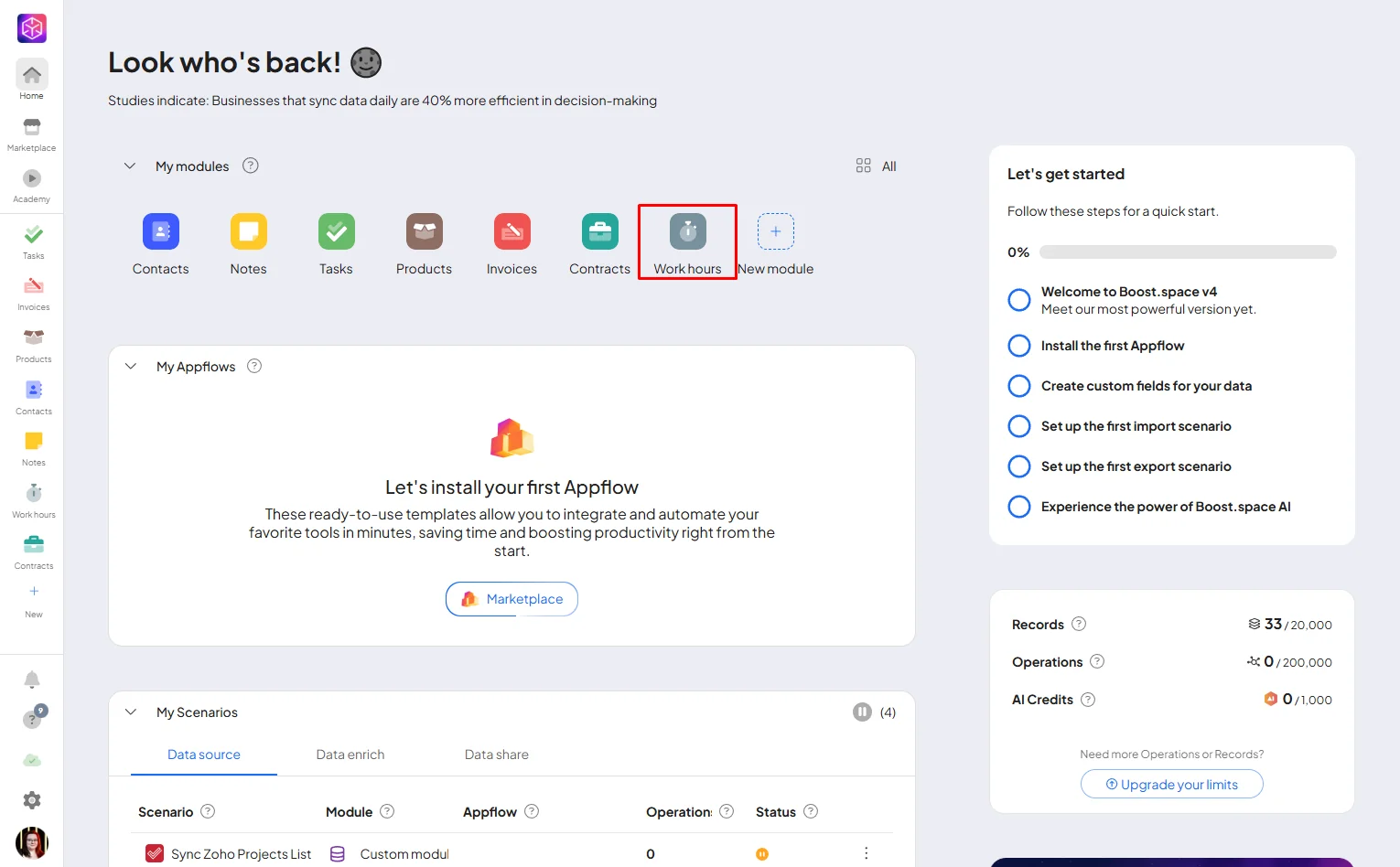
If you do not see this addon on your home page, just click on the “New module” and find Work hours addon.
Creating a New Work Report
To report your work hours, click on the “New Work Report” button.
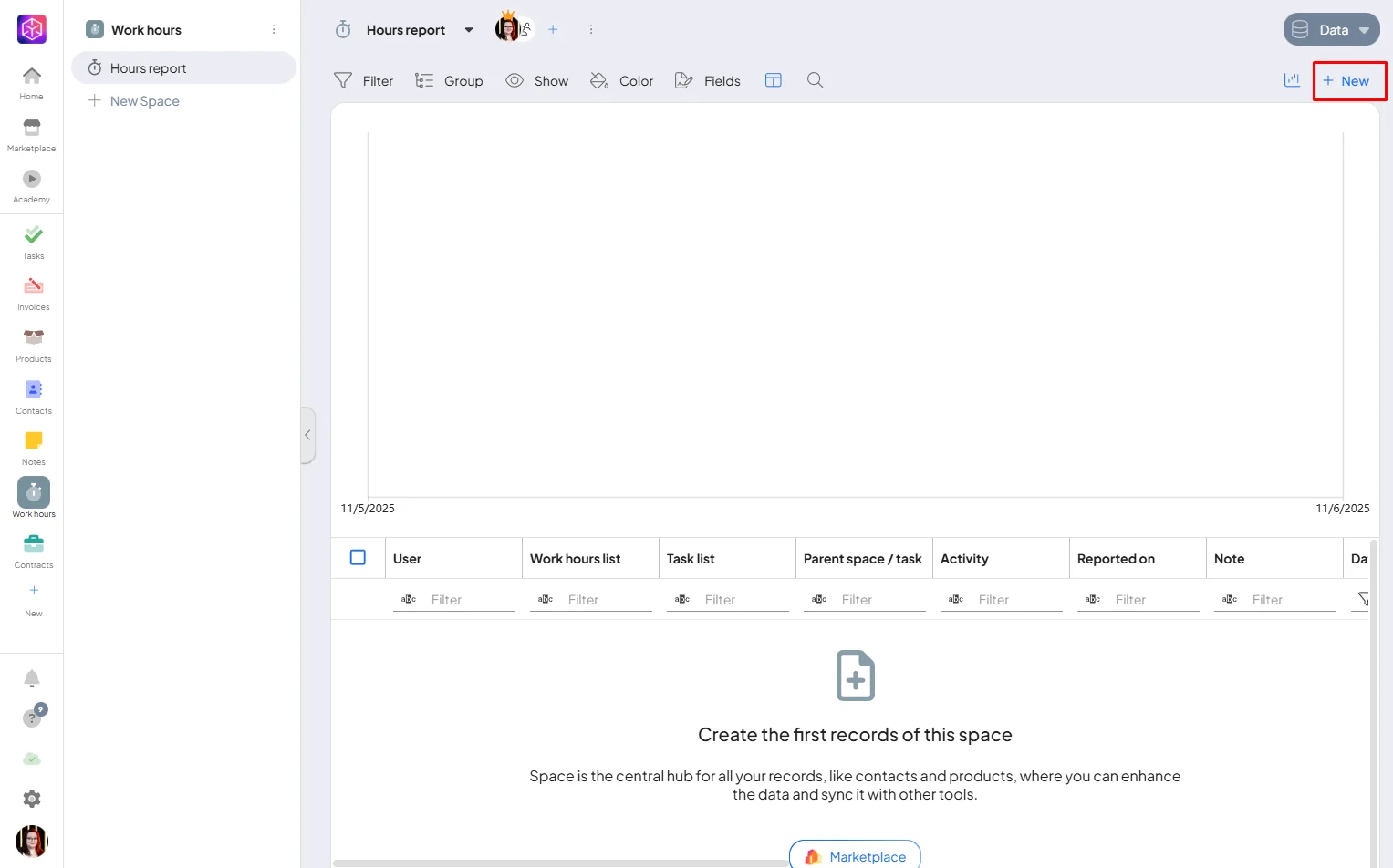
This will bring up a table where you can input relevant details about your working session. The fields to fill out include:
- Date: Select the date for which you want to report your hours.
- Type and Work Report Sheet: Choose the type of work and the corresponding report sheet.
- Note: Write a note or more specific what you did.
- Activity: Specify the type of work activity (e.g., documentation, SEO, testing, development).
- Task Sheets: From the task sheets, choose the specific task you worked on.
- Work Start Time: Indicate when you started working.
- Duration: Note how long the work took.
- Hourly Rate: If applicable, select your hourly rate.
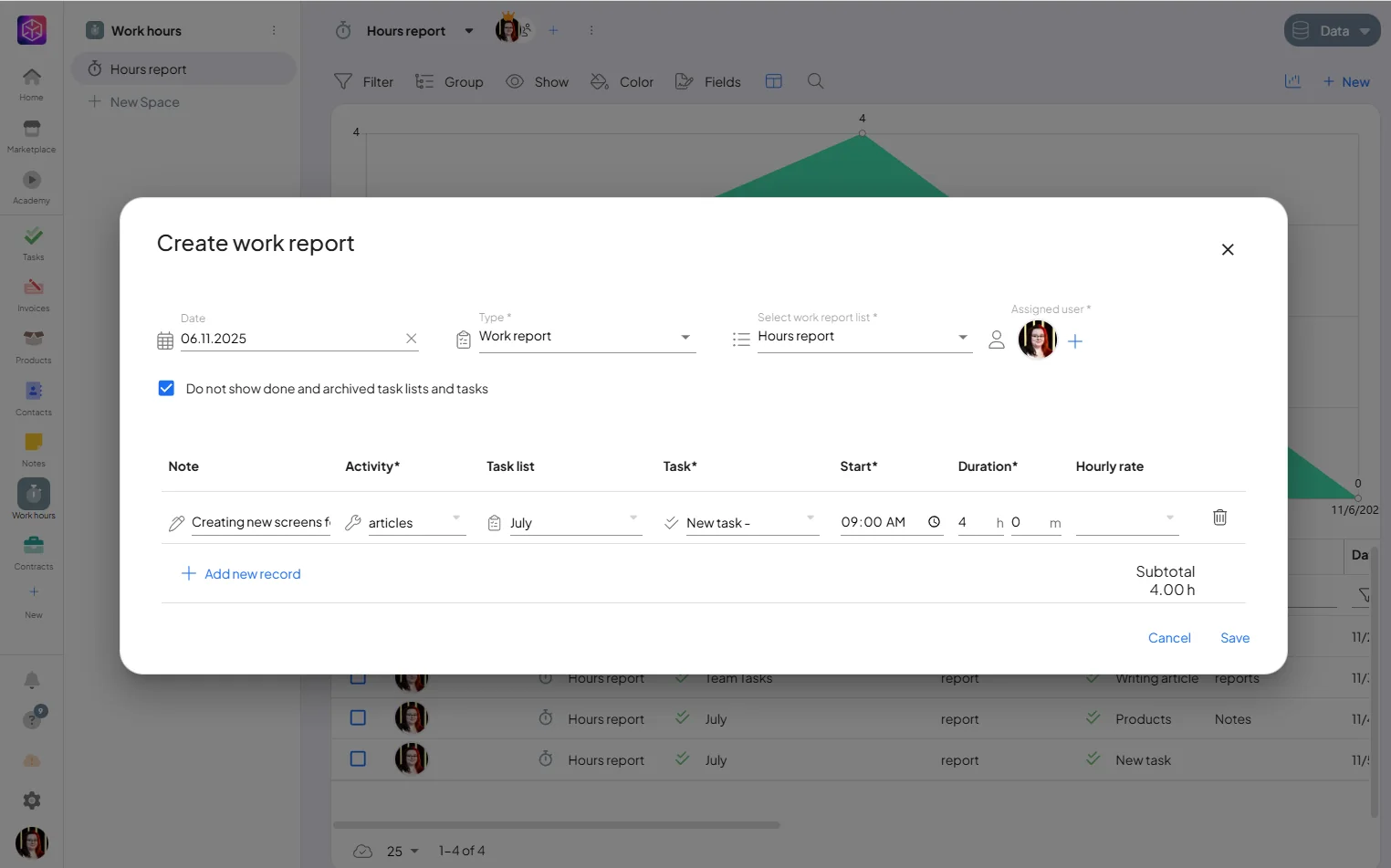
These details will help to create a comprehensive work report, outlining your tasks, time spent, and potential compensation. After reporting everything you wanted, just save it and you will see your report.
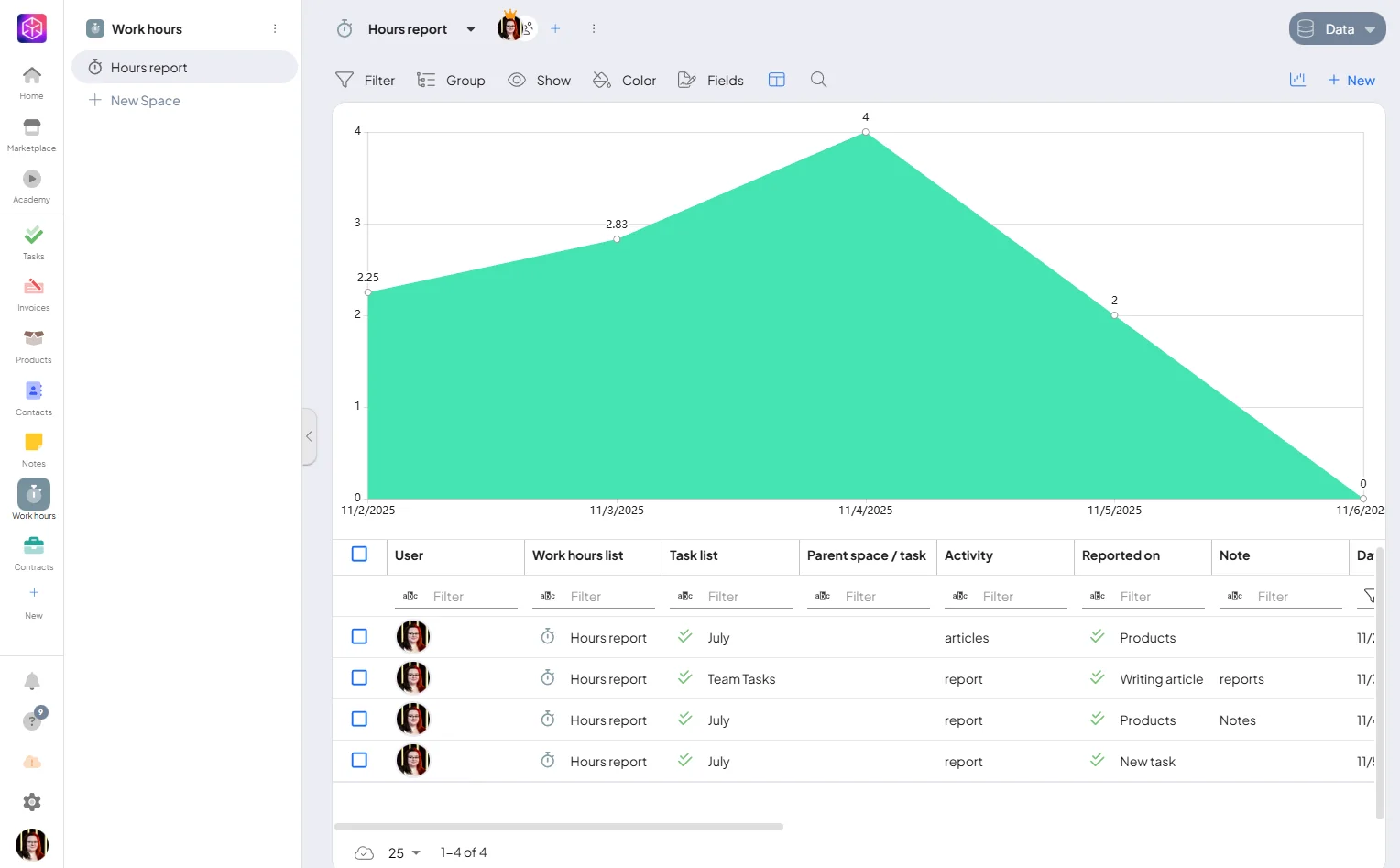
Viewing Reported Hours
The Work Hours Addon also enables you to view your reported hours based on different parameters. For instance, you can track the amount of time spent on specific task sheets. This provides you with a detailed breakdown of your working hours, assisting you in understanding where your time is spent most and how much time you spent working at all.
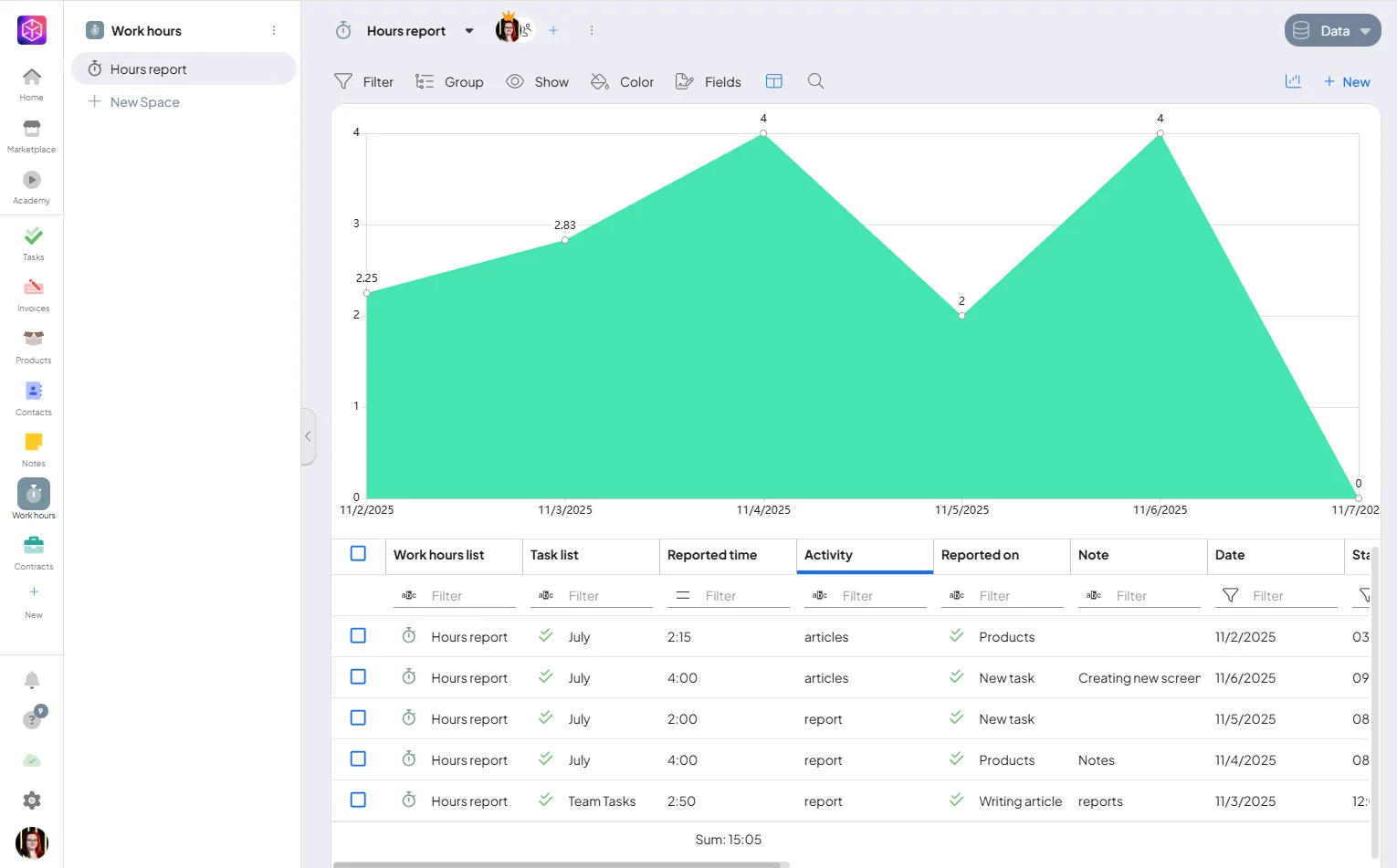
By regularly using the Work Hours Addon, you can maintain a precise log of your work activities and the time spent on each, facilitating better task and time management. As with all addons in Boost.space, the objective is to streamline your workflow, increase your efficiency, and ultimately enhance your productivity.
If you need help with anything, please contact us at support@boost.space.

