Create a Data Thing or a Bulk of Data Things on Bubble
In a Bubble Data Type, a data thing is a new entry with one or more fields. You can think of it as a row in a Google Sheet. You can either create a data thing or a bulk of data things on Bubble using the respective Bubble modules on Boost.space Integrator.
Part 1: Create a data thing on Bubble when a row is updated on a Google Sheet
The same principles apply when creating a data thing from any third-party service.
Watch the video tutorial or continue reading below.
-
Create the Data Types on Bubble and an entry in each.
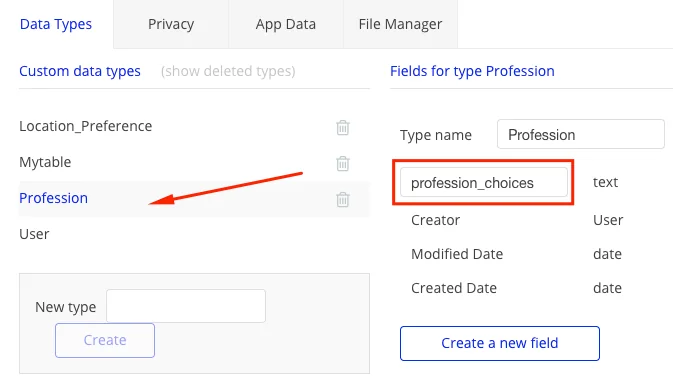
Create the Data Types in which you’d like to create Data Things dynamically. We have created 2 new Data Types:
Location_PreferenceandProfessionas shown below.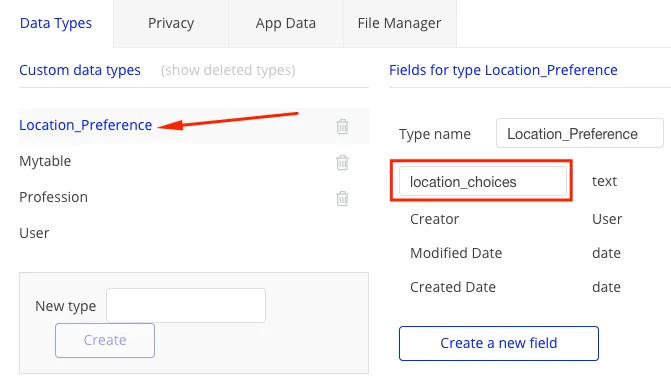
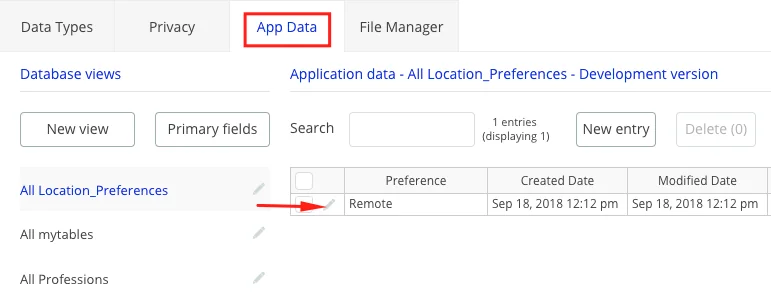
Under App Data, create a new entry in each of the Data Types shown for Location_Preference.
-
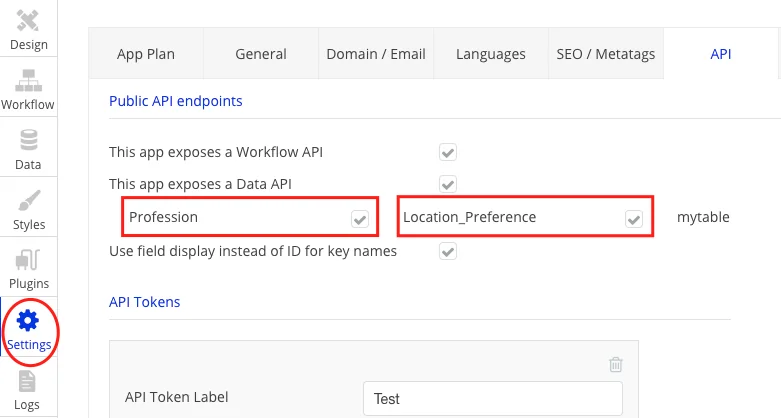
Expose the Data Types in the API settings:
-
Create the scenario in Boost.space Integrator:
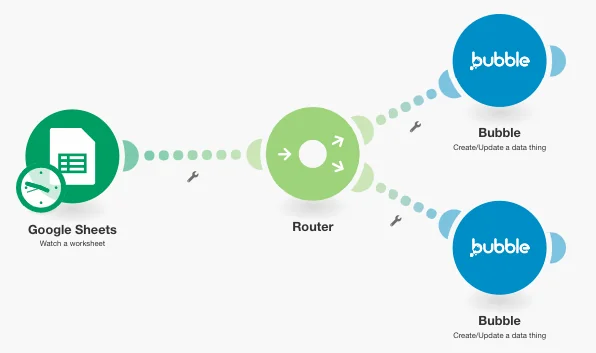
The scenario in Boost.space Integrator looks like below and is available as a template for you to replicate.
-
Create a form on Bubble to populate dynamic data things when the above scenario runs.
While you can see the data things being added dynamically under Data Types, this is a sample use case of this tutorial on Bubble. See the form below.
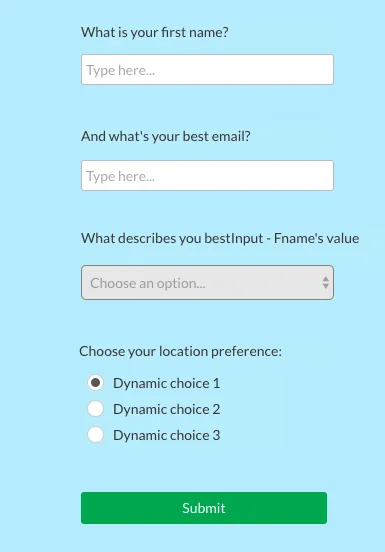
Populate the dropdown with dynamic data things from Professions’
profession_choices.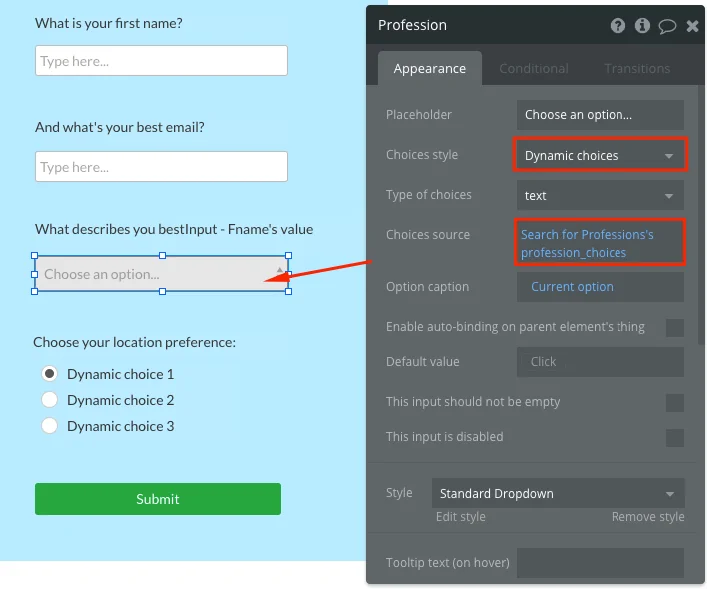
Similarly, the radio buttons are populated with dynamic data things from Location_Preferences’
location_choices.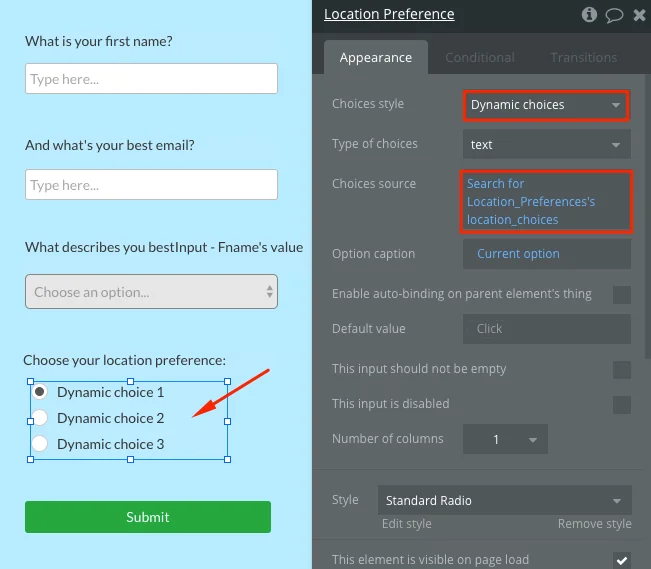
When you add new profession_choices and location_choices to your Google Sheet and run the scenario, the dropdown and the radio buttons are populated with those choices.
Part 2: Create a bulk of data things under a data type
-
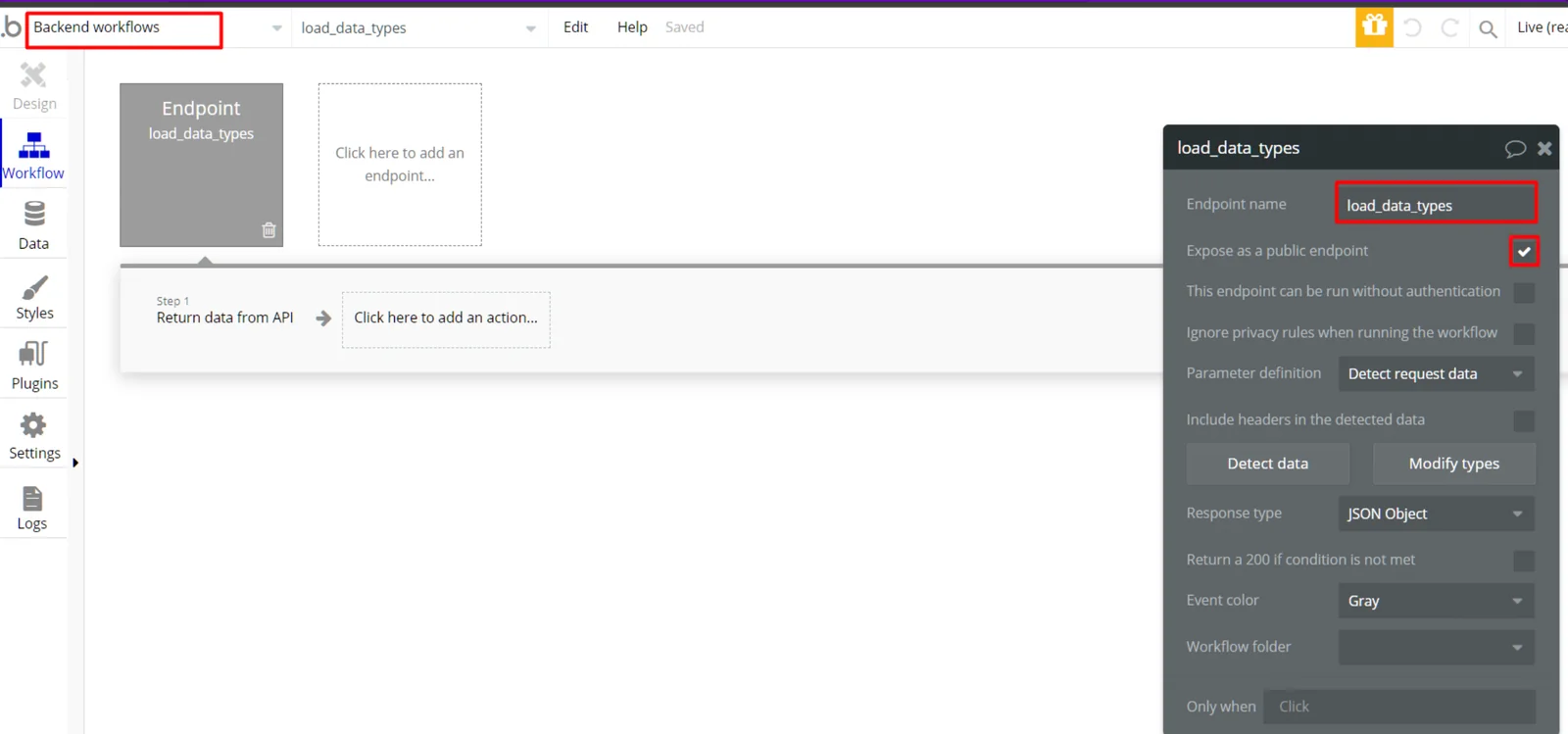
Create an API workflow called load_data_types under Backend Workflows.
The workflow load_data_types serves to expose data types to Boost.space Integrator as patterns to create new data things. This endpoint must also be exposed as a public endpoint.
-
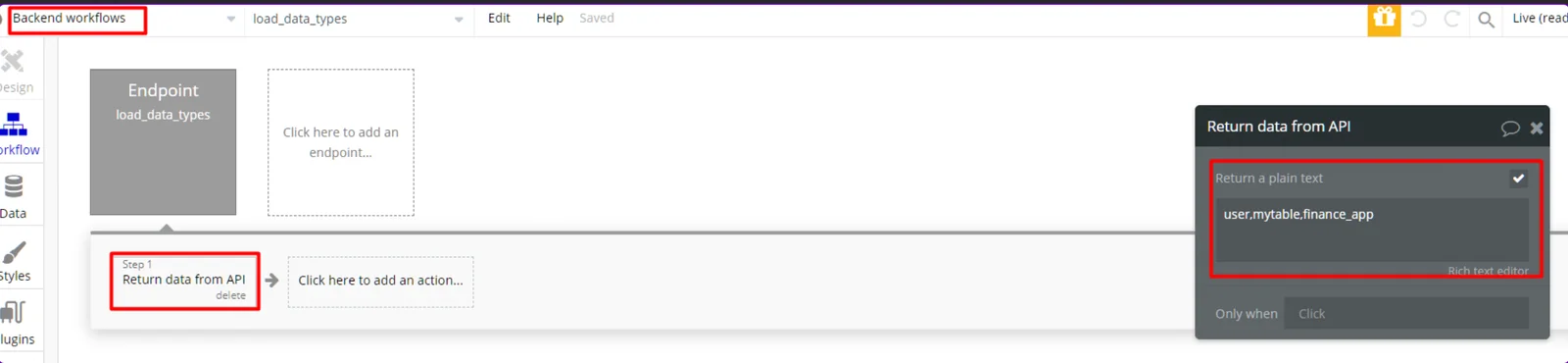
Add the list of Data Types to the workflow.
The workflow load_data_types returns a text list of data types visible to Boost.space Integrator and the items in the list are delimited with a comma as shown below:
You are able to use the Create the bulk of data things module in your scenarios.