DHL
With DHL modules in Boost.space Integrator, you can track shipments in your DHL account and make API calls
To get started with DHL, create an account at developer.dhl.com.
Connecting DHL to Boost.space Integrator
To make a connection, you need to obtain an API key by creating an app in your DHL account.
-
Log in to your DHL developers account.
-
Click your avatar in the top-right corner to take you to the user dashboard.
-
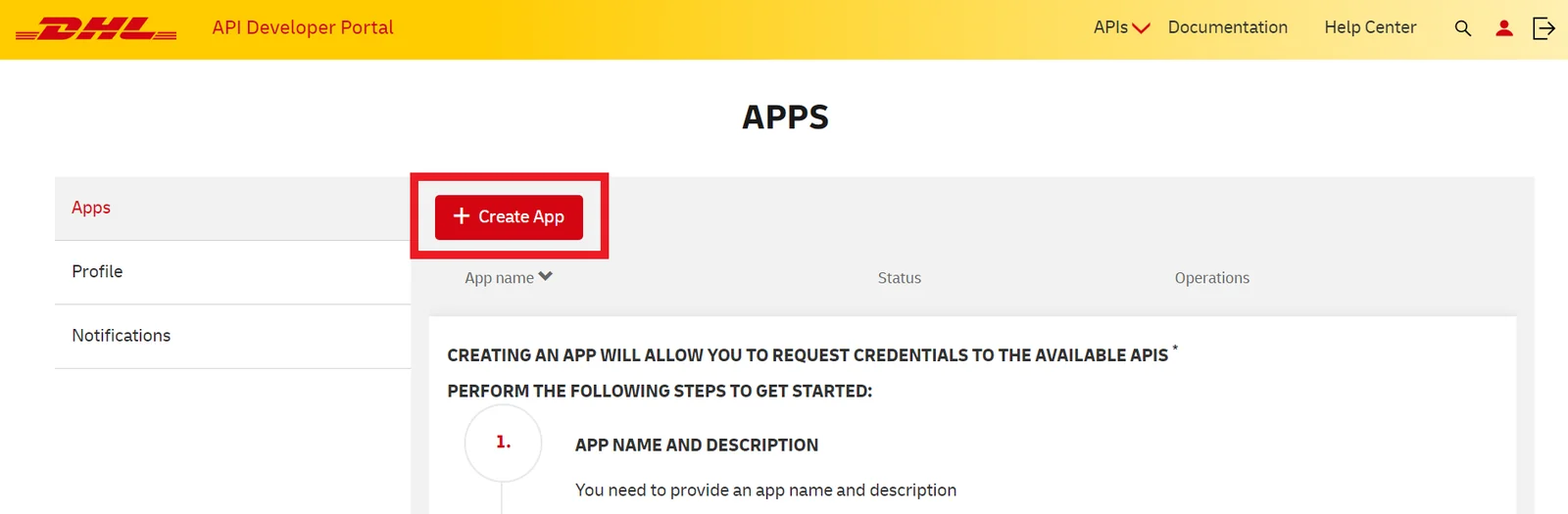
Click Create App.
-
Give your new app a name.
-
Select the APIs you want to use. The APIs you need to select to use all the DHL modules in Boost.space Integrator are:
-
Shipment Status (DHL Global Forwarding)
-
Shipment Tracking (DHL Global Forwarding)
-
Shipment Tracking (Unified)
For each API selected, click the plus sign under Add to app to enable the API.
-
-
Once you have selected al the necessary APIs, click Create App.
-
Select your newly created app from the list.
-
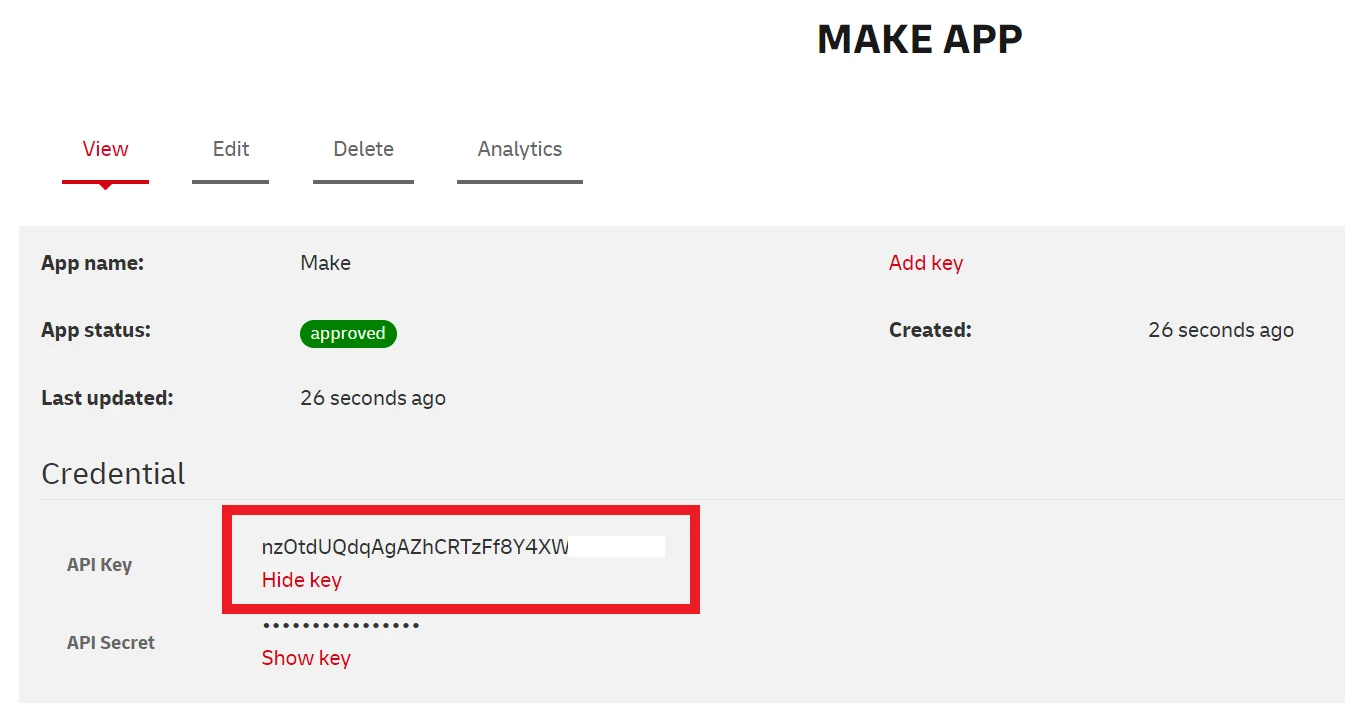
Next to API key, click Show key and copy the API key to your clipboard.
-
Go to your Boost.space Integrator scenario and select the DHL module you want to use.
-
Under Connection, click Add.
-
Give your new connection a name.
-
Paste the API key in the filed below.
-
Click Save.
You have successfully established the connection.
Shipment Trackings
Track a Shipment (Unified)
Retrieves up-to-the-minute shipment status report.
Connection
Establish a connection to your DHL account.
Tracking number
Enter the tracking number of the shipment for which to return the information.
Service
Select which service (provider) should be used to resolve the tracking number.
-
Express
-
Parcel-DE
-
eCommerce
-
DGF
-
Parcel-UK
-
Post-DE
-
Sameday
-
Freight
-
Parcel-NL
-
Parcel-PL
-
DSC
Requester Country Code
Select the country of the consumer of the API response.
Origin Country Code
Select the country of the shipment origin.
Recipient Postal Code
Enter the postal code of the destination address.
Language
Enter the language code for the response. For example: en.
Limit
Enter the maximum number of results Boost.space Integrator returns during one scenario execution cycle.
Track a Shipment (DHL Global Forwarding)
Retrieves shipment information by shipment house bill number.
Connection
Establish a connection to your DHL account.
House Bill
Enter the house bill number of the shipment you want to track.
Get a House Bill Number
Retrieves a house bill number.
Connection
Establish a connection to your DHL account.
Search Type
Specify one of the supported search-types.
-
Customer Reference
-
Masterbill
-
Container Number
Value
Enter a value.
Shipment Statuses
Get a Shipment Status
Retrieves shipment status information by shipment’s house bill number.
Connection
Establish a connection to your DHL account.
House Bill
Enter the house bill number of the shipment you want to get a status for.
Legacy article, imported from the original Boost.space knowledge base (/knowledge-base/applications/business-operations-and-erps/dhl/).

