PlentyMarkets
With PlentyMarkets modules in Boost.space Integrator, you can:
-
create, update, retrieve, search, and delete orders
-
create, update, retrieve, and search tickets
-
create, update, retrieve, search, and delete contacts
-
create, retrieve, search, and delete items
-
create and search tag relationships
-
call APIs
To get started with PlentyMarkets, create an account at plentymarkets.com.
Connect PlentyMarkets to Boost.space Integrator
To connect PlentyMarkets app, you need to obtain the REST-API HTTP Endpoint, Username, and Password from your PlentyMarkets account and insert them into your Boost.space Integrator scenario.
-
Log in to your PlentyMarkets account.
-
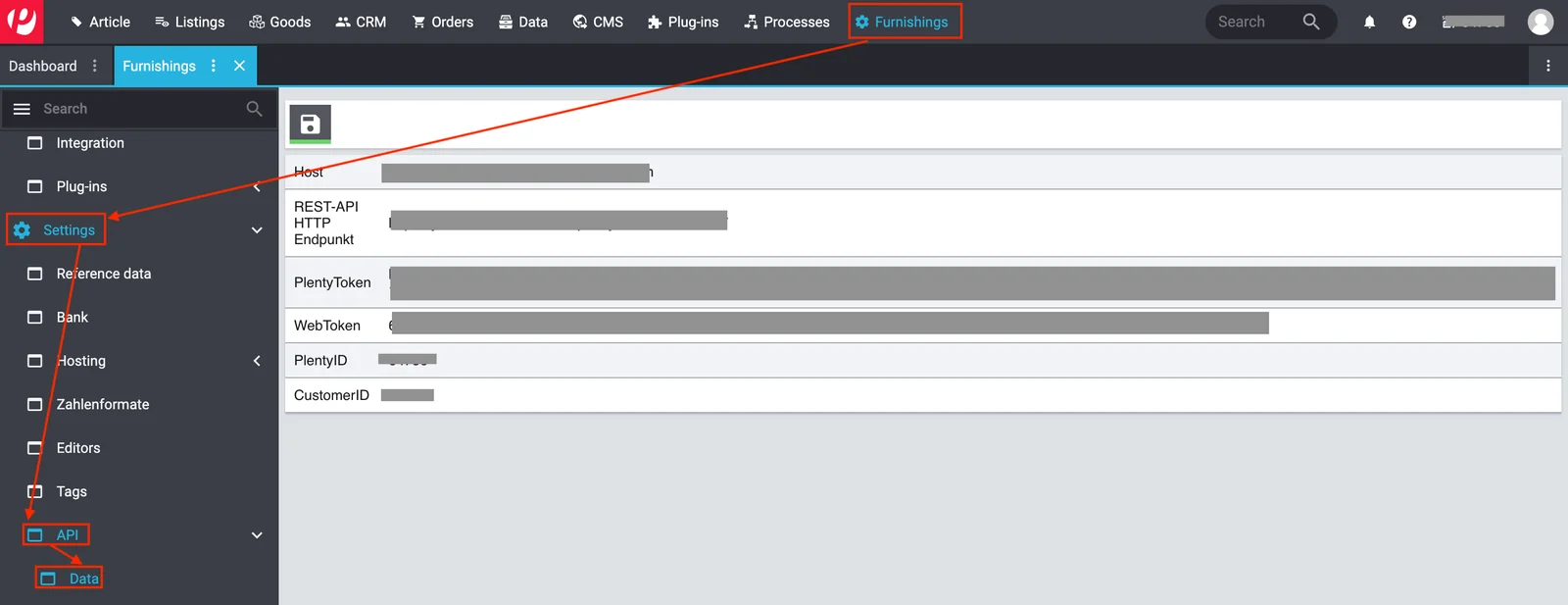
Click Furnishings >Setup > Settings > API > Data. Copy the REST-API HTTP Endpoint to a safe place.
-
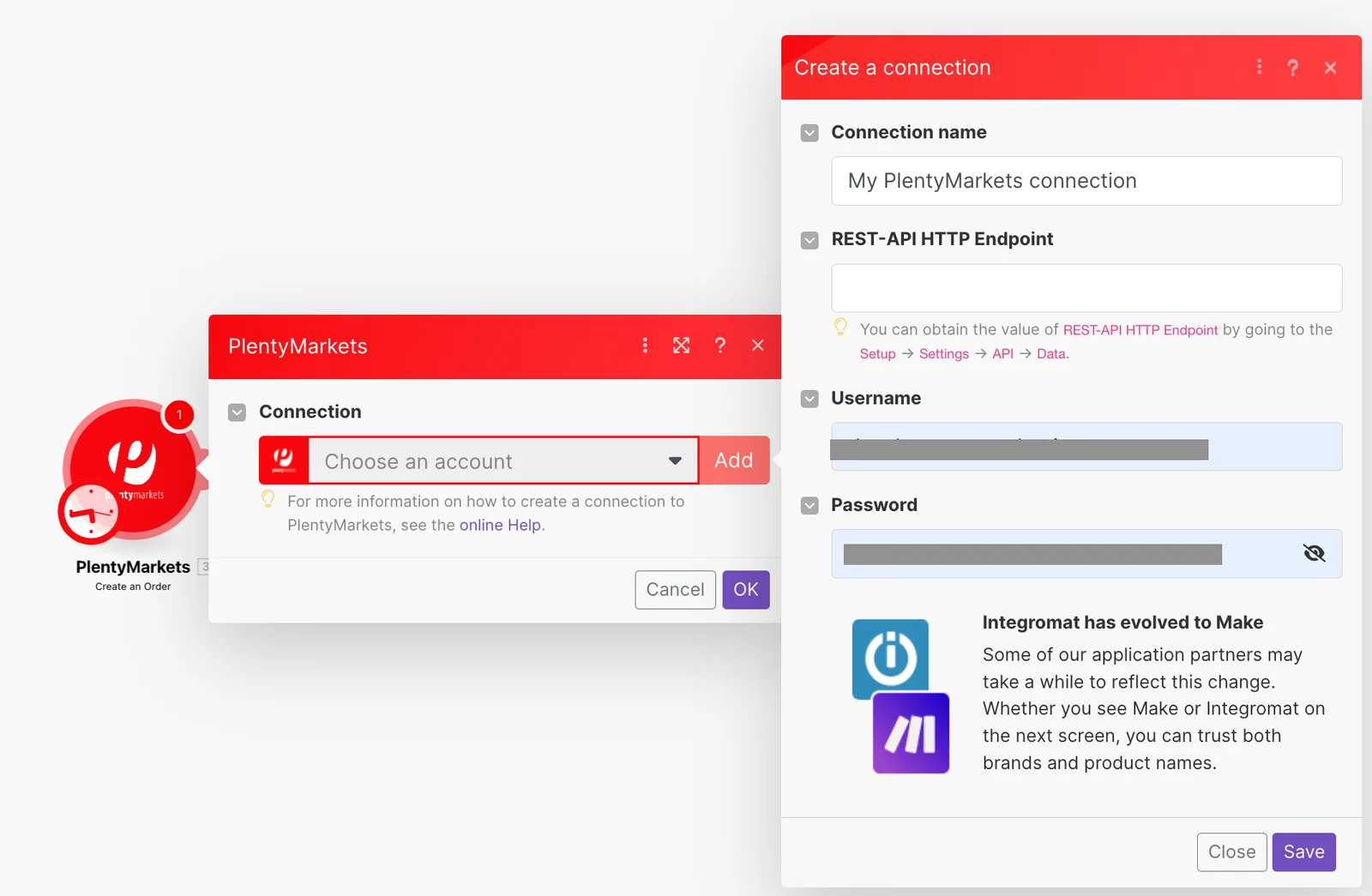
Log in to your Boost.space Integrator account, insert a PlentyMarkets module in your scenario, and click the Add button next to the Connection field.
-
In the Connection name field, enter a name for the connection.
-
In the REST-API HTTP Endpoint field, enter the details copied in step 2.
-
In the Username and Password fields, enter your PlentyMarkets credentials and click Save.
You have successfully established the connection. You can now edit your scenario and add more PlentyMarkets modules. If your connection needs reauthorization at any point, follow the connection renewal steps here.
Orders
Create an Order
Creates a new order.
Update an Order
Updates an order.
Get an Order
Gets an order.
Search Orders
Searches orders by given criteria.
Delete an Order
Deletes an order.
Tickets
Create a Ticket
Creates a new ticket.
Update a Ticket
Updates a ticket.
Get a Ticket
Gets a ticket.
Search Ticket
Searches tickets by given criteria.
Contacts
Create a Contact
Creates a new contact.
Update a Contact
Updates a contact.
Get a Contact
Gets a contact.
Search Contacts
Searches contacts by given criteria.
Delete a Contact
Deletes a contact.
Items
Create an Item
Creates a new item.
Get an Item
Gets an item.
Search Items
Searches items by given criteria.
Delete an Item
Deletes an item.
Tag Relationships
Create a Tag Relationship
Creates a new tag relationship.
Search Tag Relationships
Searches tag relationships by givenI criteria.
Other
Make an API Call
Performs an arbitrary authorized API call.
Legacy article, imported from the original Boost.space knowledge base (/knowledge-base/applications/commerce/plentymarkets/).

