NeverBounce
Getting Started with NeverBounce
The NeverBounce modules allow you to verify the email addresses in your NeverBounce account.
Prerequisites
- A NeverBounce account
In order to use NeverBounce with Boost.space Integrator, it is necessary to have a NeverBounce account. If you do not have one, you can create a NeverBounce account at neverbounce.com/register.
The module dialog fields that are displayed in bold (in the Boost.space Integrator scenario, not in this documentation article) are mandatory!
Connecting NeverBounce to Boost.space Integrator
To connect your NeverBounce account to Boost.space Integrator you need to obtain the API Key from your NeverBounce account and insert it in the Create a connection dialog in the Boost.space Integrator module.
1. Log in to your NeverBounce account.
2. Click Apps > Your Custom Integration App > Your API Key. If you have not created an app yet, create one at Custom Integration App.
3. Copy the API Key to your clipboard.
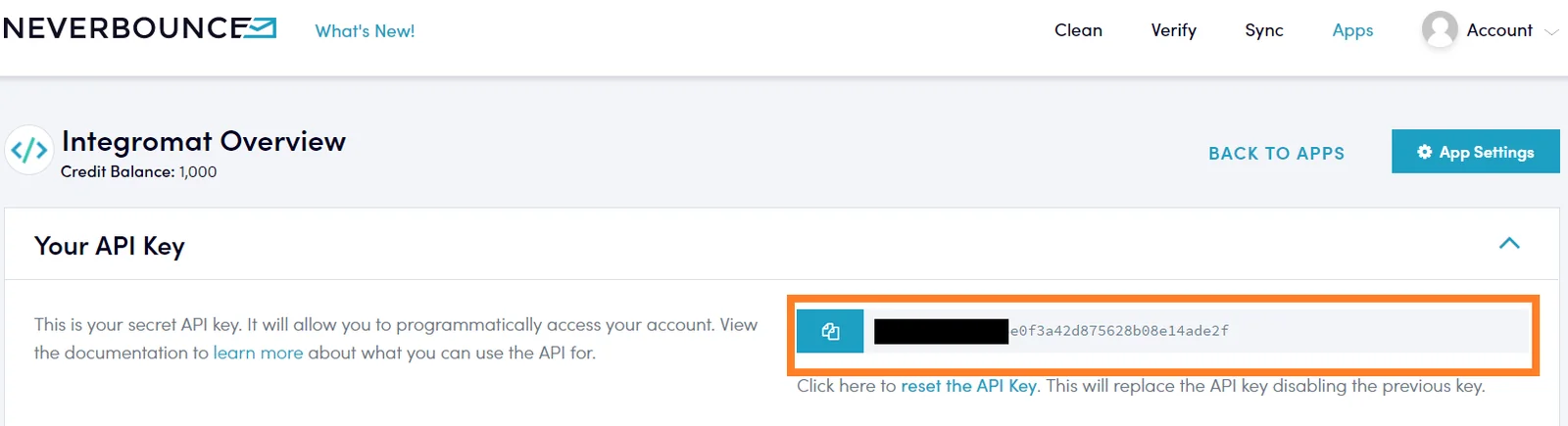
4. Go to Boost.space Integrator and open the NeverBounce module’s Create a connection dialog.

5. In the Connection name field, enter a name for the connection.
6. In the API Key field, enter the API key copied in step 4.
7. Click Continue.
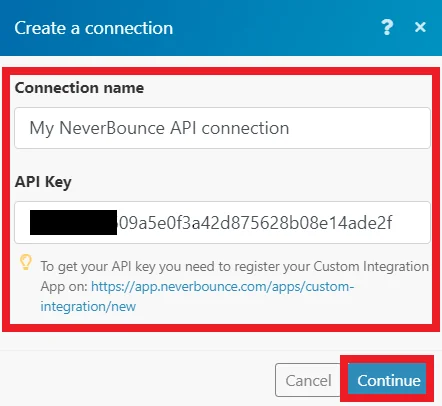
The connection has been established.
Action
Get an Email Verification
Single Verification allows you to verify individual emails and gather additional information pertaining to the email.
Connection
Establish a connection to your NeverBounce account.
Enter the email address you want to verify.
Include Address Info
Select if you want to include the address details of the contact whose email address you are verifying.
Include Credits Info
Select if you want to include the credit’s information of the account whose email address you are verifying.
Timeout
Enter the time in seconds within which the email address should be verified.
Universal
Make an API Call
Performs an arbitrary authorized API call.
Connection
Establish a connection to your NeverBounce account.
URL
Enter a path relative to https://api.neverbounce.com/. For example: /v4/single/check
For the list of available endpoints, refer to the NeverBounce API Documentation.
Method
Select the HTTP method you want to use:
GET to retrieve information for an entry**.**
POST to create a new entry.
PUT to update/replace an existing entry.
PATCH to make a partial entry update.
DELETE to delete an entry.
Headers
Enter the desired request headers. You don’t have to add authorization headers; we already did that for you.
Query String
Enter the request query string.
Body
Enter the body content for your API call.
Example of Use – List Tasks
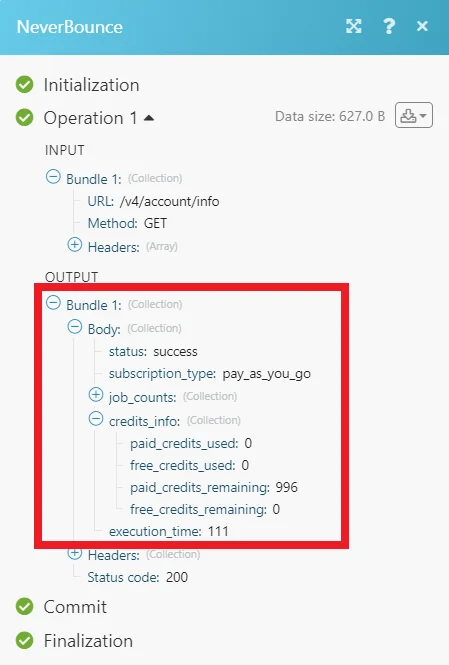
The following API call returns all tasks from your NeverBounce account:
URL: /v4/account/info
Method: GET
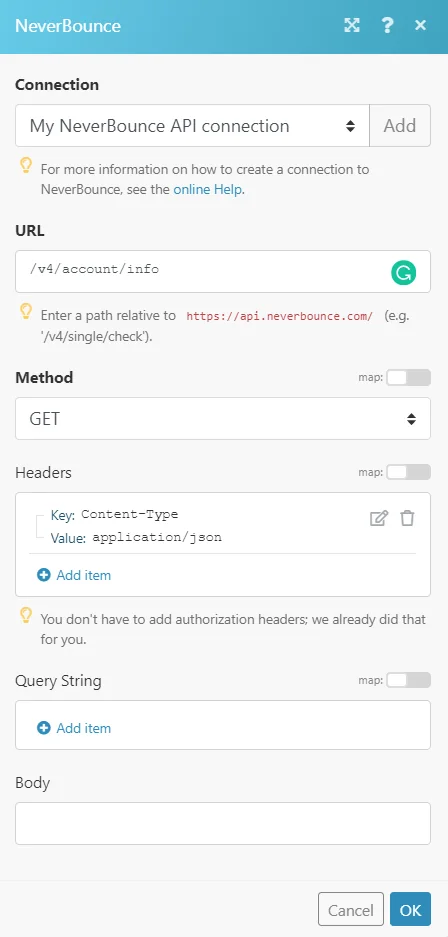
Matches of the search can be found in the module’s Output under Bundle > Body. In our example, the account information is returned:
Legacy article, imported from the original Boost.space knowledge base (/knowledge-base/applications/crm-and-sales-tools/neverbounce/).

