Zoho Sign
The Zoho Sign modules enable you to monitor document statuses in your Zoho Sign account.
Getting Started with Zoho Sign
Prerequisites
- A Zoho Sign account
In order to use Zoho Sign with Boost.space Integrator, it is necessary to have a Zoho Sign account. If you do not have one, you can create a Zoho Sign account at sign.zoho.eu.
Connect Zoho Sign to Boost.space Integrator
To connect your Zoho Sign account to Boost.space Integrator follow the general instructions for Connecting to services.
After you click the Continue button, Boost.space Integrator will redirect you to the Zoho Sign website where you will be prompted to grant Boost.space Integrator access to your account.
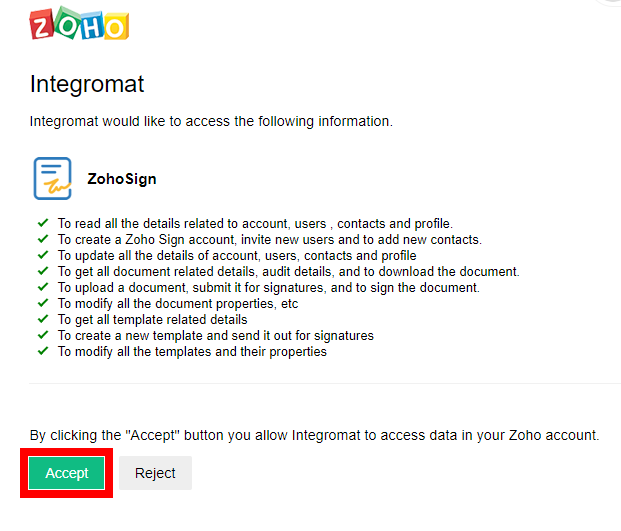
Confirm the dialog by clicking the Accept button.
The connection has been established. You can now proceed with setting up the module.
Make an API Call
Allows you to perform a custom API call.
Connection
Establish a connection to your Zoho Sign account.
URL
Enter a path relative to https://sign.zoho.{{connection.location}}/. E.g. /api/v1/users
For the list of available endpoints, refer to the Zoho Sign API Documentation.
Method
Select the HTTP method you want to use:
GET
to retrieve information for an entry.
POST
to create a new entry.
PUT
to update/replace an existing entry.
PATCH
to make a partial entry update.
DELETE
to delete an entry.
Headers
Enter the desired request headers. You don’t have to add authorization headers; we already did that for you.
Query String
Enter the request query string.
Body
Enter the body content for your API call.
Example of Use – List Documents
The following API call returns documents in your Zoho Sign account:
URL:
/api/v1/requests
Method:
GET
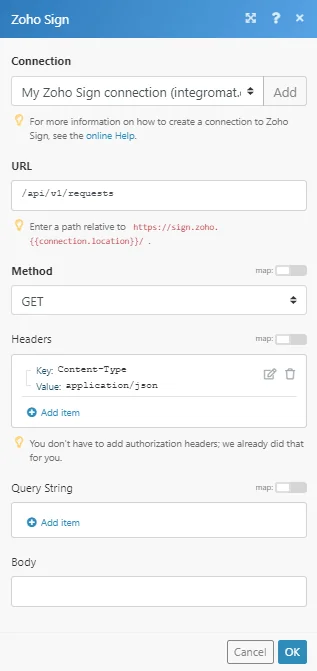
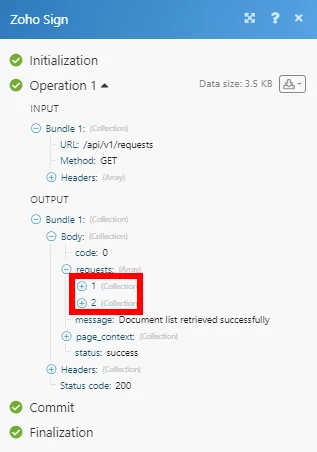
Matches of the search can be found in the module’s Output under Bundle > Body > requests.
In our example, 2 documents were returned:
Legacy article, imported from the original Boost.space knowledge base (/knowledge-base/applications/file-and-document-management/zoho-sign/).

