ServiceM8
With the ServiceM8 modules in Boost.space Integrator, you can:
-
watch, retrieve, list, create, update, and delete jobs
-
list, retrieve, create, update, and delete clients
-
create, and search job contacts
-
watch new clients and form responses
-
call APIs
To get started with ServiceM8, create an account at servicem8.com.
For the list of available endpoints, refer to the ServiceM8 API Documentation.
Connect ServiceM8 to Boost.space Integrator
To connect to the ServiceM8 app:
-
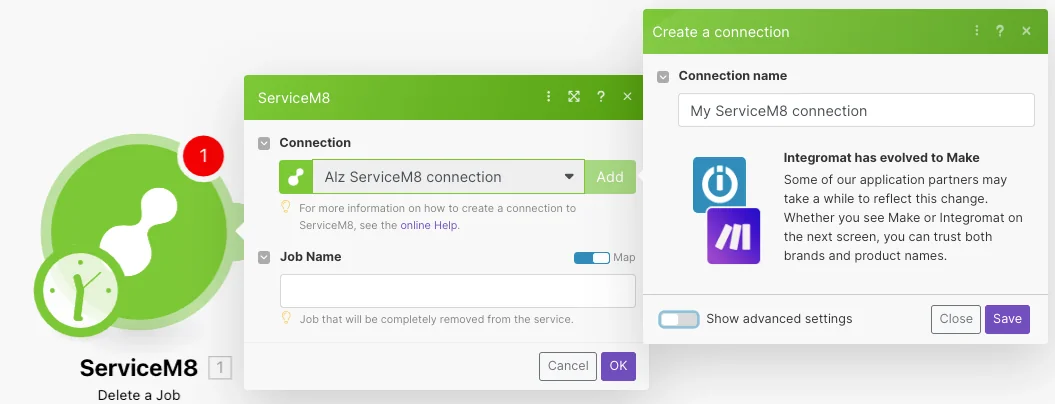
Log in to your Boost.space Integrator, add any ServiceM8 module scenario, and click the Add button next to the Connection field.
-
Optional: In the Connection name field, enter a name for the connection.
-
Optional: Click Show Advanced Settings and enter your custom app credentials. To create a custom app and implement OAuth2.0, see the ServiceM8 Developer documentation.
-
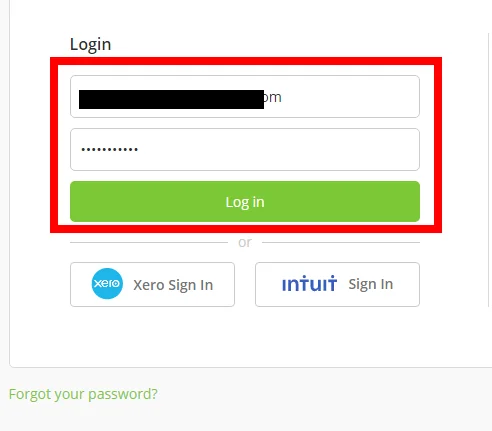
If prompted, log in to your ServiceM8 credentials and click Login.
-
Confirm the access by clicking Allow.
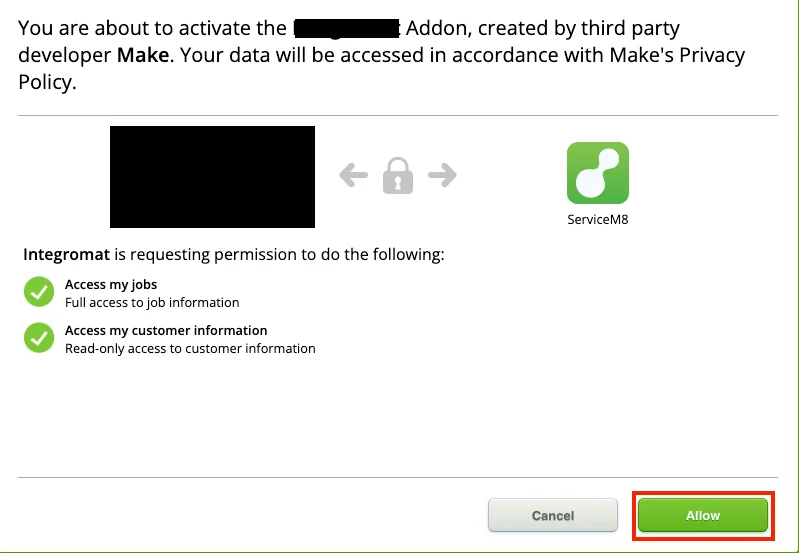
You have successfully established the connection. You can now edit Make and add more ServiceM8 modules. If your connection needs reauthorization at any point, follow the connection renewal steps here.
Job
You can watch, create, update, retrieve, list, and delete jobs using the following modules.
Watch Jobs
Triggers when a new job is created, or a job’s status is updated.
Boost.space Integrator automatically creates a webhook in ServiceM8 once you add an instant trigger to your scenario.
Get a Job
Gets information about a specific job.
List Jobs
Returns the entire list of jobs.
Create a Job
Creates a new job.
Update a Job
Updates information about a specific job.
Delete a Job
Removes the selected job from the list.
Client
You can watch, create, update, retrieve, list, delete clients, and create and search job contacts using the following modules.
List Clients
Provides a list of all customers.
Gets a Client
Gets information about the selected customer.
Create a Client
Creates a new client.
Create a Job Contact
Creates a new job contact.
Update a Client
Updates work data for a specific client by ID.
Search Job Contacts
Searches job contacts by given criteria.
Delete a Client
Deletes a specific client by ID.
Watch New Client
Triggers when a new client is created.
Boost.space Integrator automatically creates a webhook in ServiceM8 once you add an instant trigger to your scenario.
Other
Make an API Call
Performs an arbitrary authorized API call.
Legacy article, imported from the original Boost.space knowledge base (/knowledge-base/applications/hr-management/servicem8/).

