
The Adalo modules allow you to monitor, create, update, send, retrieve, list, and delete the records in your Adalo account.
Getting Started with Adalo
Prerequisites
An Adalo account
In order to use Adalo with Boost.space Integrator, it is necessary to have an Adalo account. If you do not have one, you can create an Adalo account at app.adalo.com/signup.
The module dialog fields that are displayed in bold (in the Boost.space Integrator scenario, not in this documentation article) are mandatory!
Connect Adalo to Boost.space Integrator
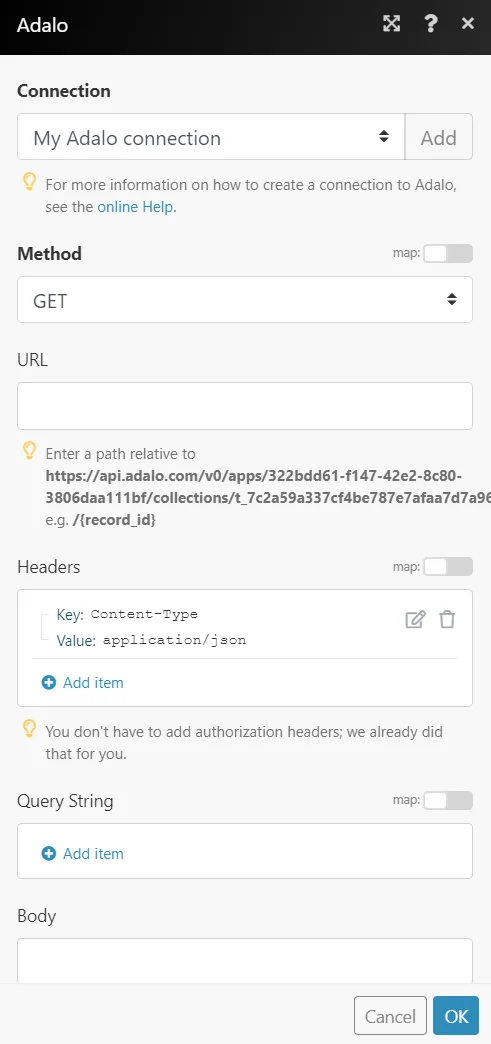
To connect your Adalo account to Boost.space Integrator you need to obtain the API Key, App ID, and Database Collection ID from your Adalo account and insert it in the Create a connection dialog in the Boost.space Integrator module.
Log in to your Adalo account.
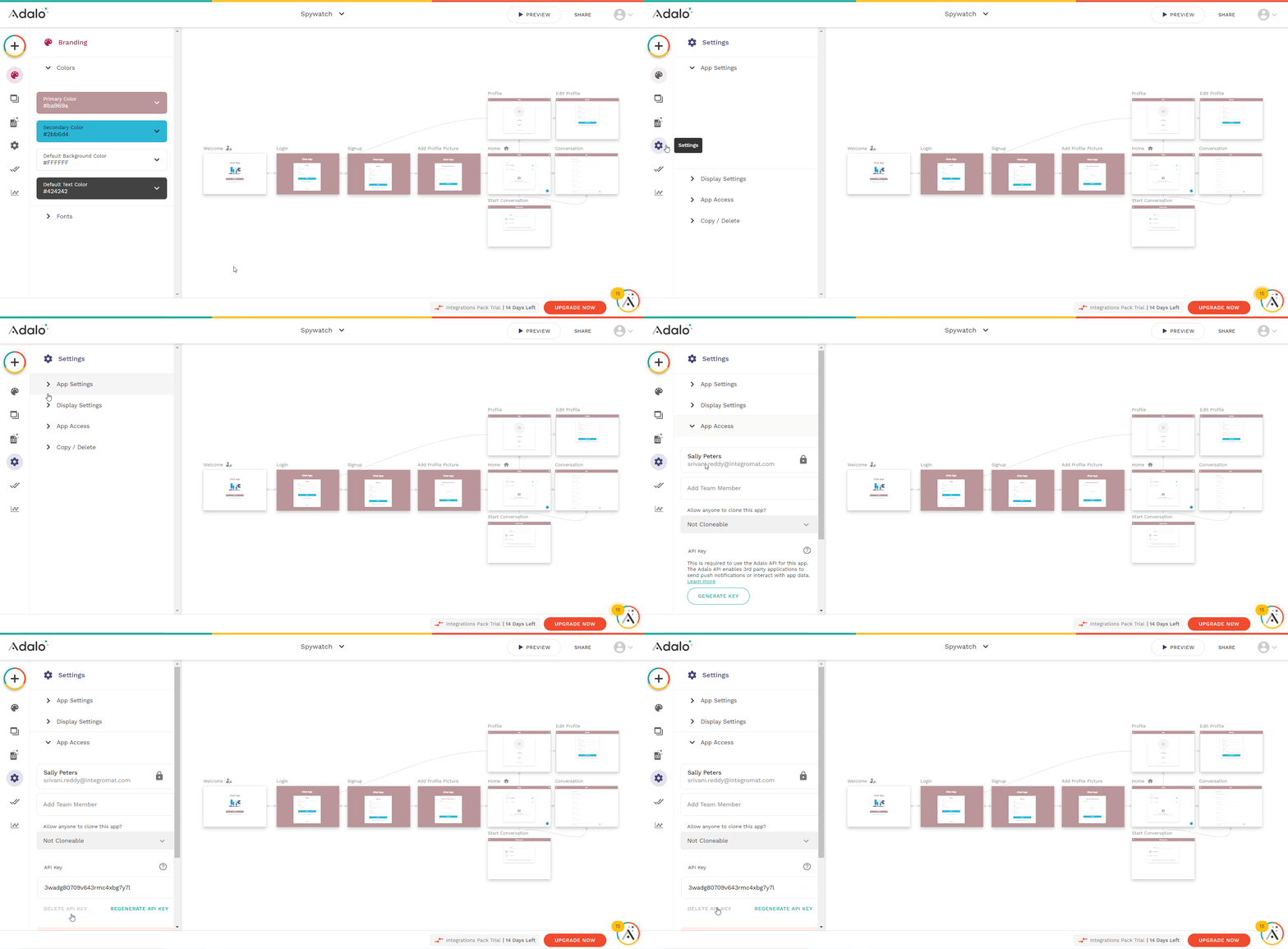
From the left menu, click Settings ()> APP Access > Generate Key.
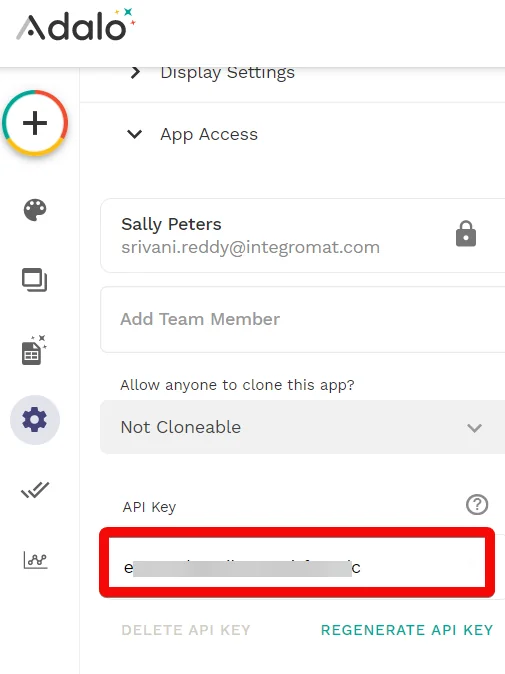
Copy the API Key to your clipboard.
Go to Boost.space Integrator and open the Adalo module’s Create a connection dialog.
In the API Key field, enter the API key details copied in step 3.
In the App ID field, enter your Adalo account’s App ID. For example, if your Adalo account’s URL address is https://api.adalo.com/v0/apps/{appId}/ then your App ID is {appId}.