GoDaddy
With GoDaddy modules in Boost.space Integrator, you can:
-

create, update, renew, retrieve, search domains, and search domains for suggestions
-
update, search and delete DNS records
To get started with GoDaddy, create an account at godaddy.com.
Connect GoDaddy to Boost.space Integrator
To connect GoDaddy app, you need to obtain the API Key and API Secret from your GoDaddy account.
-
Log in to your GoDaddy developer account.
-
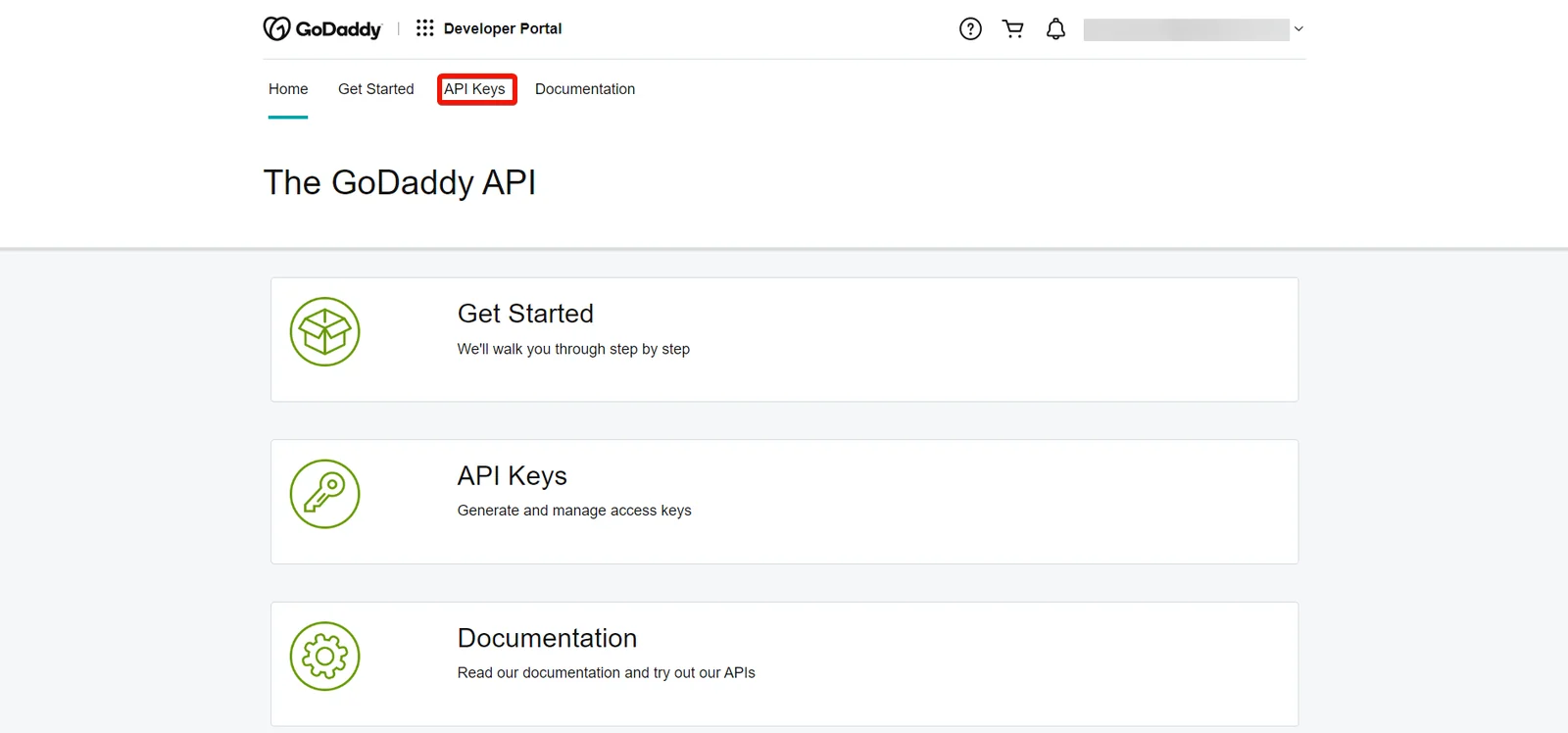
Click API Keys.
-
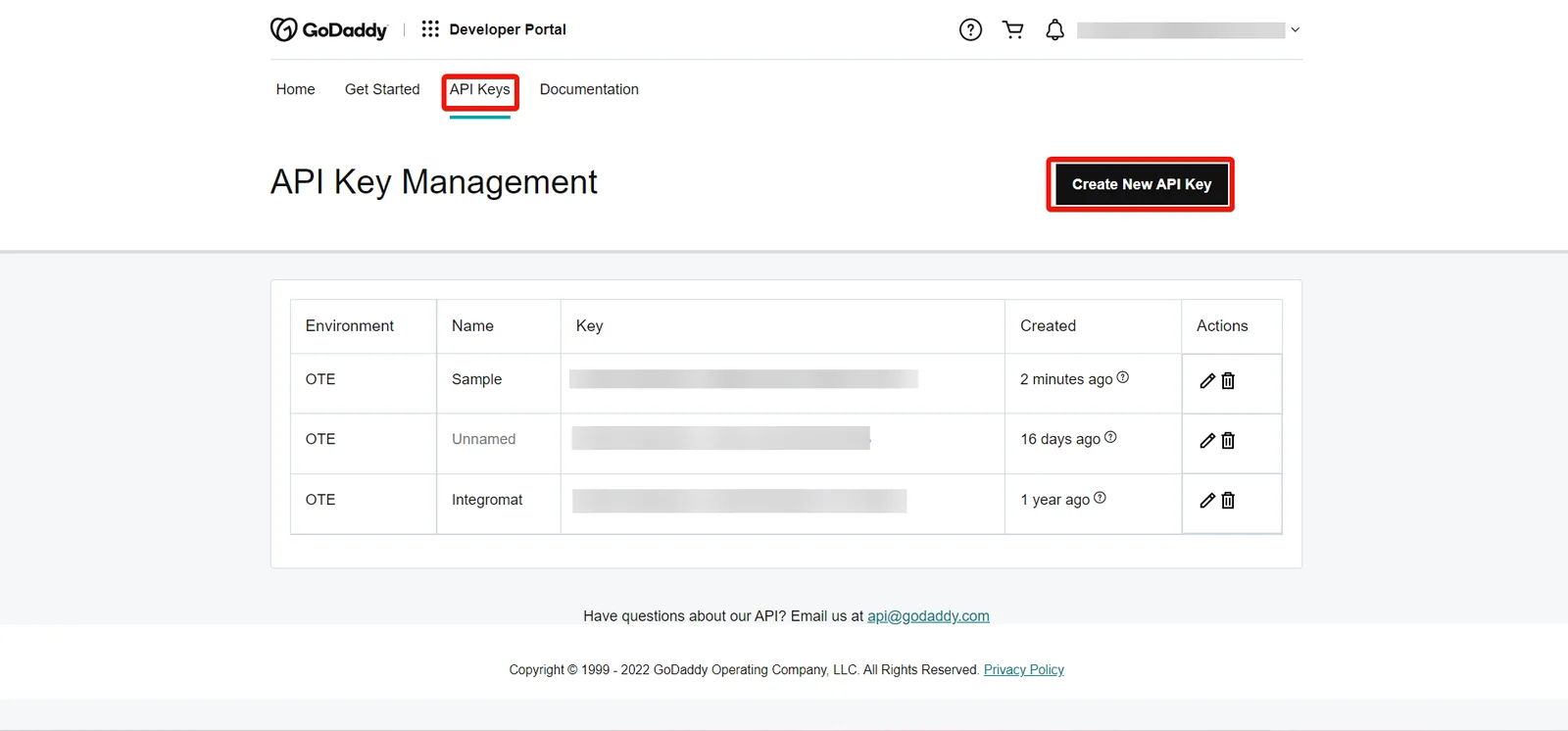
Click Create New API Key.
-
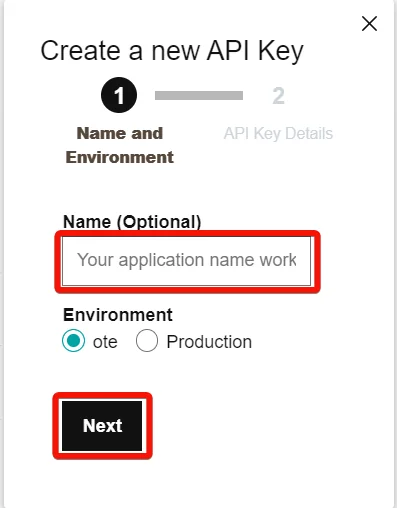
Enter a name for the API Key, select the Environment, and click Next.
-
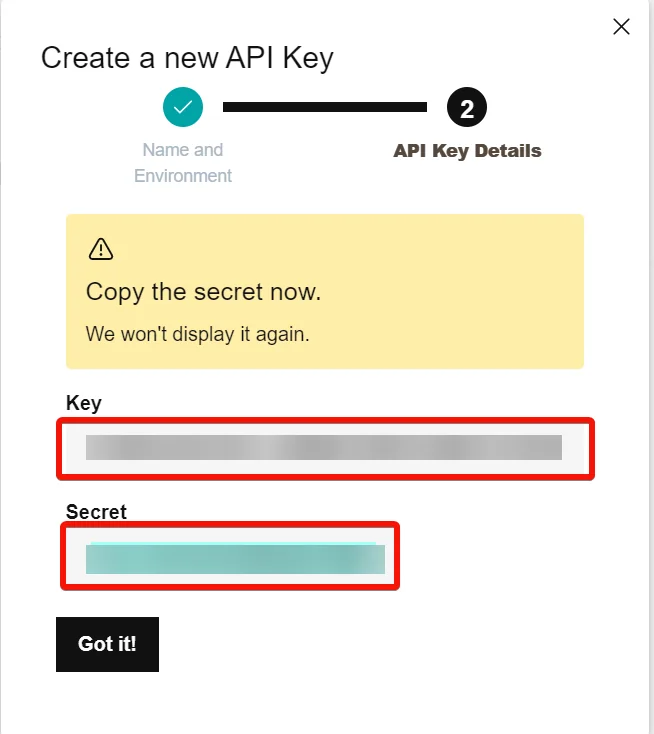
Copy the API Key and Secret to a safe place.
-
In your Boost.space Integrator account, insert a GoDaddy module in your scenario and click the Add button next to the Connection field.
-
In the Connection name field, enter a name for the connection.
-
In the API Key and API Secret fields, enter the details copied in step 5 and click Save.
Domains
You can create, update, renew, retrieve, and search domains using the following modules.
Create a Domain
Purchases and registers the specified domain.
Connection
Establish a connection to your GoDaddy account.
For field descriptions, see the GoDaddy API reference.
Update a Domain
Updates details for the specified domain.
Connection
Establish a connection to your GoDaddy account.
Domain
Select or map the domain whose details you want to update.
For field descriptions, see the GoDaddy API reference.
Renew Domain
Renews the specified domain.
Connection
Establish a connection to your GoDaddy account.
Domain
Select or map the domain you want to renew.
For field descriptions, see the GoDaddy API reference.
Get a Domain
Get details for the specified domain.
Connection
Establish a connection to your GoDaddy account.
Domain
Select the domain name whose details you want to retrieve.
Shopper ID
Enter the Shopper ID who owns the specified domain.
Search Domains
Searches for domains by given
Connection
Establish a connection to your GoDaddy account.
Limit
Set the maximum number of domains Boost.space Integrator will return during one execution cycle.
See GoDaddy API reference for entering the field values to search for the domains that match the specified value.
Search Domains for Suggestions
Searches for alternate domain names based on a seed domain, a set of keywords, or the shopper’s purchase history.
Connection
Establish a connection to your GoDaddy account.
Limit
Set the maximum number of domains Boost.space Integrator will return during one execution cycle.
See GoDaddy API reference for entering the field values to search for the domains for suggestions that match the specified value.
DNS Records
You can update, search, and delete DNS records using the following modules.
Update DNS Records
Replaces all DNS records for the specified domain.
Connection
Establish a connection to your GoDaddy account.
Domain
Select the domain whose DNS records you want to update.
For field descriptions, see the GoDaddy API reference.
Search DNS Records
Retrieves a list of DNS records for the specified domain.
Connection
Establish a connection to your GoDaddy account.
Domain
Select the domain whose DNS records you want to search.
Limit
Set the maximum number of DNS records Boost.space Integrator will return during one execution cycle.
See GoDaddy API reference for entering the field values to search for the products that match the specified value.
Delete DNS Records
Deletes all DNS records for the specified domain with the specified type and name.
Connection
Establish a connection to your GoDaddy account.
Domain
Select the domain whose DNS records you want to delete.
For field descriptions, see the GoDaddy API reference.
Other
You can call APIs using the following module.
Make an API Call
Performs an arbitrary authorized API call.
For the list of available endpoints, refer to the GoDaddy API documentation.
Connection
Establish a connection to your GoDaddy account.
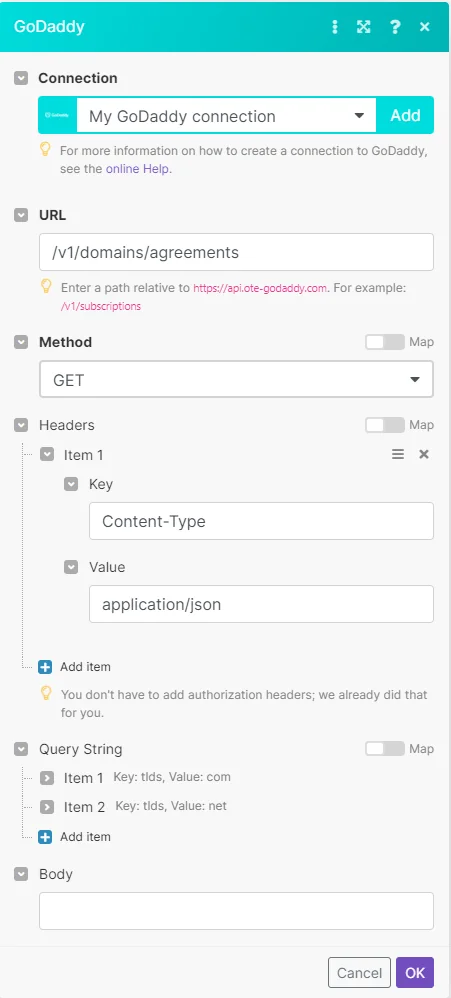
URL
Enter a path relative to https://api.ote-godaddy.com. For example, /v1/subscriptions.
Method
GET
to retrieve information for an entry.
POST
to create a new entry.
PUT
to update/replace an existing entry.
PATCH
to make a partial entry update.
DELETE
to delete an entry.
Headers
Enter the desired request headers. You don’t have to add authorization headers; we already did that for you.
Query String
Enter the request query string.
Body
Enter the body content for your API call.
Example of use – Get Legal Agreements
The following API call returns legal agreements from your GoDaddy account.
URL: /v1/domains/agreements
Method: Get
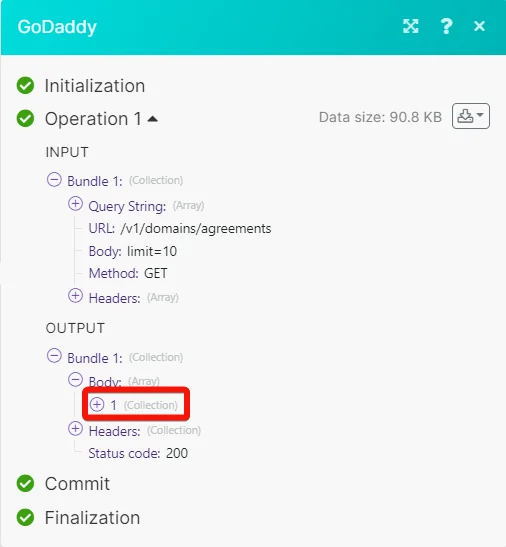
Matches of the search can be found in the module’s Output under Bundle > Body.
In our example, 1 agreement is returned.
Legacy article, imported from the original Boost.space knowledge base (/knowledge-base/applications/it-and-development/godaddy/).

