ClickFunnels
Getting Started with ClickFunnels
Prerequisites
-
A ClickFunnels account. Create an account on www.clickfunnels.com.
-
An already built funnel. More information about building your first funnel.
-
An established connection to ClickFunnels using a webhook.
Watch the ClickFunnels integration video
Creating a New Funnel Webhook

1. Create an Boost.space Integrator webhook and copy the provided link.
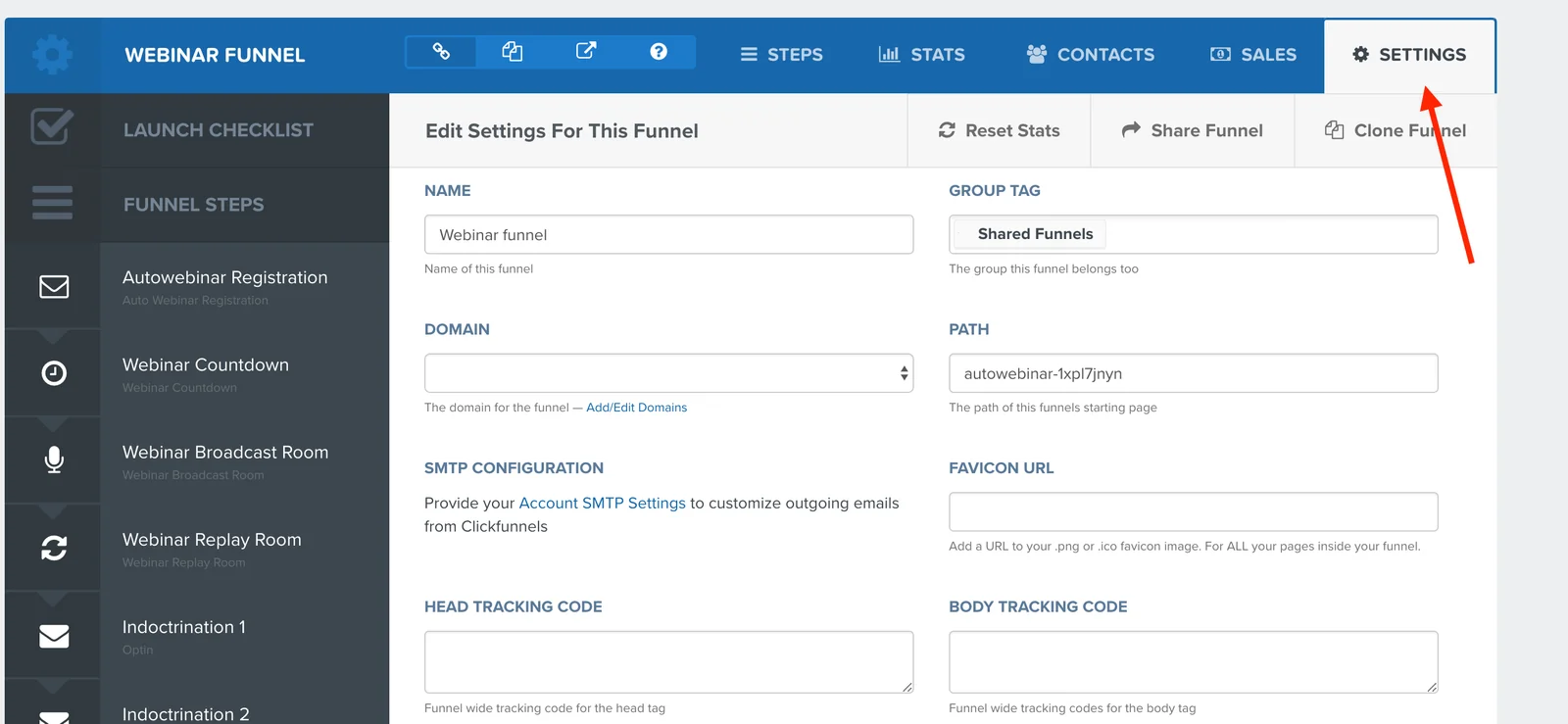
2. Open the S_ettings_ in the funnel that you want to process data from.
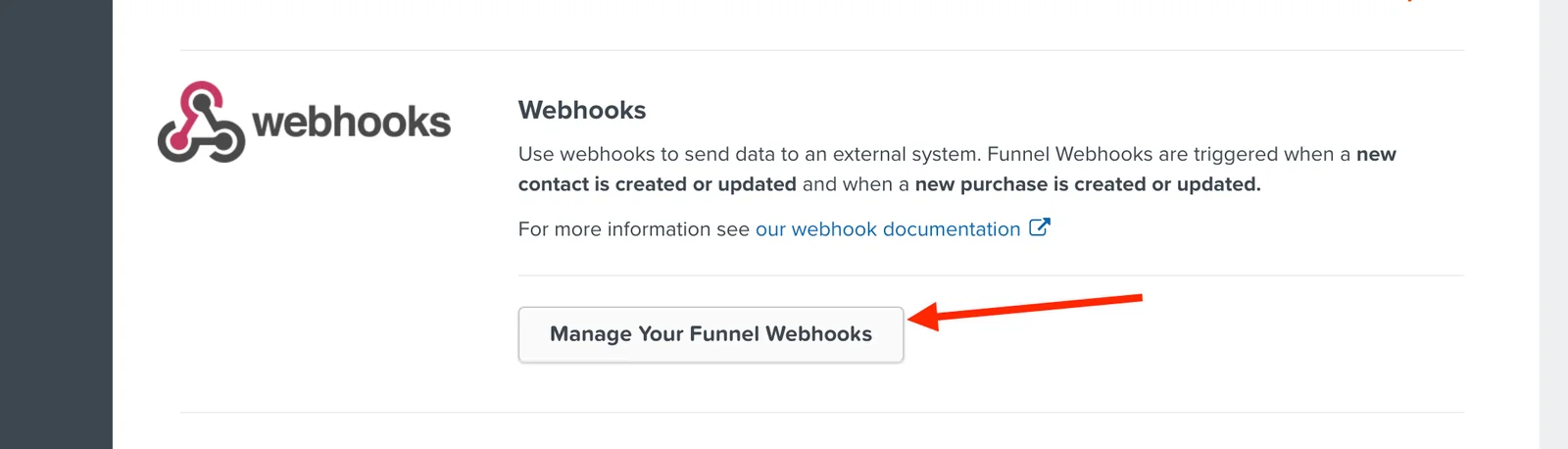
3. Click the Manage Your Funnel Webhooks_button at the bottom of the S_ettings page.
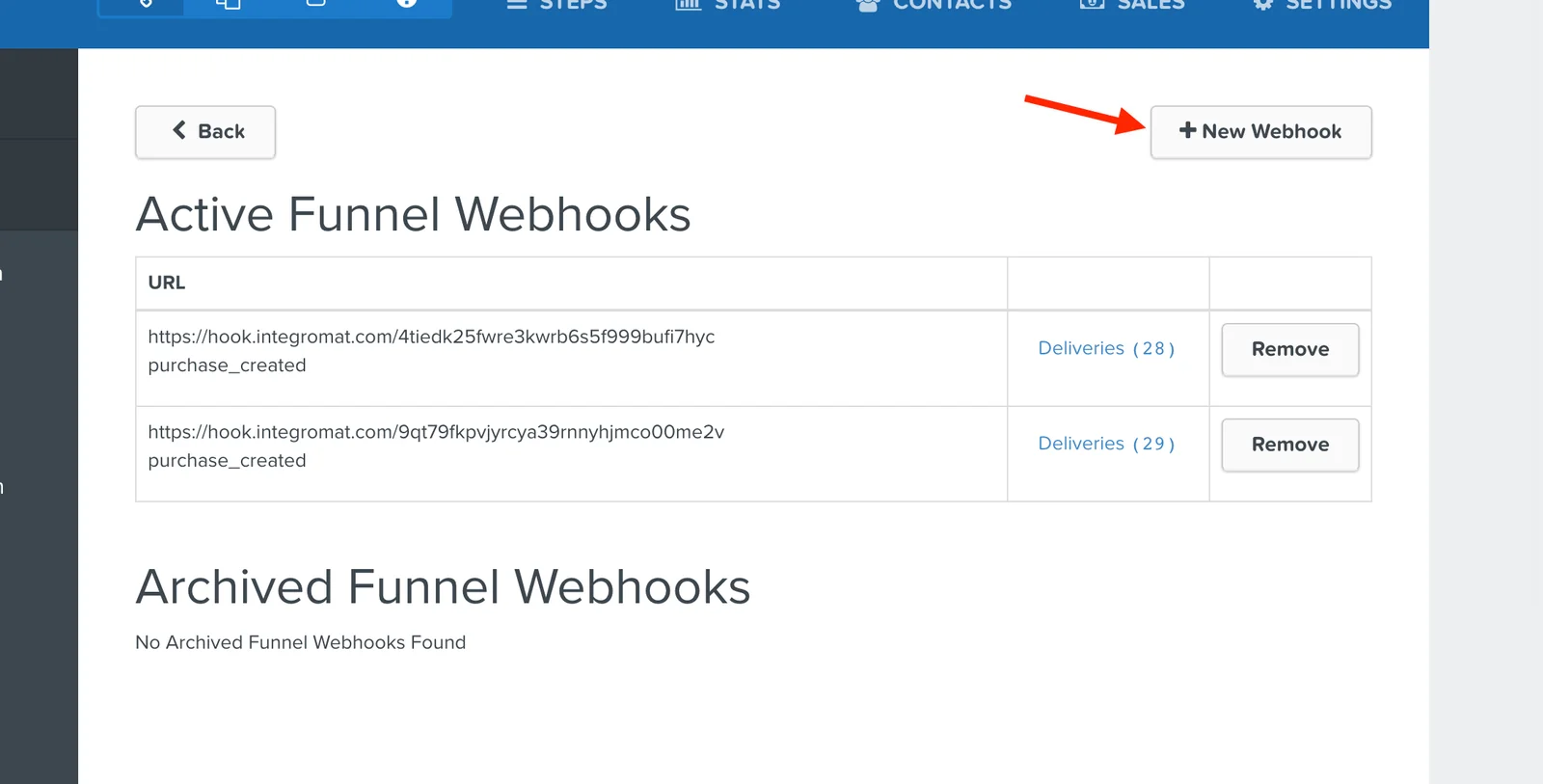
4. Click on the New Webhook button.
5. Paste the Boost.space Integrator webhook in the URL field.
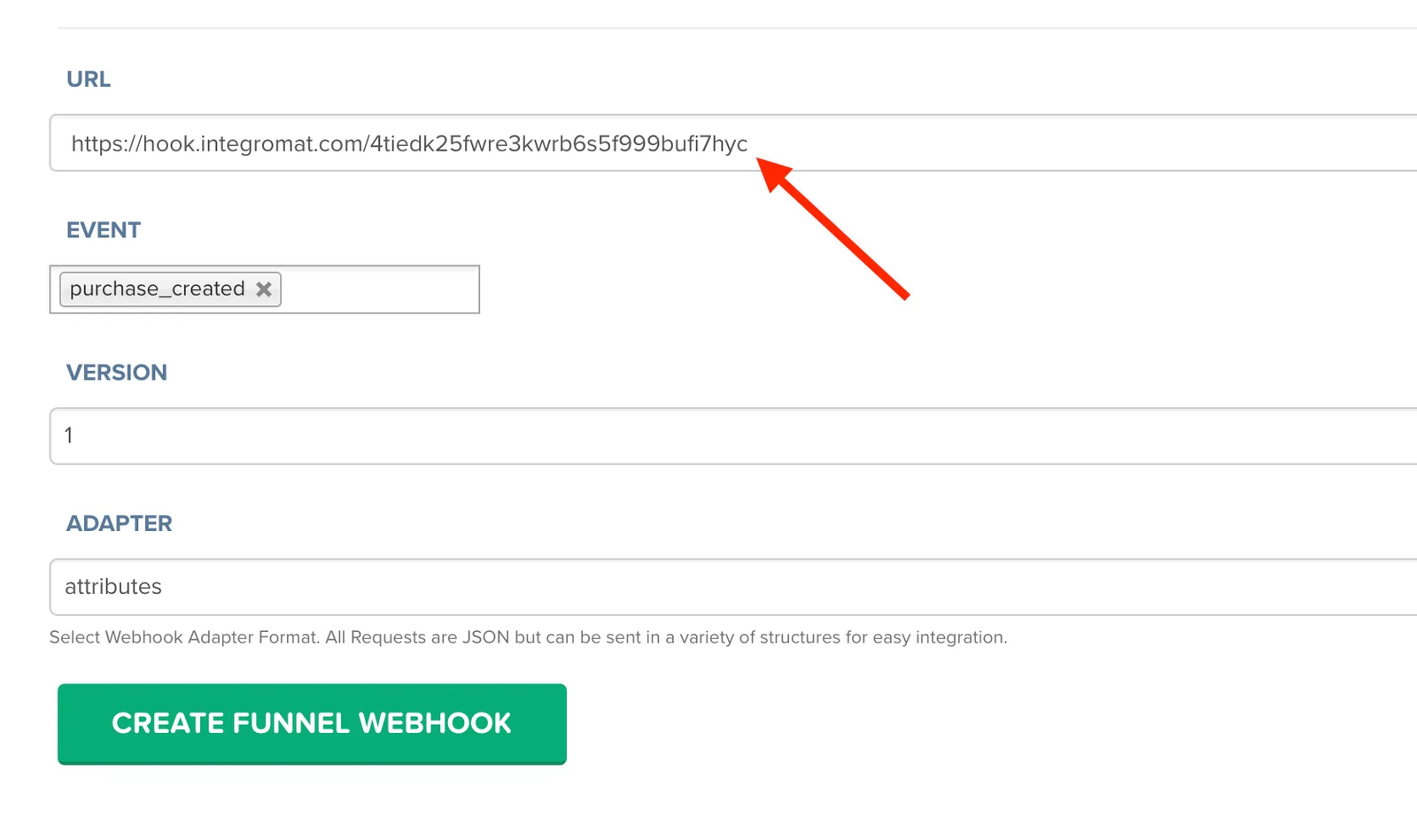
6. Select the event you want to watch.
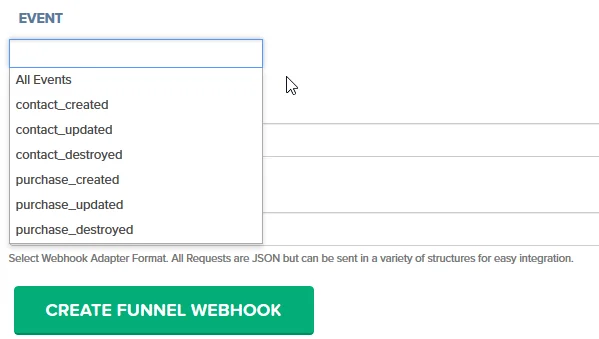
7. Click on the green button, CREATE FUNNEL WEBHOOK
If you select more events, for example, “purchase created” and “purchase updated” your webhook module (in Boost.space Integrator) will be triggered twice after any new purchase.
Important to know:
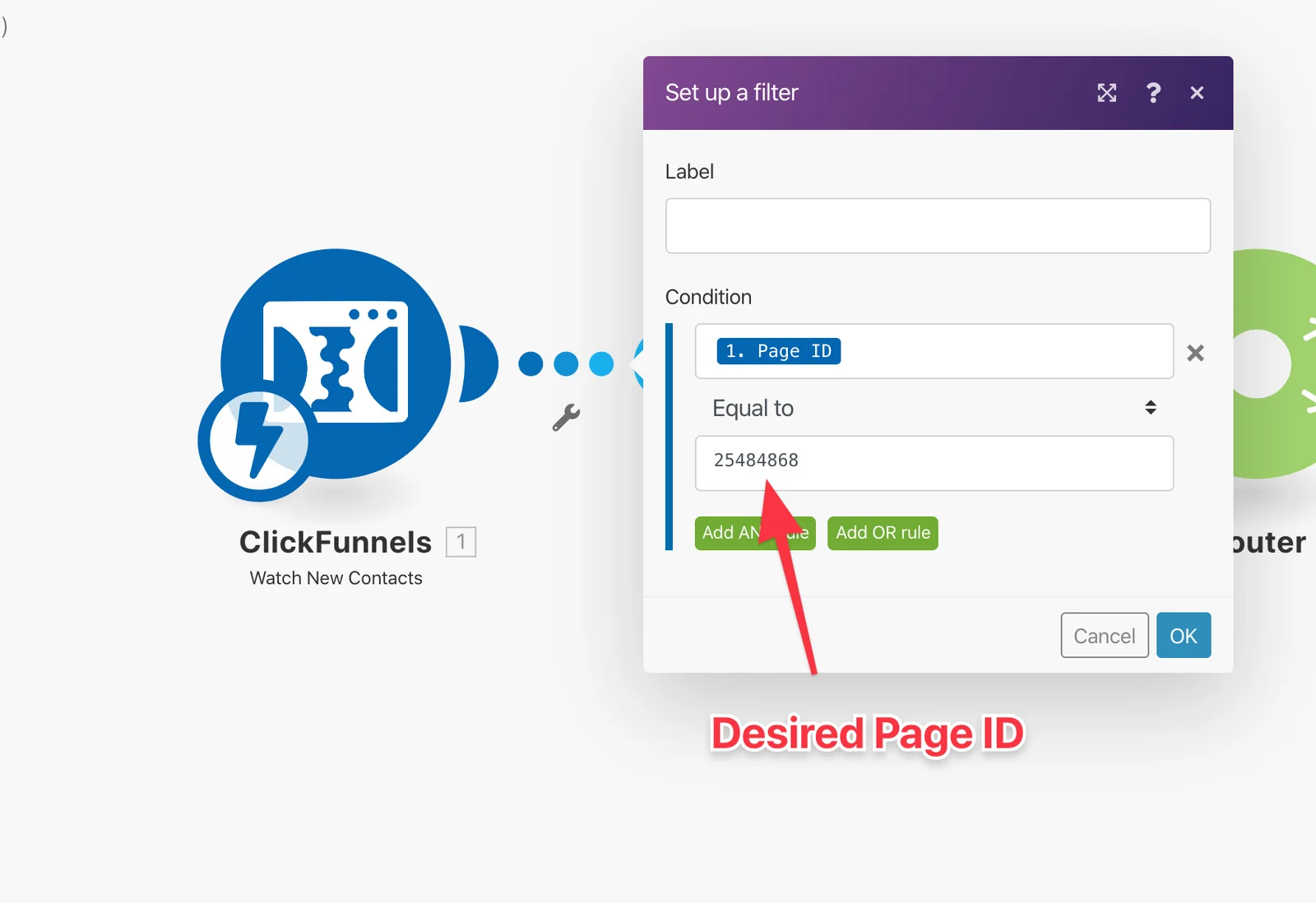
ClickFunnels sends webhooks from each page. Even though it’s only transferred to the next step, the action on the button says Submit Form. So, what happens if you use this button on different pages? ClickFunnels submits the form again, even though the event calls for creating a contact.
The solution for thisis to put a filter to filter by page ID (placing the filter after the ClickFunnels’ webhook module in Boost.space Integrator) you can notice that duplicated webhooks come from another page with different ID:
Filter example:
Triggers
Watch new contacts
If a new contact is created in the funnel then this module reads its data. The data can be further processed in the Boost.space Integrator scenario.
To run this module, you need to add a webhook to the desired funnel.
Watch new purchases
Retrieves purchase data (product details, contact details, amount, etc.) when a new purchase is made.
To run this module, you need to add a webhook to the desired funnel.
Sample scenarios
You can find sample scenario templates with ClickFunnels modules here, www.make.com/en/templates/click-funnels.
Actions
Add Contact
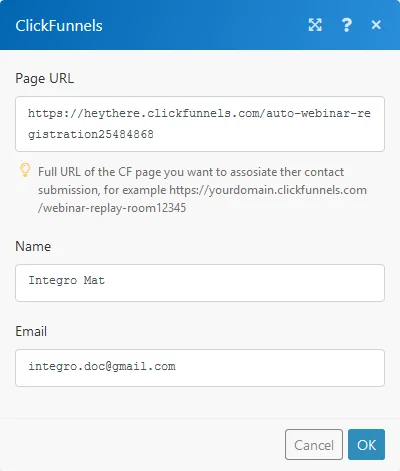
Adds a contact to a specified ClickFunnels page.
Page URL
Enter the required ClickFunnels page URL.
Name
Enter the name of the new contact entry.
Enter the email of the new contact entry.
Legacy article, imported from the original Boost.space knowledge base (/knowledge-base/applications/marketing/clickfunnels/).

