The Instagram modules enable you to monitor, retrieve, or download media in your Instagram account.
Getting Started with Instagram
Prerequisites
- An Instagram account – create an account at instagram.com/accounts/emailsignup.
The module dialog fields that are displayed in bold (in the Boost.space Integrator scenario, not in this documentation article) are mandatory!
Connecting Your Instagram Account to Boost.space Integrator
You can find out how to create your own connection in the guide below.
Ensure that you create a connection with the same profile you are logged into on Facebook and Instagram. If you are making a connection with another account, it won’t work for you and you need to add another administrator to your application – follow our step-by-step guide. You also need to add a test user to Your Instagram app – follow our step-by-step guide.
Media
Watch Media
Returns media details when new media is added to your Instagram profile.
Required Permissions: user_media
Connection
Establish a connection to your Instagram account.
Limit
Set the maximum number of media items Boost.space Integrator should return during one execution cycle.
Get Media
Retrieves media details.
Required Permissions: user_media
Connection
Establish a connection to your Instagram account.
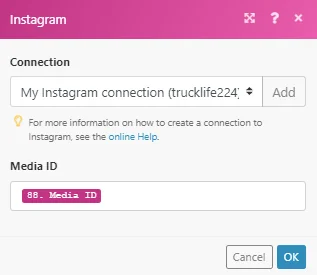
Media ID
Enter (map) the Media ID of the media item you want to retrieve details about.
Get Album Media
Retrieves all media from the Instagram album.
Required Permissions: user_media
Connection
Establish a connection to your Instagram account.
Media ID
Enter (map) the Media ID of the album media that contains all the images/videos.
Download Media
Downloads a specified media.
Required Permissions: user_media
Connection
Establish a connection to your Instagram account.
Media ID
Enter (map) the Media ID of the image or video you want to download.
Legacy article, imported from the original Boost.space knowledge base (/knowledge-base/applications/marketing/instagram/).

