Ko-fi
With the Ko-fi module in Boost.space Integrator, you can monitor various events in your Ko-fi account.
To get started with Ko-fi, create an account at ko-fi.com.
You need not connect Ko-fi app with Boost.space Integrator to set up webhooks. See the section, Setting up a Ko-fi webhook.
Triggers
Watch Event
Triggers on new events. See the section, Setting up a Ko-fi webhook, to create webhooks.
Webhook Name
Enter a name for the webhook.
Connection
Enter a name for the connection.
Event Type
Select or map the event type for which you want to set up the webhooks. For example, donation.
Setting up a Ko-fi webhook
-
Go to your Boost.space Integrator scenario and select the Ko-fi Watch Event module.
-
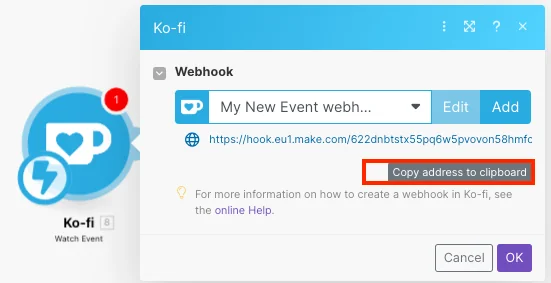
Under Webhook, click Add.
-
Give your Webhook name and Event Type parameters for a new webhook. Click Save.
-
Copy the webhook address to your clipboard.
-
Log in to your Ko-fi account.
-
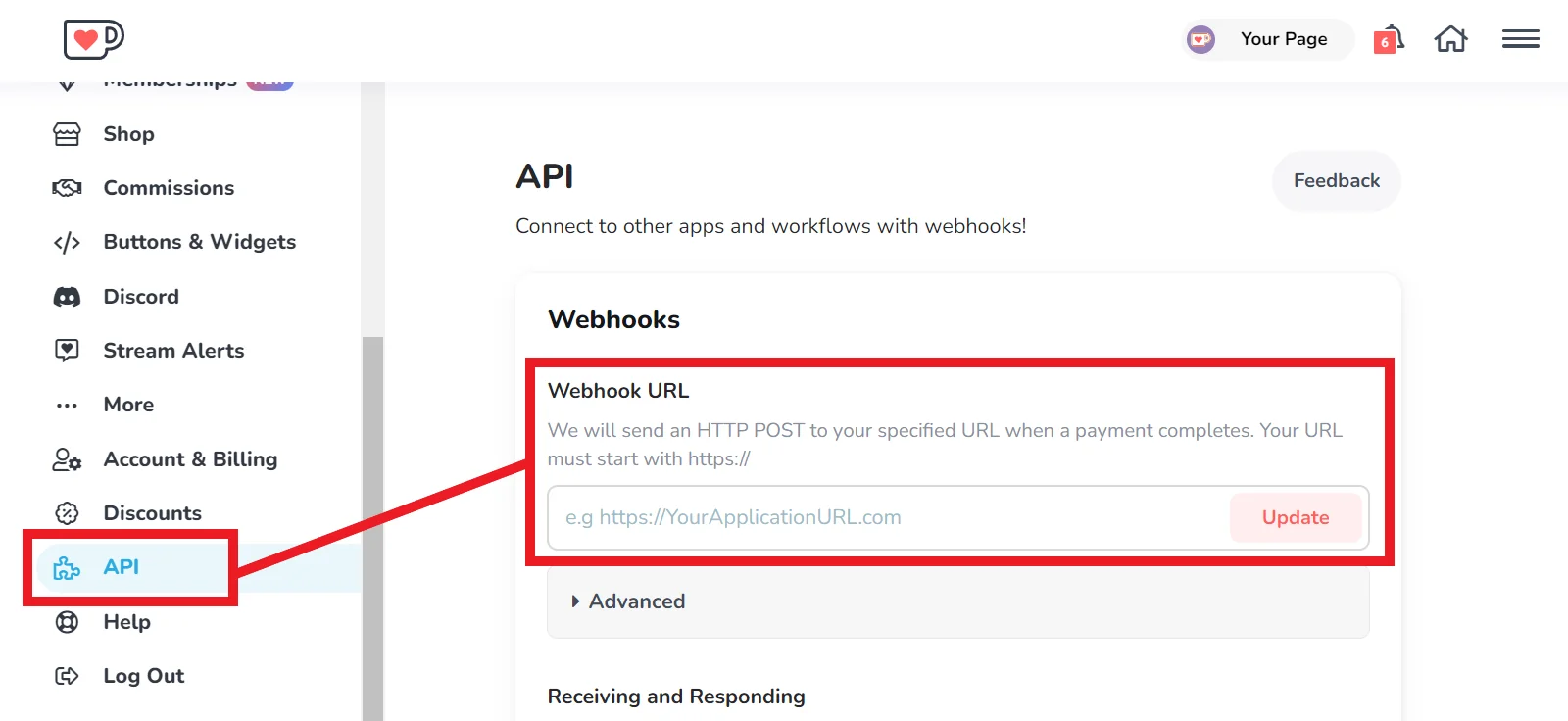
Click API from the side menu, then copy your webhook URL in the box provided.
-
Click Update.
You have now set up your webhook. This module will trigger when a transaction event occurs in your Ko-fi account.
Legacy article, imported from the original Boost.space knowledge base (/knowledge-base/applications/marketing/ko-fi/).

