Caflou
The Caflou modules enable you to monitor projects, tasks, incomes, and expenses and create or retrieve companies, bank payments, projects, tasks, income/expenses in your Caflou account.
Getting Started with Caflou
Prerequisites
- A Caflou account
In order to use Caflou with Boost.space Integrator, it is necessary to have a Caflou account. If you do not have one, you can create a Caflou account at Caflou.
The module dialog fields that are displayed in bold (in the Boost.space Integrator scenario, not in this documentation article) are mandatory!
Connecting Caflou to Boost.space Integrator
To connect your Caflou account to Boost.space Integrator you need to obtain the Access Token and Account ID.
-
Log in to your Caflou account.
-
Click on the cog-wheel in the top-right corner.
-
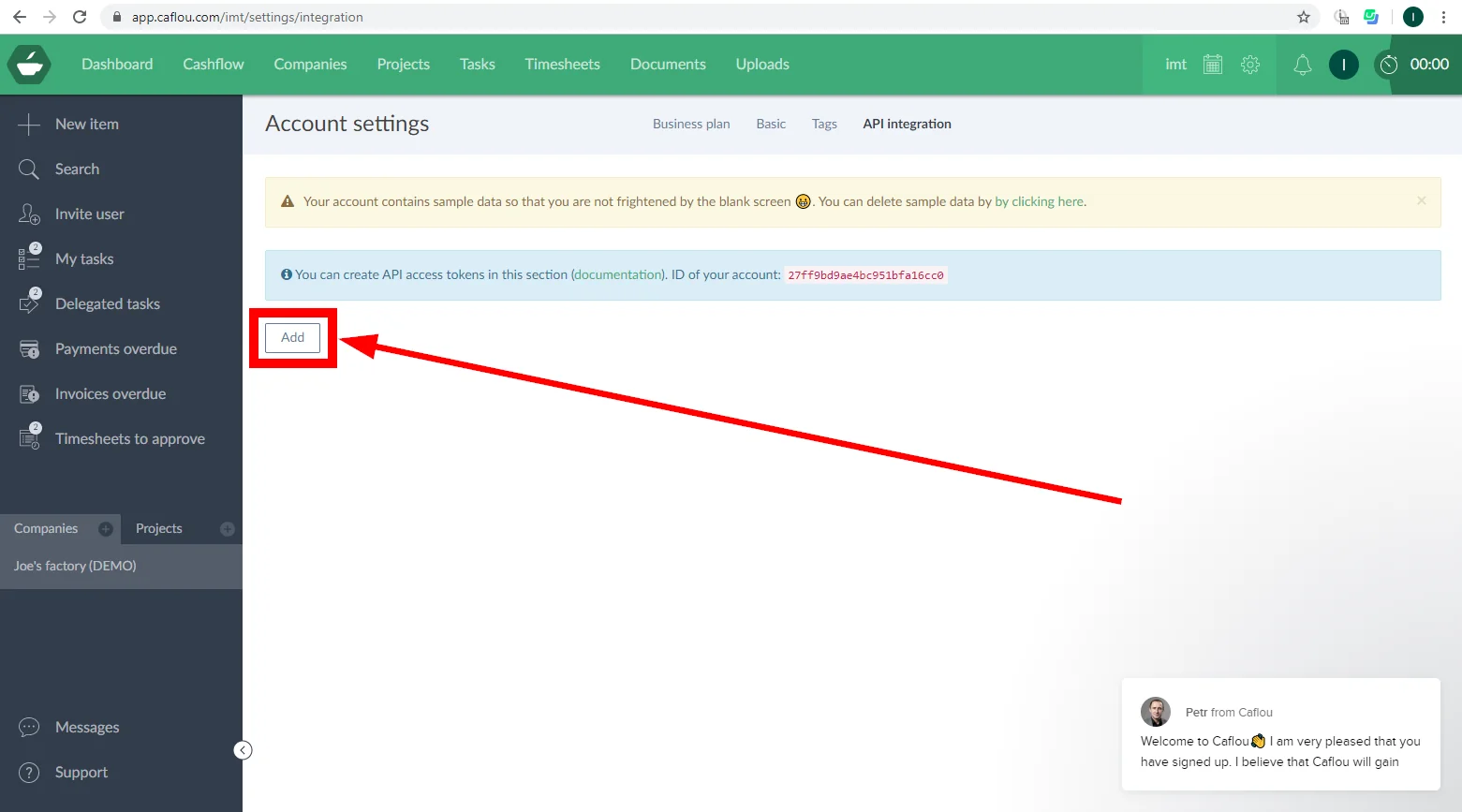
Open Account settings > API integration.
-
Click the Add button.
-
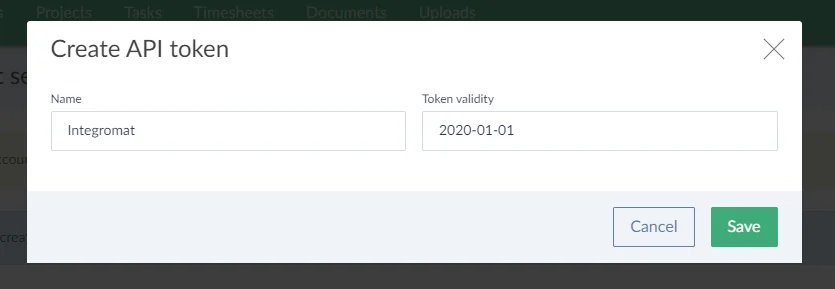
Enter the desired name for the token, specify the token validity and click the Save button.
-
Copy the API token and store it in a safe place.
-
Copy the Account ID.
-
Go to Boost.space Integrator and open the Caflou module’s Create a connection dialog.
-
Enter the Access Token you have copied in step 6 and Account ID from step 7 to the respective fields and click the Continue button to establish the connection.
Legacy article, imported from the original Boost.space knowledge base (/knowledge-base/applications/process-management/caflou/).

