Blogger
Getting started with Blogger

The Blogger modules allow you to watch, create, delete, revert, update, and publish the posts in your Blogger account.
Prerequisites
- A Google account
In order to use Blogger with Boost.space Integrator, it is necessary to have a Blogger account. You can login to Blogger using your Google account, you can create a google account at google.com.
The module dialog fields that are displayed in bold (in the Boost.space Integrator scenario, not in this documentation article) are mandatory!
Connecting the Blogger to Boost.space Integrator
1. Go to Boost.space Integrator and open the Blogger module’s _Create a Connection_dialog.
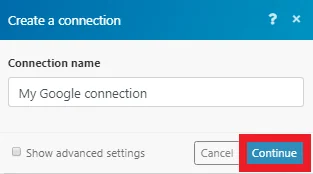
2. In the Connection name field, enter a name for the connection and click Continue.
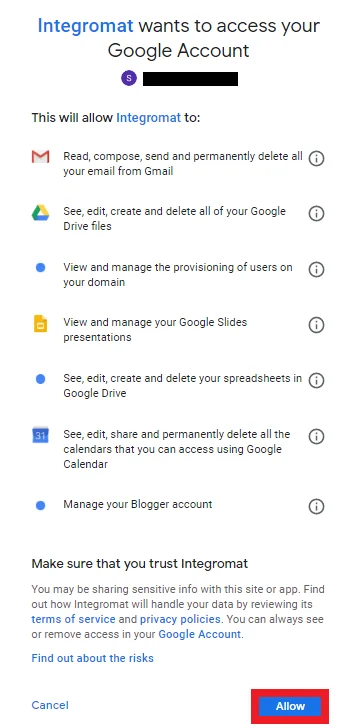
3. Select the account to login and confirm the dialog by clicking Allow.
The connection has been established.
Triggers
Watch Posts
Triggers when a new post is added or an existing post is updated.
Connection
Establish a connection to your Blogger’s account.
Blog
Select the blog where you want to create the post.
Status
Select the status of the post:
-
Only Live
-
Only Scheduled
-
Only Draft
Limit
Enter the maximum number of posts Boost.space Integrator should return during one scenario execution cycle.
Actions
Create a Post
Creates and publishes a new post or creates a new post as a draft.
Connection
Establish a connection to your Blogger’s account.
Blog
Select the blog where you want to create the post.
Title
Enter a name for the post.
Content
Enter the post content.
Status
Select the status of the post:
-
Live
-
Scheduled
-
Draft
Date Published
Enter the date and time when this post was published.
Labels
Enter the labels when the post was published.
Name
Enter the name for the post to geotag with a location.
Latitude
Enter the latitude of the location.
Longitude
Enter the longitude of the location.
Span
Enter the span details for the location’s viewport.
Delete a Post
Permanently removes a post (the deleted post cannot be restored anymore).
Connection
Establish a connection to your Blogger’s account.
Blog
Select the blog where you want to create the post.
Post ID
Enter the Post ID you want to delete.
Publish a Post
Publishes a draft post.
Connection
Establish a connection to your Blogger’s account.
Blog
Select the blog where you want to create the post.
Post ID
Enter the Post ID you want to publish.
Revert a Post
Reverts a published post to draft state.
Connection
Establish a connection to your Blogger’s account.
Blog
Select the blog where you want to create the post.
Post ID
Enter the Post ID you want to revert.
Update a Post
Updates a published post.
Connection
Establish a connection to your Blogger’s account.
Blog
Select the blog where you want to create the post.
Post ID
Enter the Post ID you want to update.
Title
Enter a name for the post.
Content
Enter the post content.
Status
Select the status of the post:
-
Live
-
Scheduled
-
Draft
Date Published
Enter the date and time when this post was published.
Labels
Enter the labels when the post was published.
Name
Enter the name for the post to geotag with a location.
Latitude
Enter the latitude of the location.
Longitude
Enter the longitude of the location.
Span
Enter the span details for the location’s viewport.
Possible problems
Unable to update a post
The Update a post action does not allow to edit a draft (a post that’s in progress). You can only update published posts.
The Watch posts trigger failed to download a post
The Blogger interface enables to download posts only assigned to one specific status. Blogger distinguishes three post statuses:
-
Post in progress (draft status)
-
Published post (live status)
-
Scheduled post (scheduled status)
If you’d like to monitor posts in more statuses, you’ll need to create a separate scenario for each status.
Legacy article, imported from the original Boost.space knowledge base (/knowledge-base/applications/website-building/blogger/).

