Comparison of recorded and physical inventories in Boost.space Warehouse management system
Inventory allows you to check and compare stock items in the Warehouses addon with the actual quantity of stock items in the warehouses.
**The inventory can be company-wide for all warehouses at once, or it can be targeted according to:
**
- Warehouse – for which specific warehouse the inventory is prepared
- Type – filtering by stock item type
**Inventory process
**
The inventory can be started by the Owner or the Warehouse Manager.
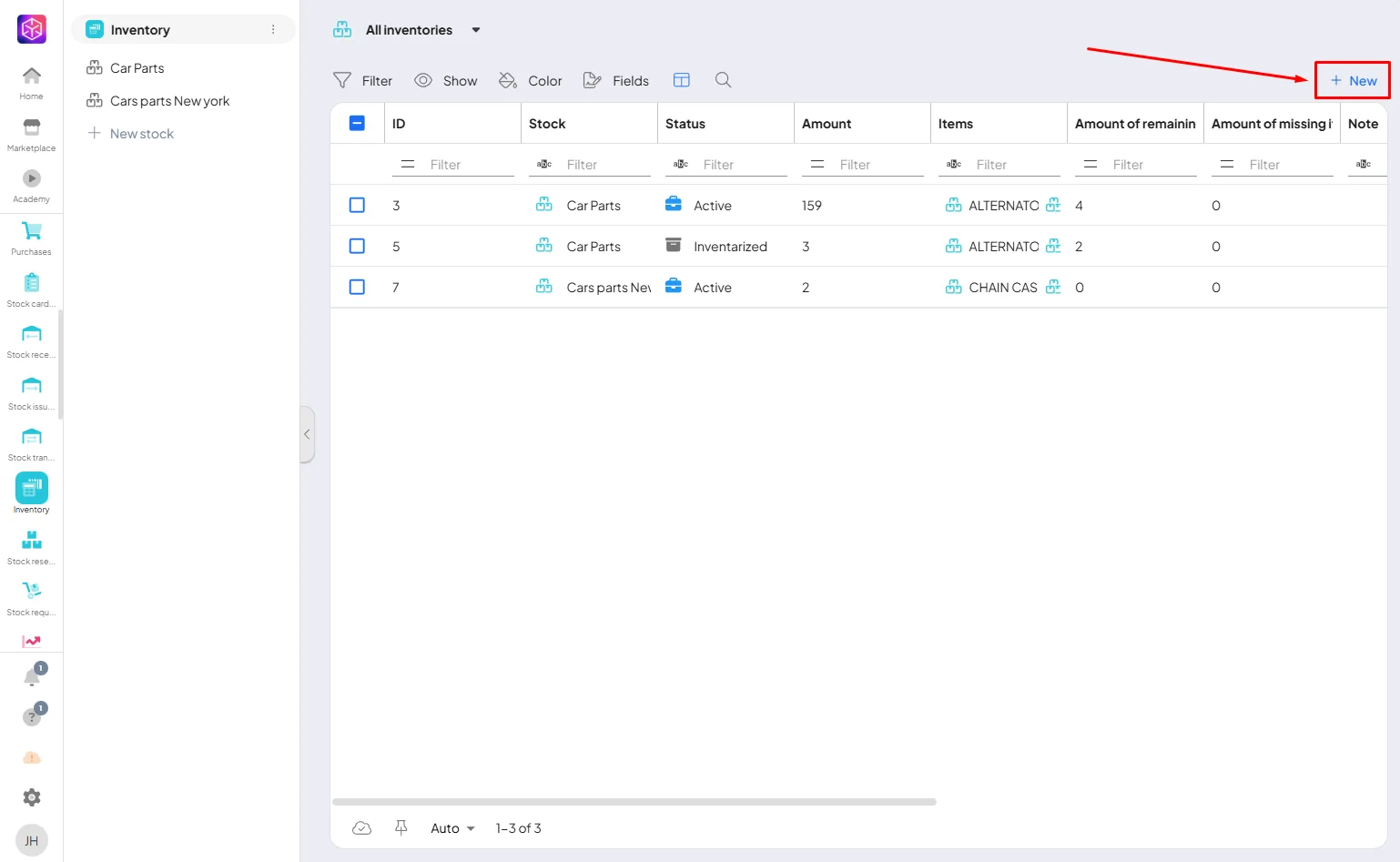
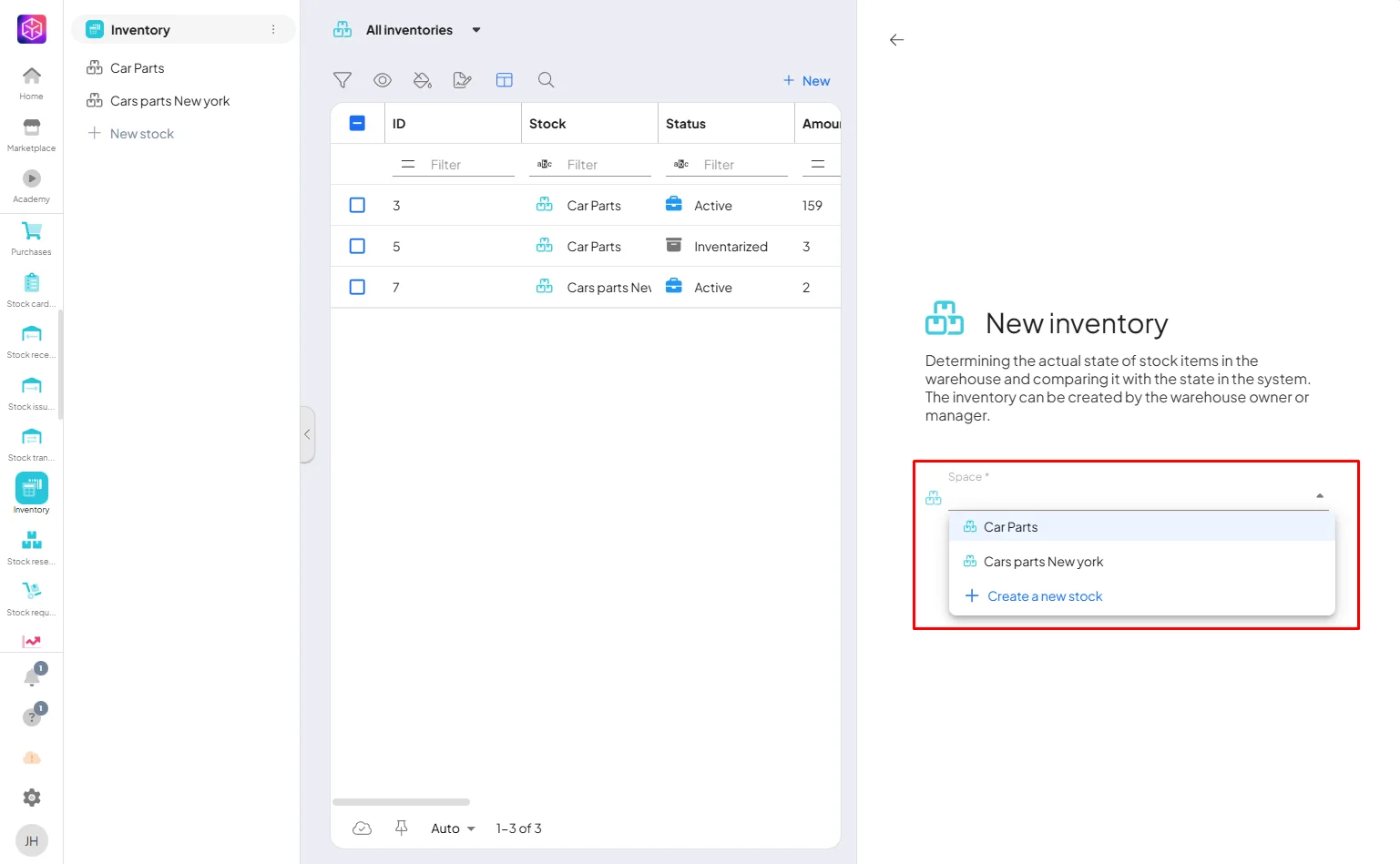
If you have more warehouses choose where you want to do the inventory.
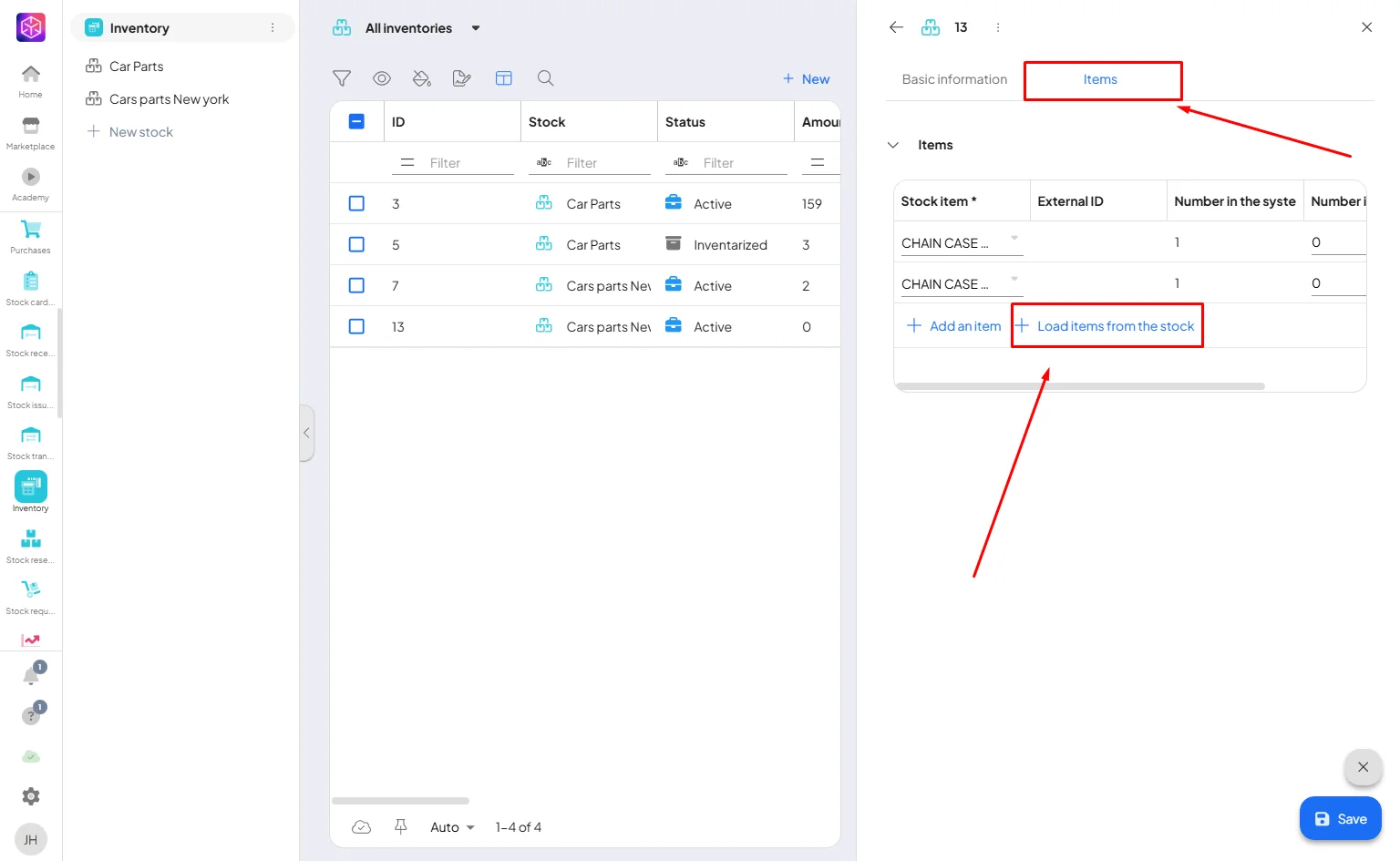
After creating an inventory and pressing the “retrieve items from warehouse” button, the warehouse items corresponding to the filtering set are displayed.
Each stock item has its current quantity in the Boost.space system, which is compared with the actual stock levels found in the inventory.
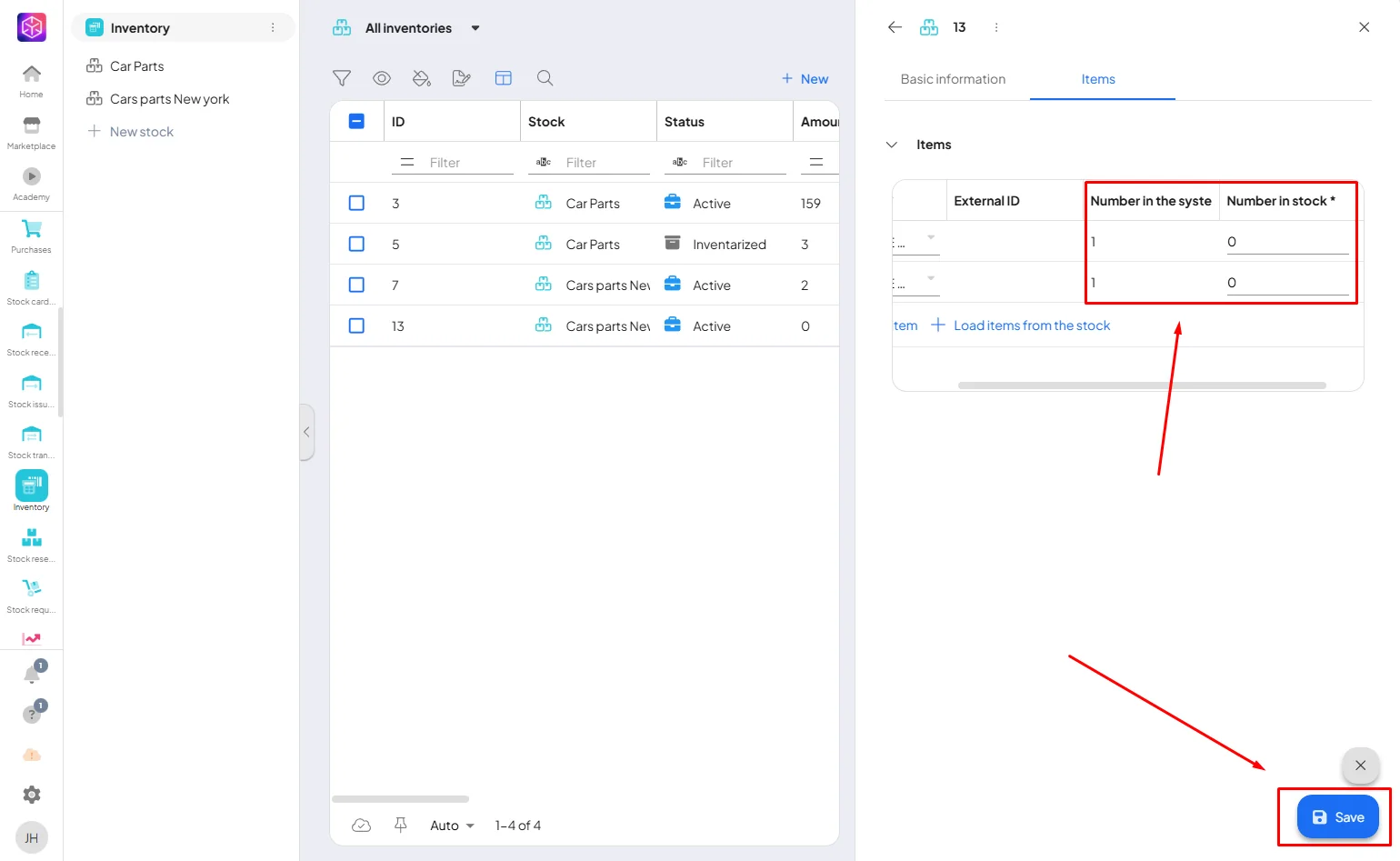
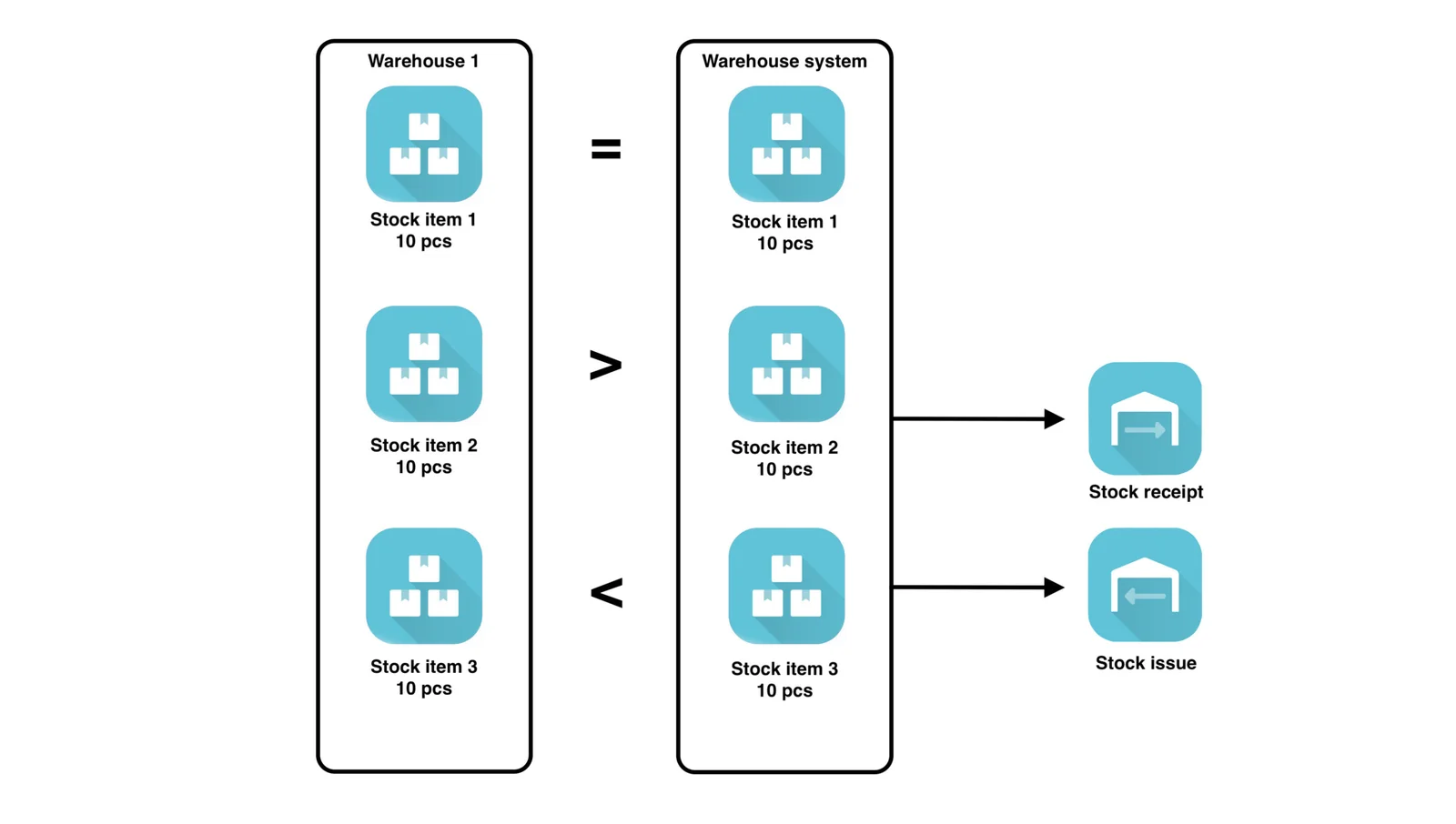
**For each stock item in the inventory, one of three states can occur:
**
- quantity in system = quantity in stock → ideal state that does not require further action;
- quantity in the system > quantity in stock → stock item is missing in the warehouse, a receipt is automatically created to which you can add a comment;
- quantity in the system < quantity in stock → stock item in stock is overstocked, a receipt is automatically created to which a comment can be added.
**Closed dispatches, receipts, and transfers
**
To maintain order in the warehouse system, dispatches, receipts, and transfers with a date before the inventory are locked after the completion of the inventory, and it is also possible to create receipts, dispatches, and transfers only with a later date than the inventory.
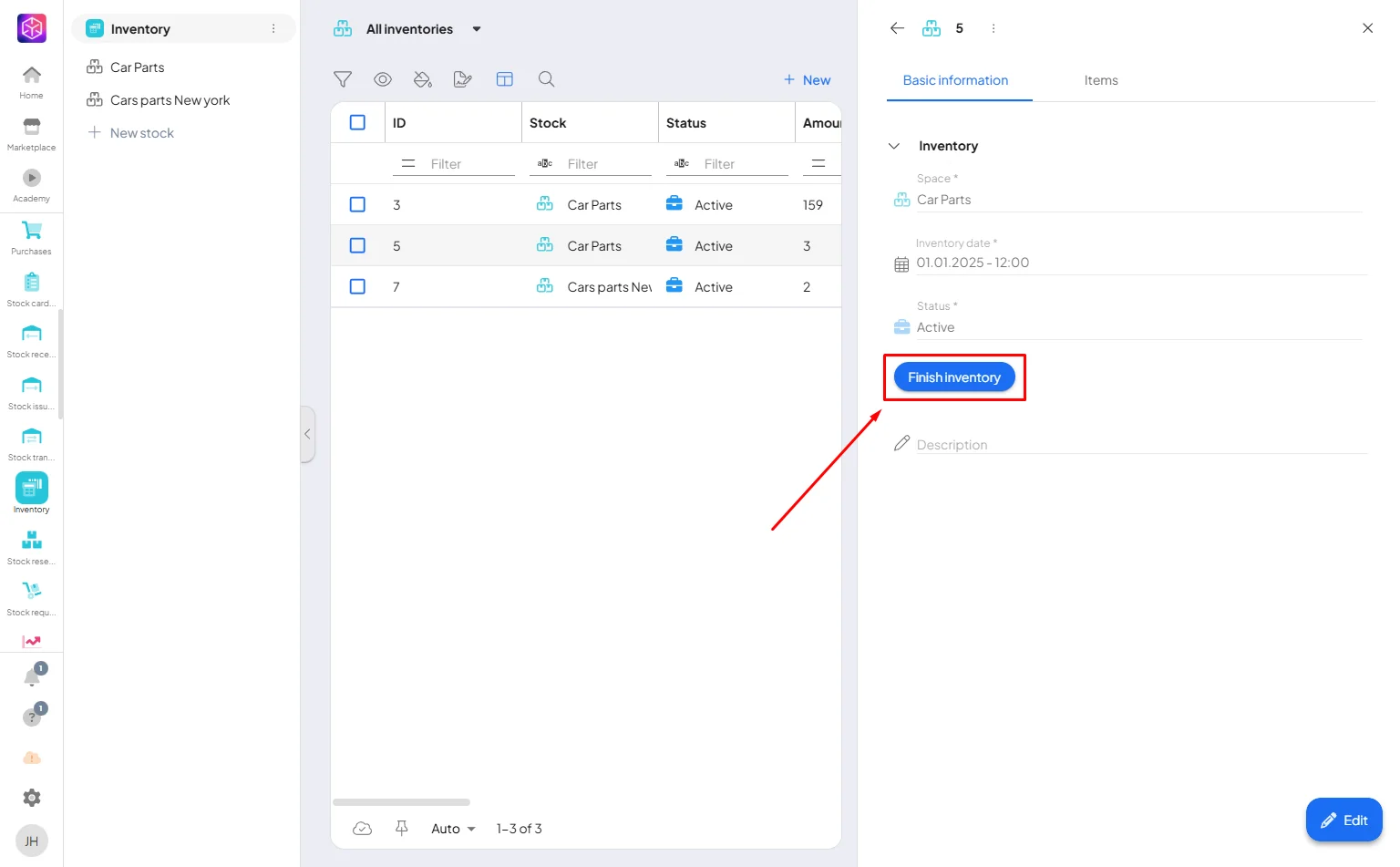
Lets say you did inventory 1.1.2025 and now you want to finish it. So click on “Finish inventory”.
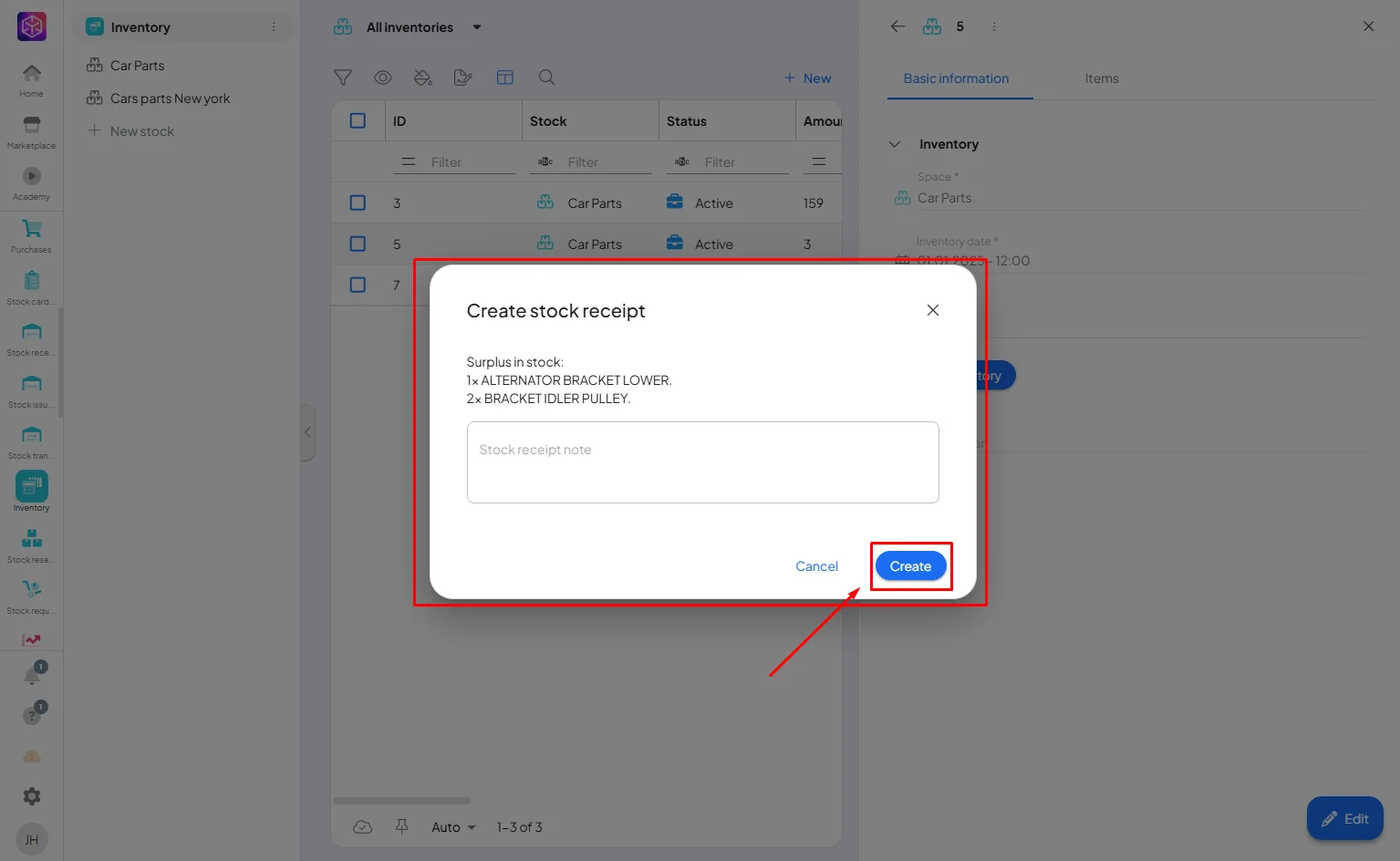
The system will automaticly create stock recipt or issue for you. You can also write note for this. Now just click “Create” and that is it.
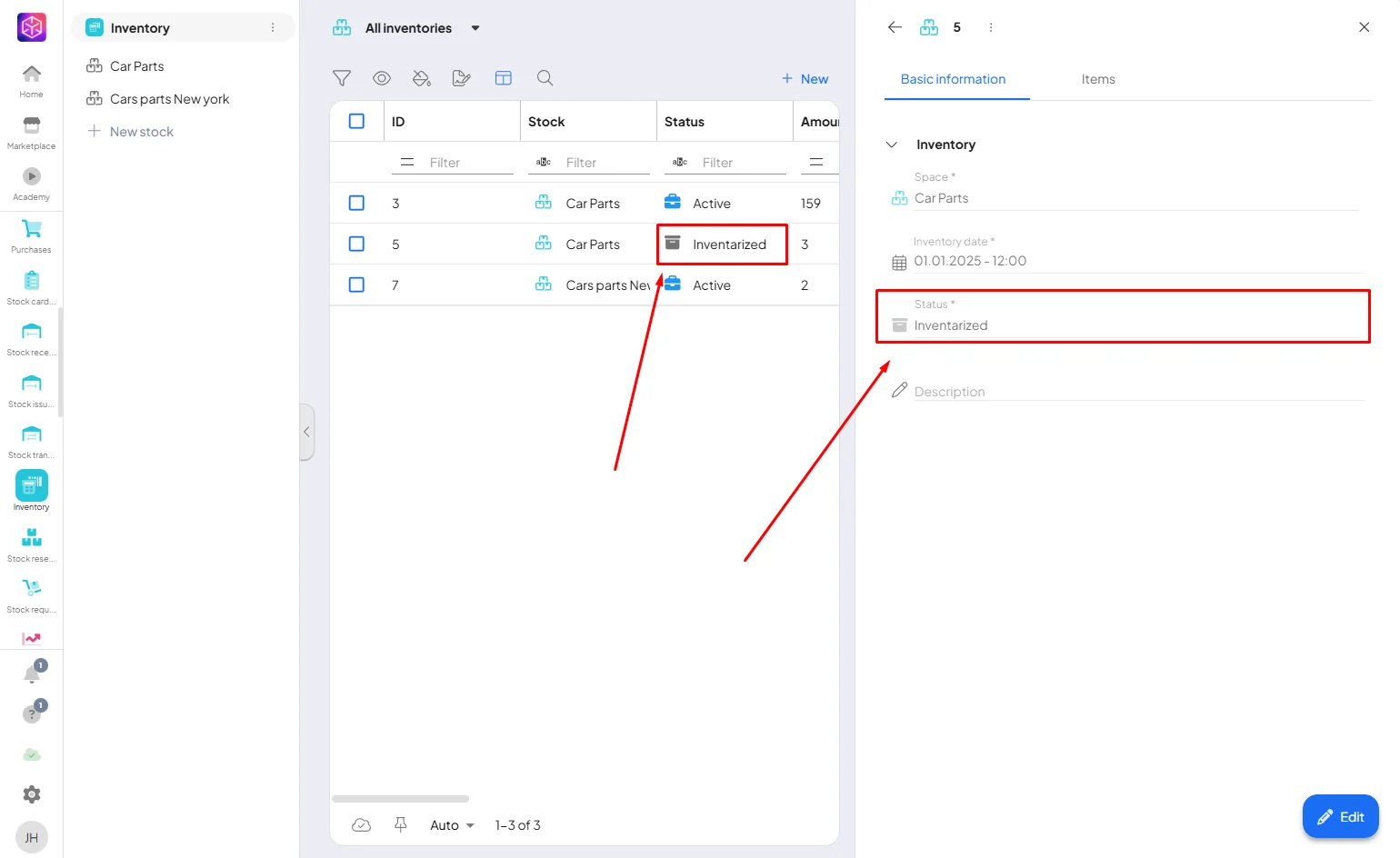
The system will change the status to inventarized. And it is done!
System streamlines the comparison of recorded and physical inventories, ensuring accuracy and transparency in stock management. It automatically identifies discrepancies and creates the necessary stock receipts or issues to correct them. By locking past records after inventory completion, the system maintains data integrity and simplifies the entire inventory process.
If you need help with anything, please contact us at support@boost.space.

