Purchase of stock cards from suppliers in Boost.space Warehouse system
In the Purchases addon, individual purchases of stock cards from suppliers are stored, allowing easy loading of stock cards. Each purchase is linked to the entire Boost.space system using a business process that is assigned to each purchase.
The Purchases addon allows you to have all the details of individual purchases of the company and all important information related to purchases (e.g. information about prices, dates, buyers, suppliers, etc.) clearly stored. This addon is optional (a receipt can be created without a purchase) and is especially suitable for companies that want to have a detailed overview of company purchases from suppliers.
How to get the Purchase addon to your homescreen
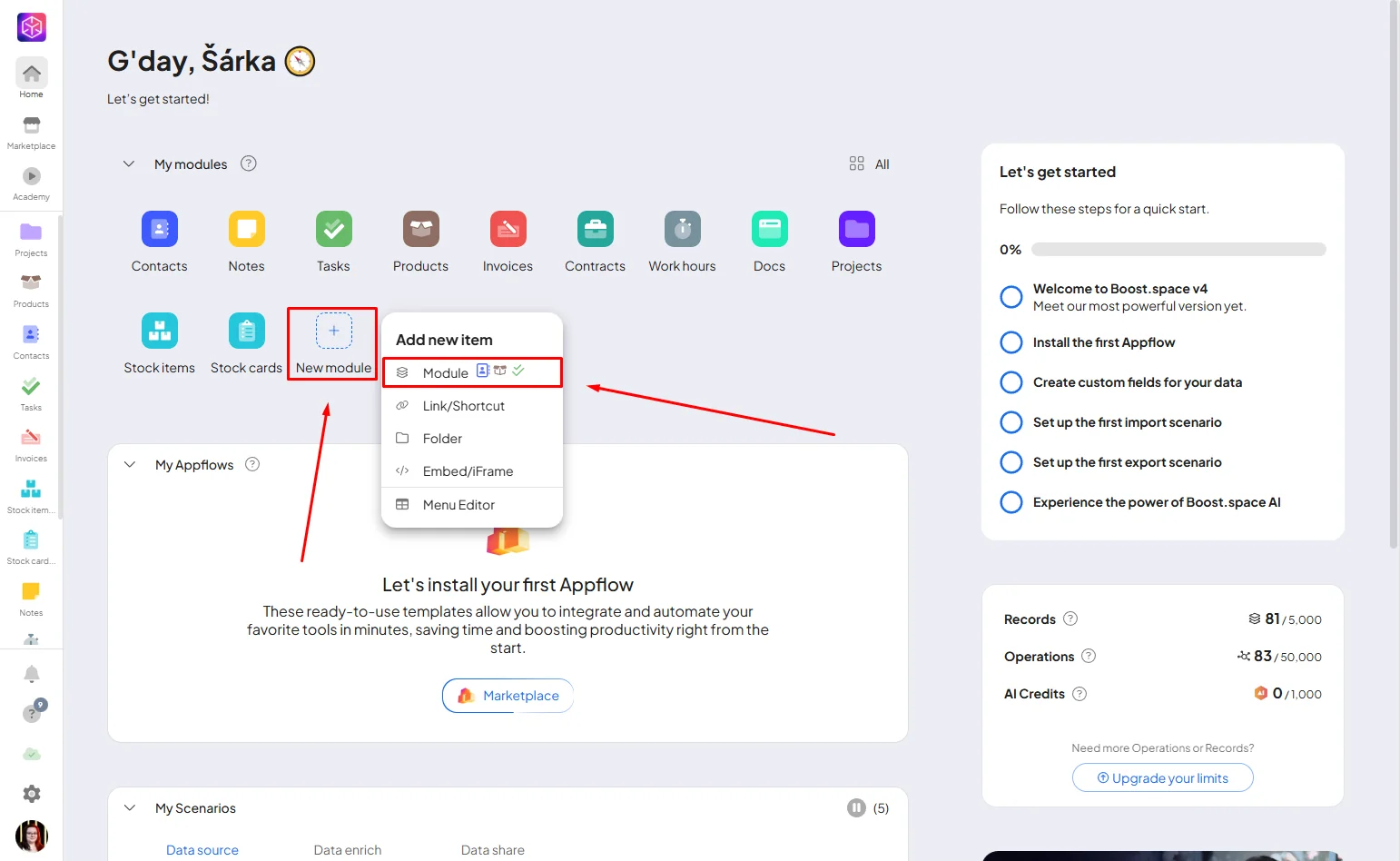
If you are on your homescreen and can not see the Purchase addon, just simply click od “New module” and from dropdown menu choose “Module”.
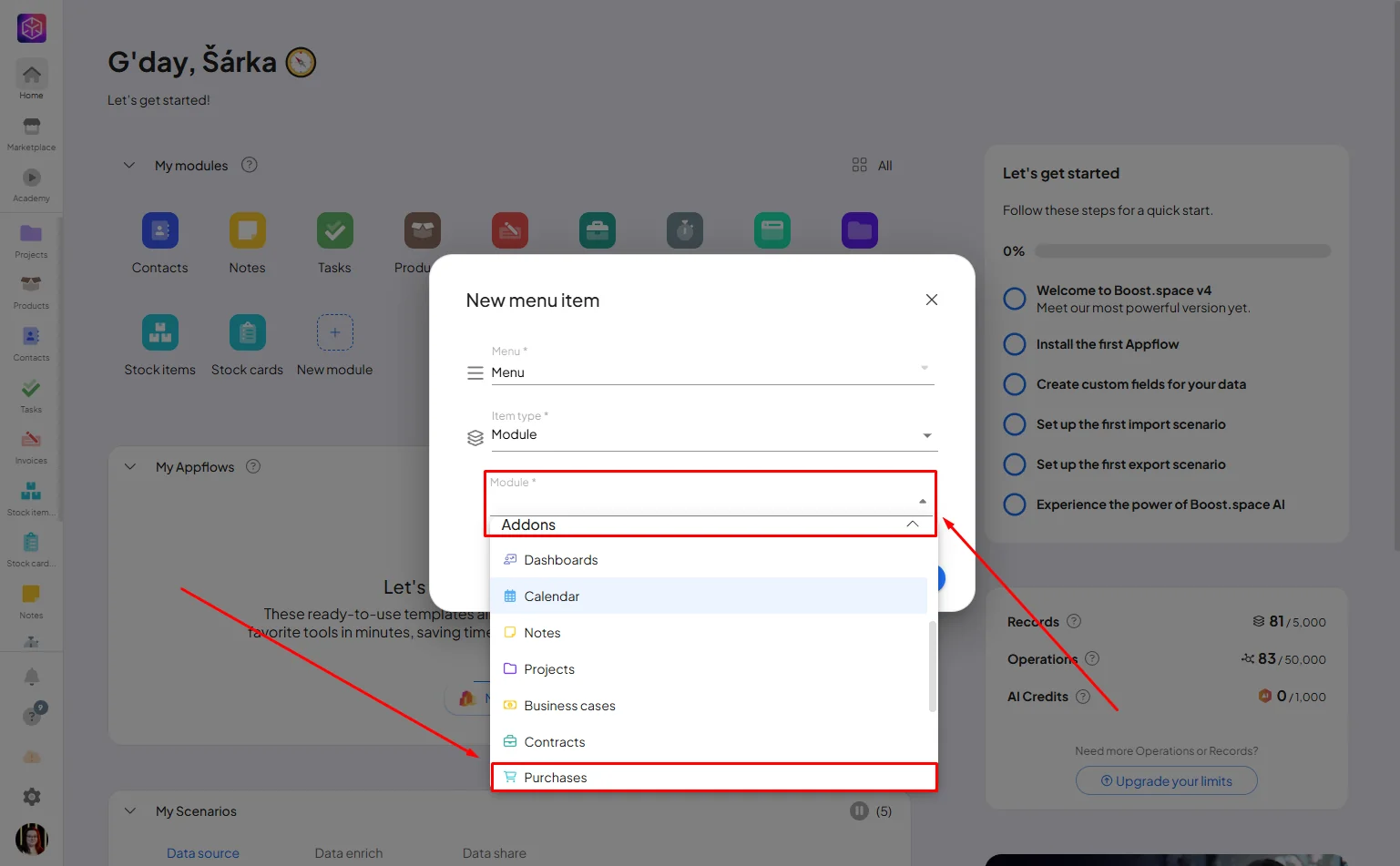
Scrol down to Addons, find Purchase and save it.
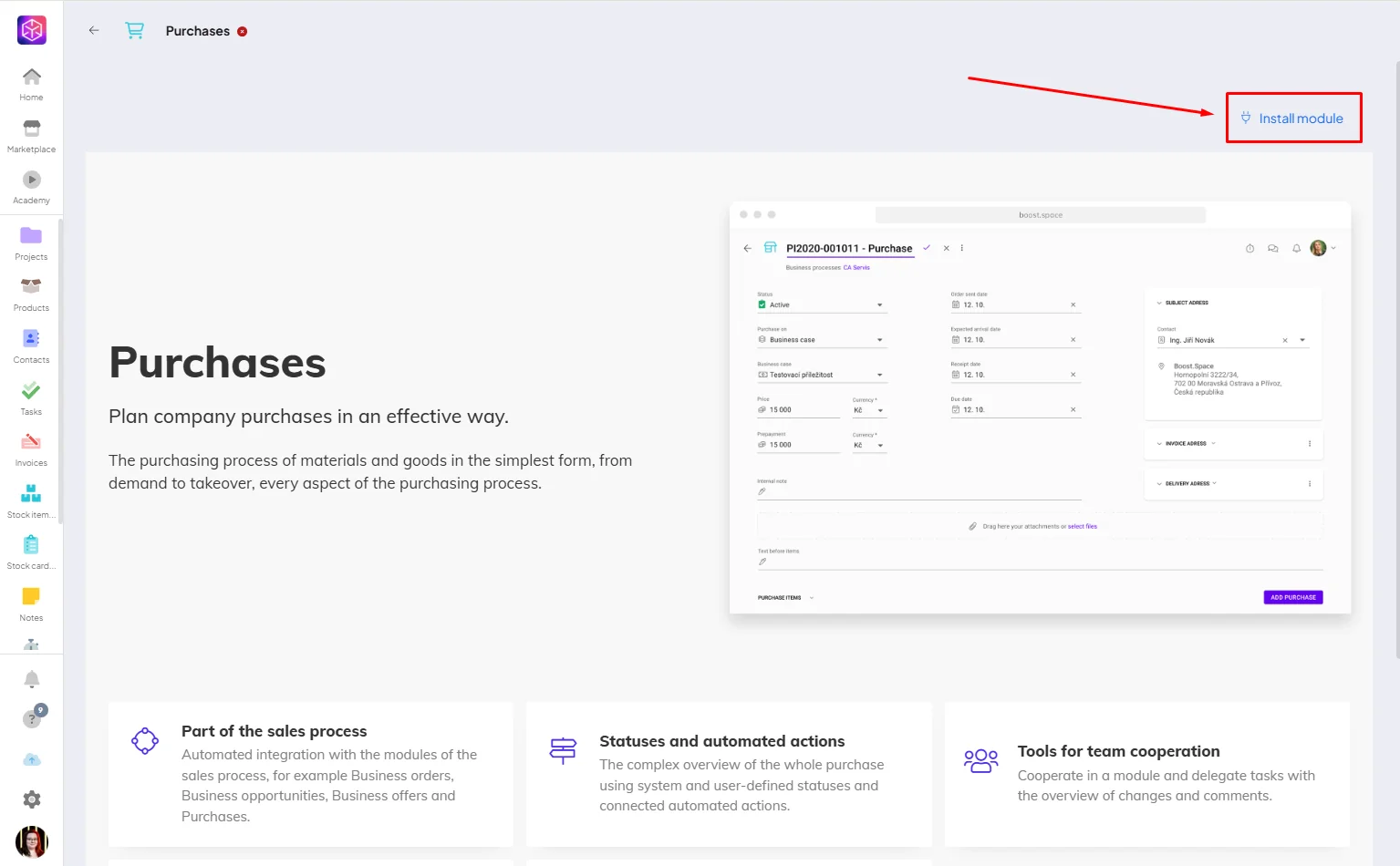
This will take you to other page, where simply click on “Install module”.
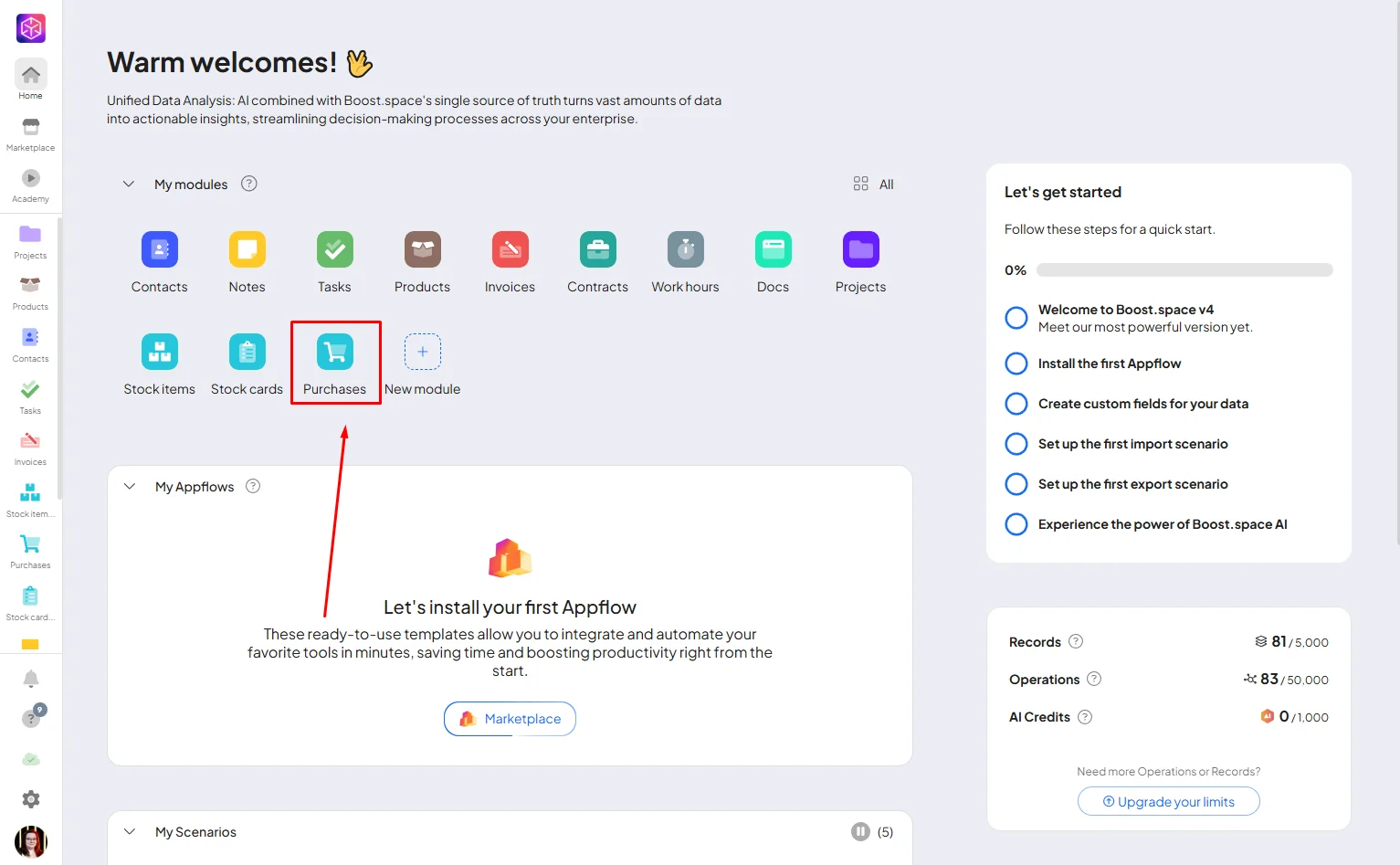
After instaling the module you can go back to your homepage, where you will see your new Purchases module.
**Creation and purchase process
**
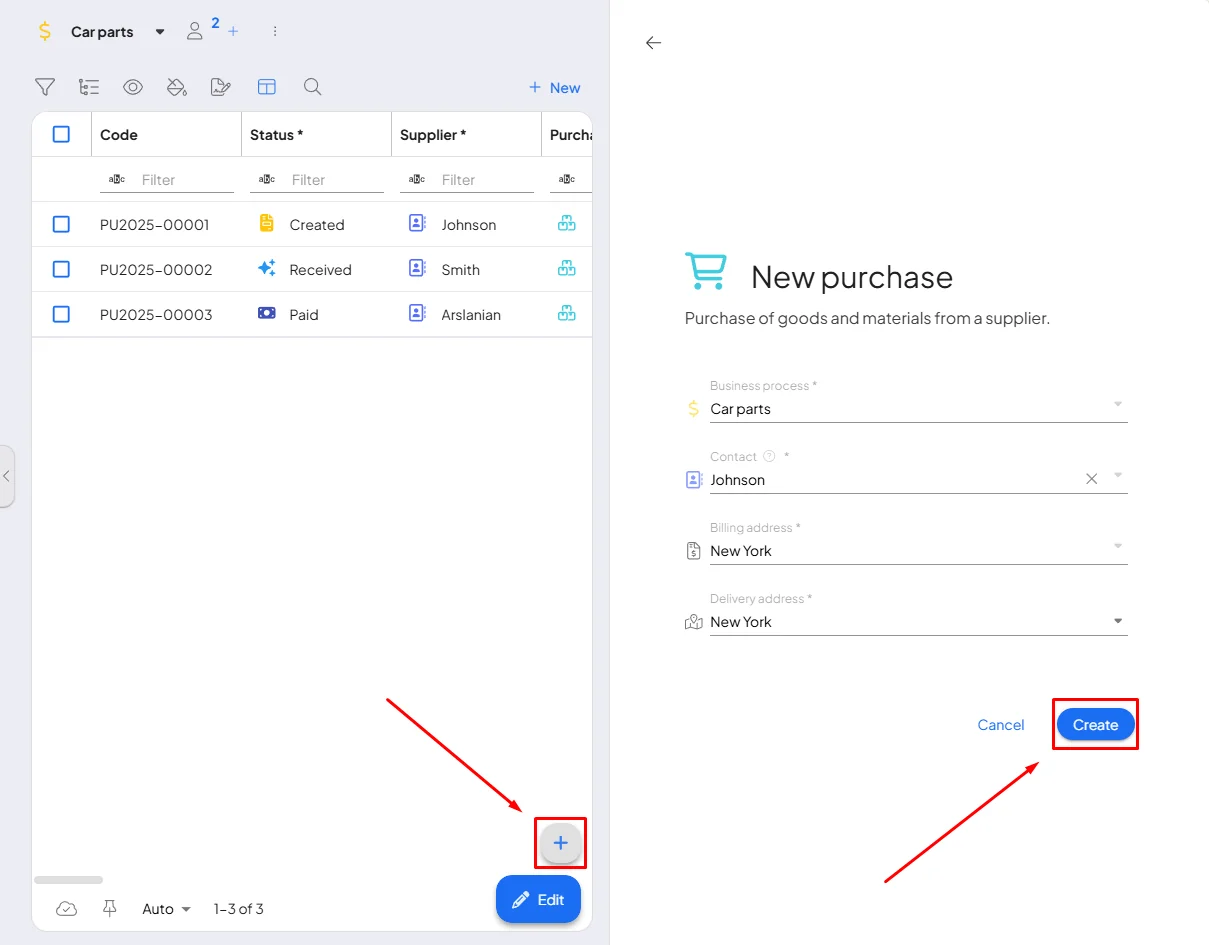
For creating a new purchase just click on the plus icon and fill all the informations, then click on “Create”.
Now you just need to fill the basic information, purchase items and save it. You can also add attachments.
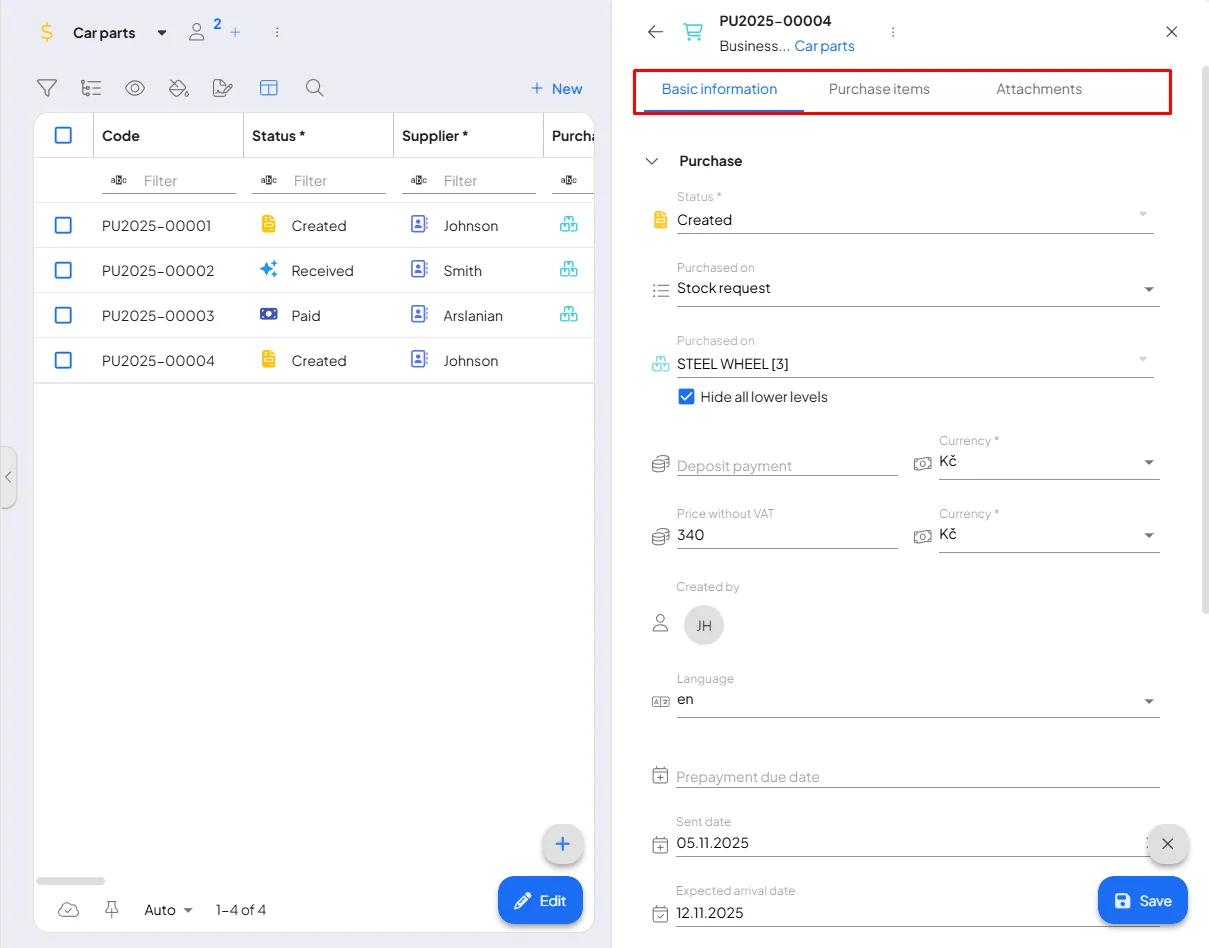
**The purchase is always linked to one supplier from whom one or more stock cards are taken.
**
Each stock card is accompanied by the required quantity and unit price, or a description to specify the purchase requirements. After the purchase is sent to the supplier, the progress of the purchase is recorded and tracked using statuses.
Individual purchases are also displayed in the stock card detail.
If you need help with anything, please contact us at support@boost.space.

