Kixie
With Kixie modules in Boost.space Integrator, you can send SMSes, make calls, and manage queues in your Kixie account.
To get started with Kixie, create an account at kixie.com.
Connecting Kixie to Boost.space Integrator
-
Log in to your Kixie account.
-
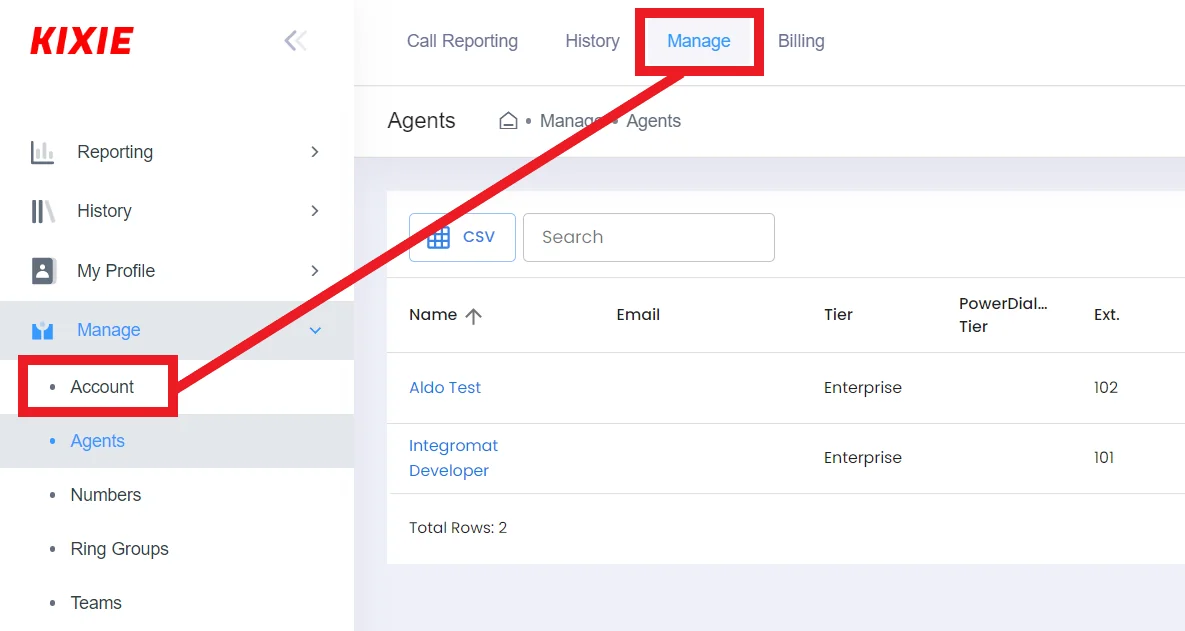
Click Manage from the menu, then click Account.
-
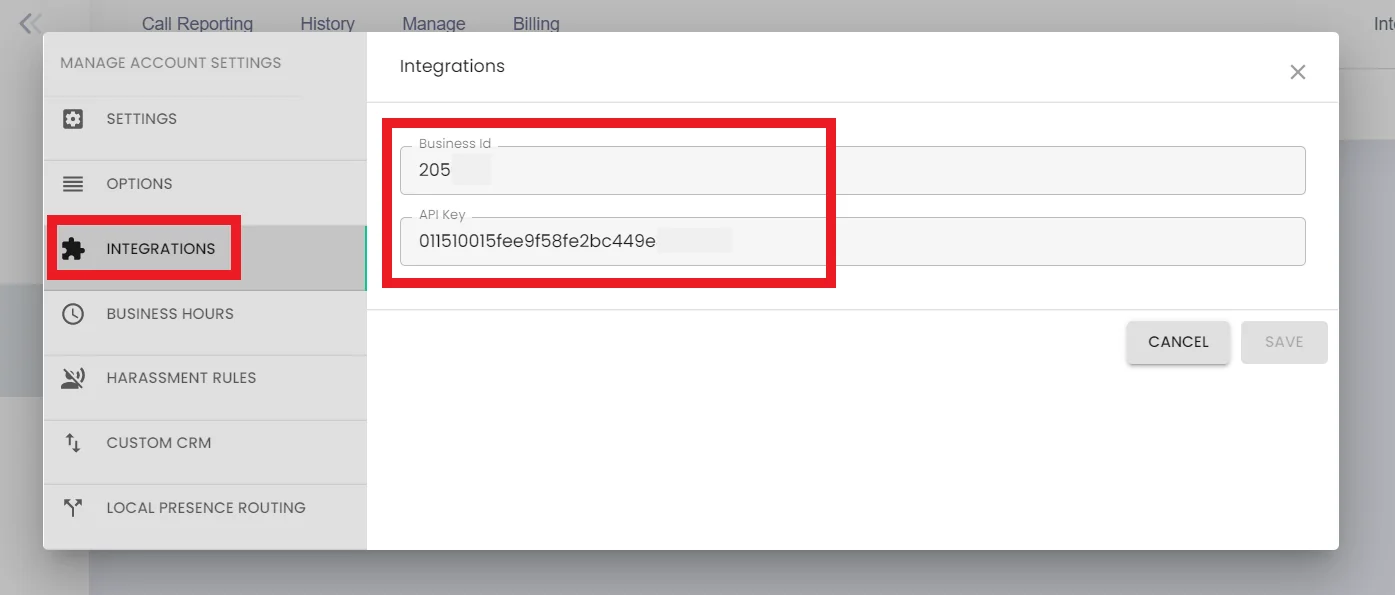
Click Integrations.
-
Copy your Business ID and API key to your clipboard.
-
Go to your Boost.space Integrator scenario and select the Kixie module you want to use.
-
Under Connection, click Add.
-
Give your new connection a name.
-
Paste your Business ID and API key in the fields provided.
-
Click Save.
You have successfully established the connection.
Automations
Send SMS
Sends an SMS.
Connection
Establish a connection to your Kixie account.
Email address
Enter your Kixie email address.
Target Number
Enter the target phone number you want to send your SMS to.
Message
Enter the text of the SMS.
Make a Call
Makes a new call.
Connection
Establish a connection to your Kixie account.
Email address
Enter your Kixie email address.
Target Number
Enter the target phone number you want to make a call to.
Display Name
Enter the display name.
Queues
Make a Call to a Queue
Makes a call to a queue.
Connection
Establish a connection to your Kixie account.
Queue ID
Enter the ID of the queue. You can find this on your Kixie dashboard.
Email address
Enter your Kixie email address.
Target Number
Enter the target phone number.
Display Name
Enter the display name.
Remove from a Queue
Removes a contact from the queue.
Connection
Establish a connection to your Kixie account.
Queue ID
Enter the ID of the queue. You can find this on your Kixie dashboard.
Email address
Enter the contact’s email address.
Target Number
Enter the target phone number.
Display Name
Enter the display name.
Cadences
Send to a Cadence
Sends a contact to a cadence.
Connection
Establish a connection to your Kixie account.
Cadence ID
Enter the ID of the cadence. You can find this in the cadence settings, called Unique Webhook.
Target Number
Enter the target phone number.
Display Name
Enter the display name.
Other
Make an API Call
Performs an arbitrary authorized API call.
For the list of available endpoints, refer to the Kixie API documentation.
Example of use – Retrieve your user data
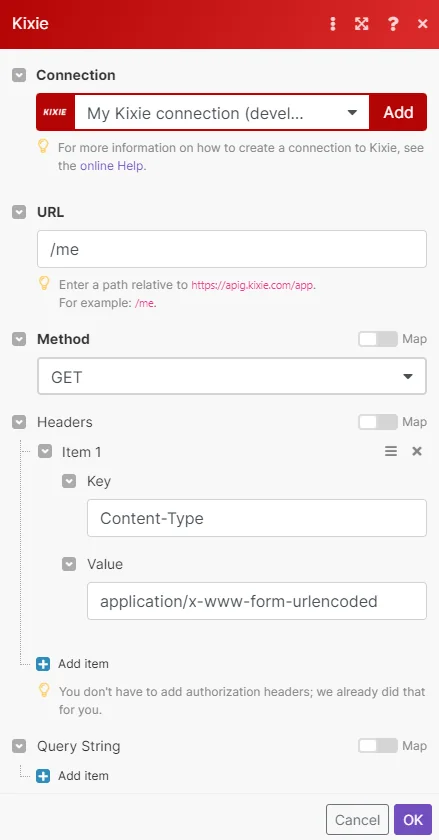
The following API call returns your user data.
URL: /me
Method: GET
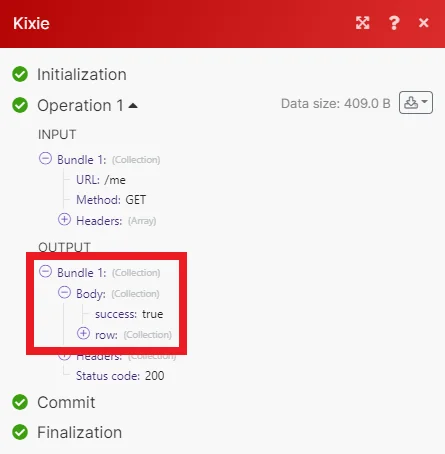
Matches of the search can be found in the module’s Output under Bundle > Body > row.
Legacy article, imported from the original Boost.space knowledge base (/knowledge-base/applications/communication/kixie/).

