Techulus Push
The Techulus Push modules allow you to send notifications in your Techulus Push account.
Getting Started with Techulus Push
Prerequisites
- A Techulus Push account
In order to use Techulus Push with Boost.space Integrator, it is necessary to have a Techulus Push account. If you do not have one, you can create a Techulus Push account at push.techulus.com.
The module dialog fields that are displayed in bold (in the Boost.space Integrator scenario, not in this documentation article) are mandatory!
Connecting Techulus Push to Boost.space Integrator
To connect your Techulus Push account to Boost.space Integrator you need to obtain the API Key from your Techulus Push account and insert it in the Create a connection dialog in the Boost.space Integrator module.
1. Log in to your Techulus Push account and open your Dashboard.
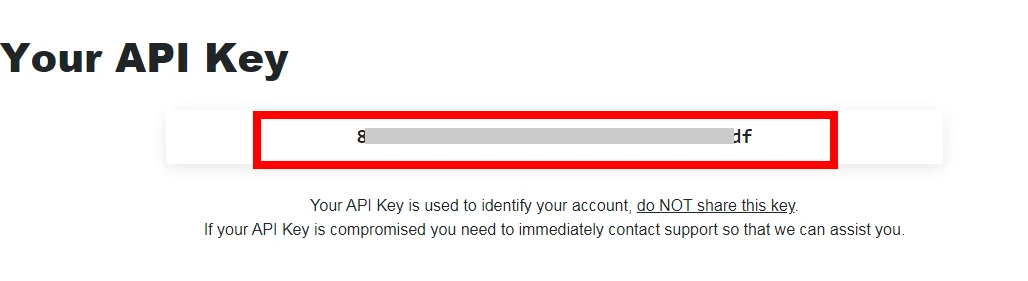
2. Copy the API Key in Your API Key section to your clipboard.
3. Go to Boost.space Integrator and open the Techulus Push module’s Create a connection dialog.
4. In the Connection name field, enter a name for the connection.
5. In the API Key field, enter the API key copied in step 2 and click Continue.
The connection has been established.
Notify

Send a Notification
Sends push notifications to all connected devices.
Connection
Establish a connection to your Techulus Push account.
Notification Title
Enter a name for the notification.
Notification Body
Enter the text that appears in the notification.
Notification Link
Enter the URL address to the notification.
Legacy article, imported from the original Boost.space knowledge base (/knowledge-base/applications/communication/techulus-push/).

