Facebook Pages
Getting Started with Facebook Pages
The Facebook Pages modules allow you to monitor, publish or update posts, photos and videos in your Facebook account.
Prerequisites
- A Facebook account
- A Facebook page you are an admin of
In order to use Facebook Pages with Boost.space Integrator, it is necessary to have a Facebook account. If you do not have one, you can create a Facebook account at facebook.com.
The module dialog fields that are displayed in bold (in the Boost.space Integrator scenario, not in this documentation article) are mandatory!
Connect Facebook Pages to Boost.space Integrator
We are trying to make the connections for you as easy as possible. You can establish a connection with some modules by following the general process here.
Unfortunately, for some modules you need to create your own connection by following the guide below.
Modules: Create a Comment, Create a Post, Create a Post with Photos, Delete a Comment, Delete a Photo, Delete a Post, Delete a Video, Get a Comment, Get a Page, Get a Photo, Get a Post, Get a Video, Get Post Reactions, Like a Post, List Comments, List Photos, List Posts, List Videos, Unlike a Post, Update a Comment, Update a Page, Update a Photo, Update a Post, Update a Video, Upload a Photo, Upload a Video, Watch Comments, Watch Photos, Watch Posts, Watch Posts (public page), Watch Videos
You can find out how to create your own connection in the guide below.
_Ensure that you create a connection with the same profile you are logged into on Facebook. If you are making a connection with another account, it won’t work for you and you will see this error: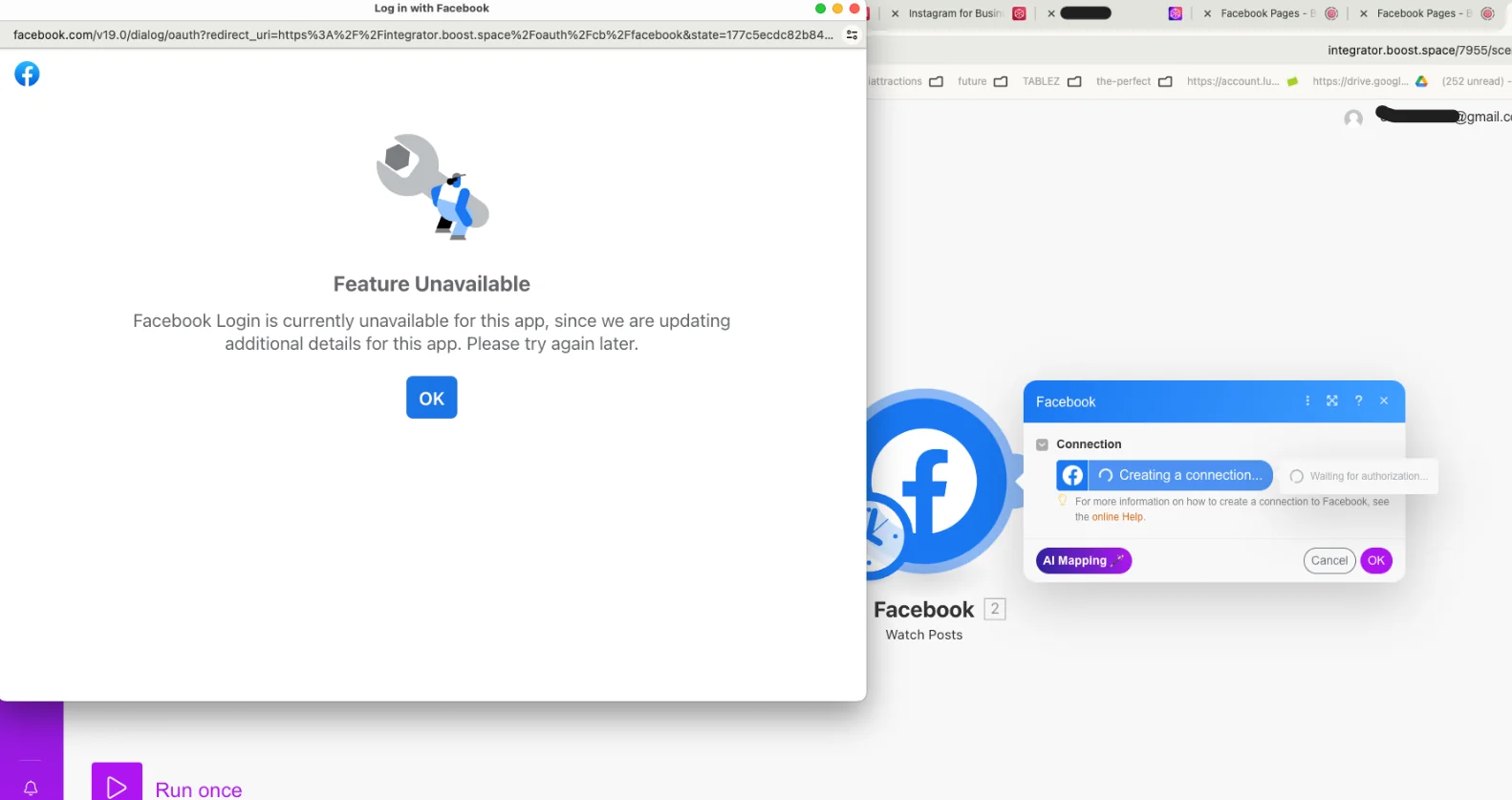
If this happens, you need to add another administrator to your application. Follow our step-by-step guide HERE.
Posts
Watch Posts
Retrieves the details of new posts when they are added to your page.
Connection
Establish a connection to your Facebook account.
Page
Select or map the page you want to monitor for new posts.
Limit
Set the maximum number of posts Boost.space Integrator will return during one cycle.
Watch Posts (public page)
Retrieves the details of new posts when they are added to a publicly accessible page page.
Connection
Establish a connection to your Facebook account.
Page
Specify or map the public account you want to watch for new posts. The account identification is on the end of the Facebook page URL.
For example, for the Make HQ account on the URL https://www.facebook.com/itsMakeHQ use itsMakeHQ
Limit
Set the maximum number of posts Boost.space Integrator will return during one cycle.
List Posts
Lists posts from the selected Facebook page.
Connection
Establish a connection to your Facebook account
Page
Select or map the page you want to retrieve posts from.
Limit
Set the maximum number of posts Boost.space Integrator will return during one cycle.
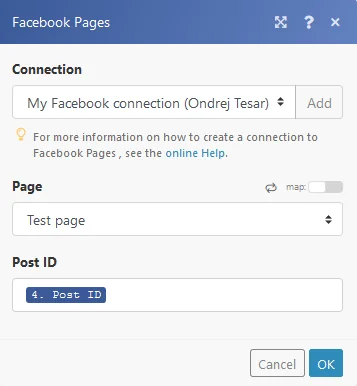
Get a Post
Connection
Establish a connection to your Facebook account
Page
Select or map the page you want to retrieve the post from.
Post ID
Enter (map) the ID of the post you want to retrieve details about.
Get Post Reactions
Returns the total count of selected reactions (LIKE, LOVE, WOW, HAHA, SAD, ANGRY).
Connection
Establish a connection to your Facebook account
Page
Select or map the page you want to retrieve the post reactions from.
Post ID
Enter (map) the ID of the post you want to retrieve the reactions from.
Type
Select the type of reaction you want to retrieve. If left blank, all reactions will be counted.
Create a Post
Creates a post on your Facebook page and returns its Post ID.
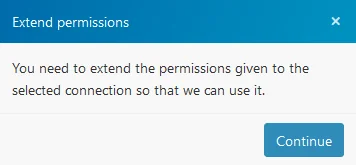
Permissions may need to be extended in order to create a post on your Facebook page.
1. Click on the Continue button.
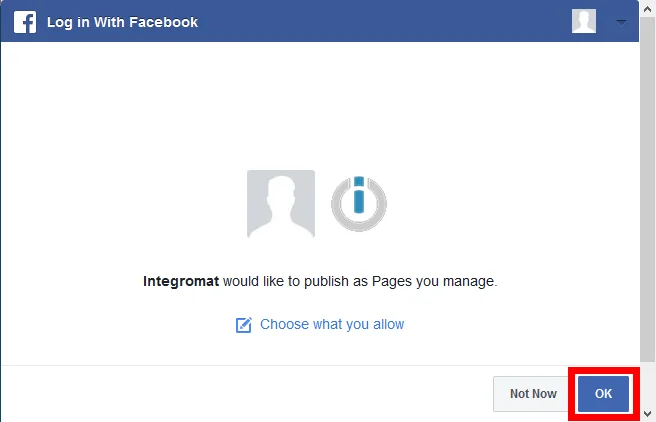
2. Extend the permission by clicking on the OK button.
Connection
Establish a connection to your Facebook account
Page
Select or map the page where you want to create a post.
Message
Enter the post’s text content.
Link
Enter the link that will be attached to the post if needed.
Update a Post
Allows you to update a post’s message.
Connection
Establish a connection to your Facebook account
Page
Select or map the page where you want to update a post.
Post ID
Enter (map) the ID of the post you want to update.
Message
Enter a new post’s text content.
Delete a Post
Deletes a post from the Facebook page.
Connection
Establish a connection to your Facebook account
Page
Select or map the page you want to delete a post from.
Post ID
Enter (map) the ID of the post you want to delete.
Like a Post
Adds a like to the post.
Connection
Establish a connection to your Facebook account
Page
Select or map the page where you want to like a post.
Post ID
Enter (map) the ID of the post you want to add a like to.
Unlike a Post
Deletes a like from the post.
Connection
Establish a connection to your Facebook account
Page
Select or map the page where you want to delete a like.
Post ID
Enter (map) the ID of the post you want to delete a like from.
Videos
Watch Videos
Triggers when a new video is added to the Facebook page and retrieves its details.
Connection
Establish a connection to your Facebook account
Page
Select or map the page you want to watch for new videos.
Limit
Set the maximum number of videos Boost.space Integrator will return during one cycle.
List Videos
Retrieves a list of videos from the selected Facebook page.
Connection
Establish a connection to your Facebook account
Page
Select or map the page you want to retrieve the videos from.
Limit
Set the maximum number of videos Boost.space Integrator will return during one cycle.
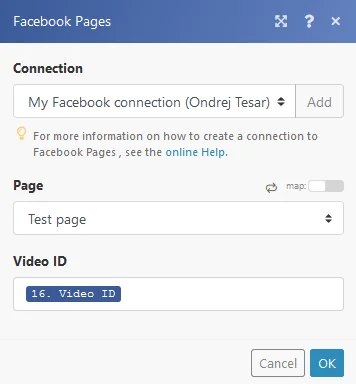
Get a Video
Retrieves the details of a specified video.
Connection
Establish a connection to your Facebook account
Page
Select or map the page you want to retrieve the video from.
Video ID
Enter the Video ID of the video you want to retrieve information about.
Upload a Video
Uploads a video to the Facebook page.
Supported video formats are: 3g2, 3gp, 3gpp, asf, avi, dat, divx, dv, f4v, flv, gif, m2ts, m4v, mkv, mod, mov, mp4, mpe, mpeg, mpeg4, mpg, mts, nsv, ogm, ogv, qt, tod, ts, vob, and wmv.
Connection
Establish a connection to your Facebook account
Page
Select or map the page where you want to upload a video to.
Source file
Map the file you want to upload. For more detailed information refer to the Working with files article.
Title
Enter the video’s title.
Description
Enter the description for the video.
The description must not contain numbers otherwise the video will not be published and the message Your post goes against our community standards so only you can see it will be returned. In order to add numbers to the description use the_Facebook Pages > Update a Video_ module.
Update a Video
Allows you to update a title and description of the video on the Facebook page.
Connection
Establish a connection to your Facebook account
Page
Select or map the page where you want to upload a video to.
Video ID
Enter (map) the Video ID of the video you want to update.
Title
Enter the video’s title.
Description
Enter the description for the video.
Delete Video
Deletes the selected video.
Connection
Establish a connection to your Facebook account
Page
Select or map the page you want to delete a video from.
Video ID
Enter (map) the Video ID of the video you want to delete.
Photos
Watch Photos
Retrieves the details of new photos when they are added to the page.
Connection
Establish a connection to your Facebook account
Page
Select or map the page you want to watch for new videos.
Album
Select the album you want to watch for new photos.
Limit
Set the maximum number of photos Boost.space Integrator will return during one cycle.
List Photos
Retrieves the details of photos from a specified album.
Connection
Establish a connection to your Facebook account
Page
Select or map the page you want to retrieve the photos from.
Album
Select the album you want to retrieve photos from.
Limit
Set the maximum number of photos Boost.space Integrator will return during one cycle.
Get a Photo
Retrieves the details of a specified photo.
Connection
Establish a connection to your Facebook account
Page
Select or map the page you want to retrieve the photo from.
Photo ID
Enter the Photo ID of the video you want to retrieve information about.
Upload a Photo
Uploads a photo to the Facebook page.
Connection
Establish a connection to your Facebook account
Page
Select or map the page where you want to upload a photo.
Album
Select the album you want to upload a photo to.
Source file
Map the file you want to upload. For more detailed information refer to the Working with files article.
Message
Enter the text message that will be posted together with the photo in one post.
Delete a Photo
Deletes the selected photo.
Connection
Establish a connection to your Facebook account
Page
Select or map the page you want to delete a photo from.
Photo ID
Enter (map) the Photo ID of the photo you want to delete.
Comments
Watch Comments
Triggers when a new comment is added to the Facebook page’s post and retrieves its details.
Connection
Establish a connection to your Facebook account
Page
Select or map the page you want to watch for new comments.
Post ID
Select the post you want to watch for new comments.
Limit
Set the maximum number of comments Boost.space Integrator will return during one cycle.
List Comments
Returns a post’s comments.
Connection
Establish a connection to your Facebook account
Page
Select or map the page you want to list the post’s comments from.
Post ID
Select or map the post you want to get the comments from.
Filter
Stream
Retrieves all comments (including replies to the comment)
Only top level comments
Retrieves top level comments, without its replies.
Limit
Set the maximum number of comments Boost.space Integrator will return during one cycle.
Get a Comment
Retrieves a comment.
Connection
Establish a connection to your Facebook account
Page
Select or map the page you want to get a post comment from.
Post ID
Select or map the post you want to retrieve the comment from.
Create a Comment
Adds a comment to the selected post on behalf of the page.
Connection
Establish a connection to your Facebook account
Page
Select or map the page you want to create the post’s comment at.
Post ID
Select or map the post you want to comment.
Message
Enter the text for the comment.
Attachment type
Select whether you want to attach a photo file [JPG, PNG, etc.] or a GIF file. The URL must link directly to the desired image file.
Delete a Comment
Connection
Establish a connection to your Facebook account
Page
Select or map the page you want to delete the post’s comment from.
Comment ID
Enter (map) the ID of the comment you want to delete.
Page
Get Page Info
Retrieves the details of a selected page.
Connection
Establish a connection to your Facebook account
Page
Select or map the page you want to retrieve details from.
Troubleshooting
The Boost.space Integrator dropdown doesn’t show some Facebook Pages:
If some of your pages are not available in the Boost.space Integrator modules please follow the steps below:
1. Open the Facebook Settings and click on Business Integrations or use this link https://www.facebook.com/settings?tab=business_tools
2. Open the Boost.space Integrator app
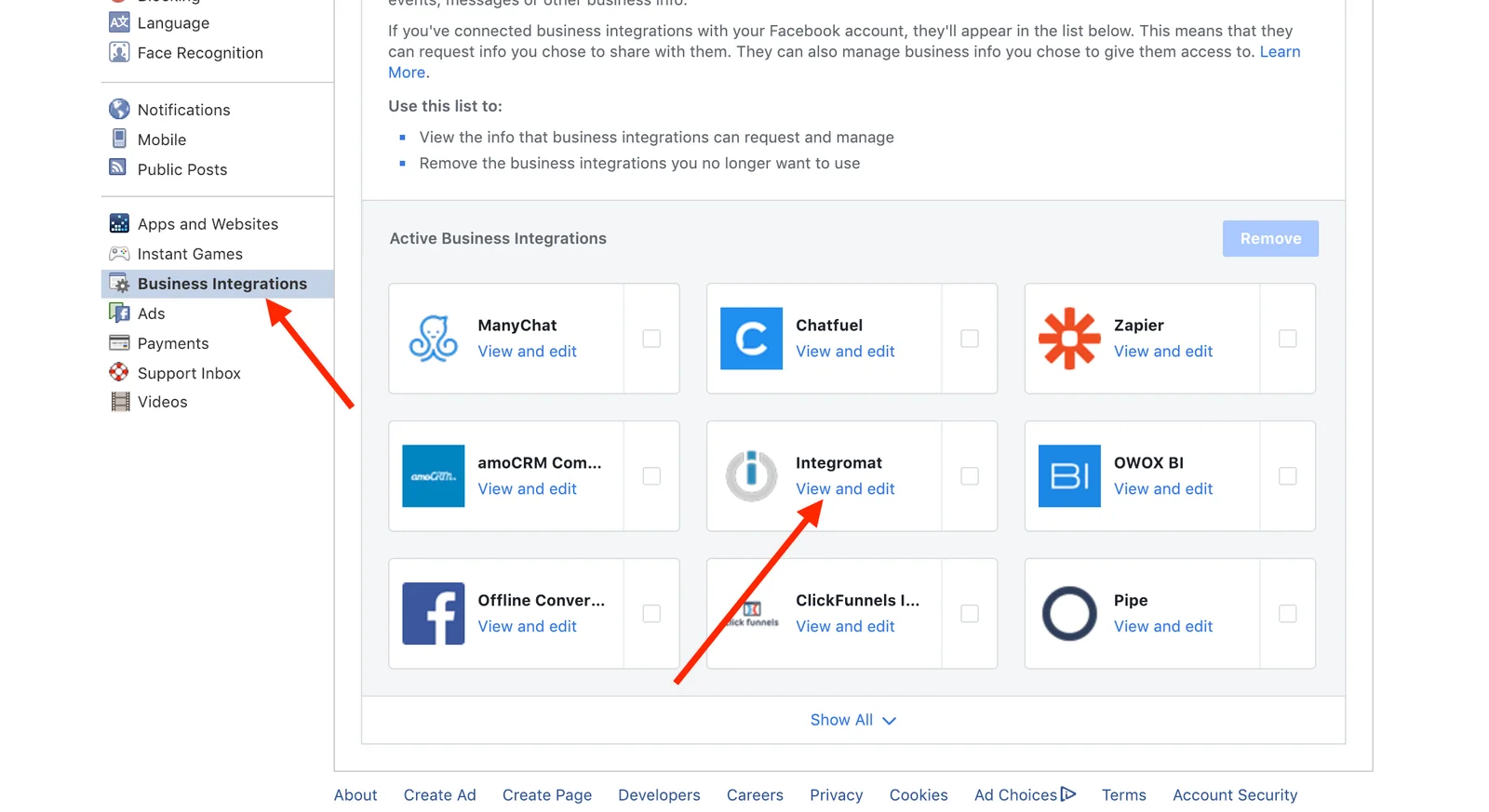
3. Check off all of the pages you want to see in the Boost.space Integrator modules:
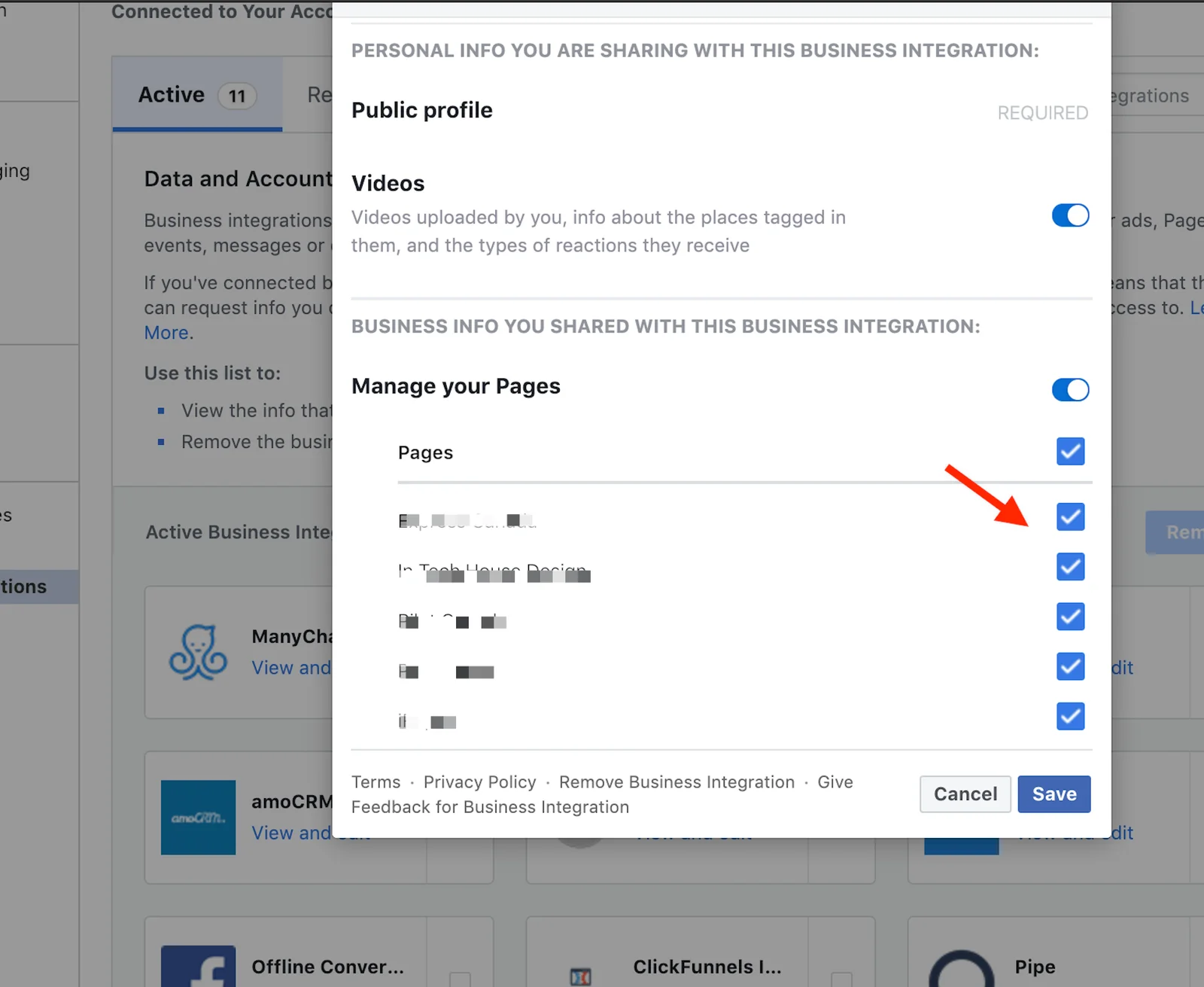
4. Save the changes by clicking the Save_button._
Legacy article, imported from the original Boost.space knowledge base (/knowledge-base/applications/marketing/facebook-pages/).

