ZeroBounce
The ZeroBounce modules allow you to retrieve API usage and credit balances, or validate emails in your ZeroBounce account.
Getting Started with ZeroBounce
Prerequisites
- A ZeroBounce account
In order to use ZeroBounce with Boost.space Integrator, it is necessary to have a ZeroBounce account. If you do not have one, you can create a ZeroBounce account at www.zerobounce.net/members/register.
Connecting ZeroBounce to Boost.space Integrator
To connect your ZeroBounce account to Boost.space Integrator you need to obtain the API key from your ZeroBounce account.
1. Log in to your ZeroBounce account.

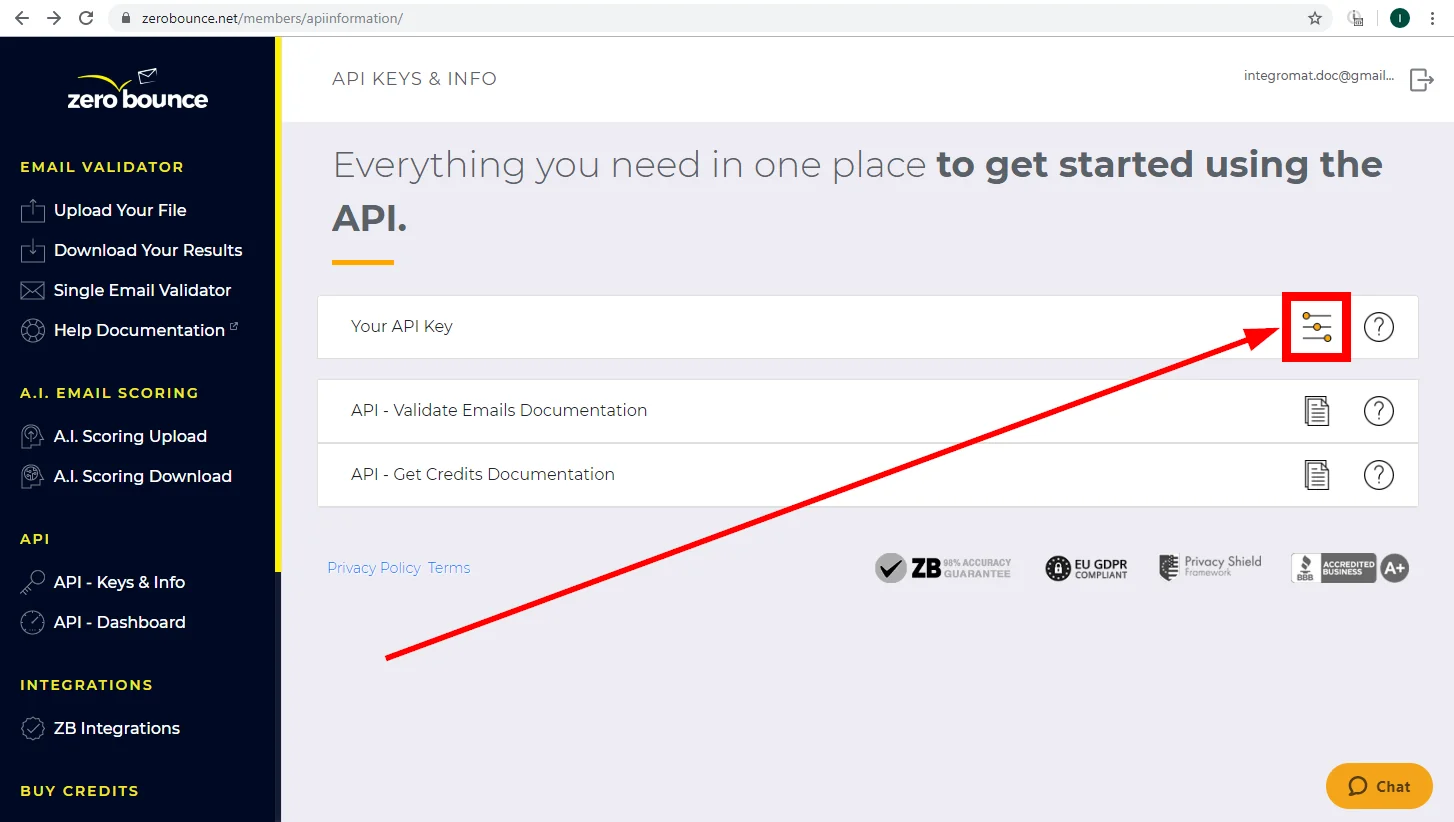
2. Open the API – Keys & Info from the menu on the left.
3. Click the Configure button in the Your API Key section.
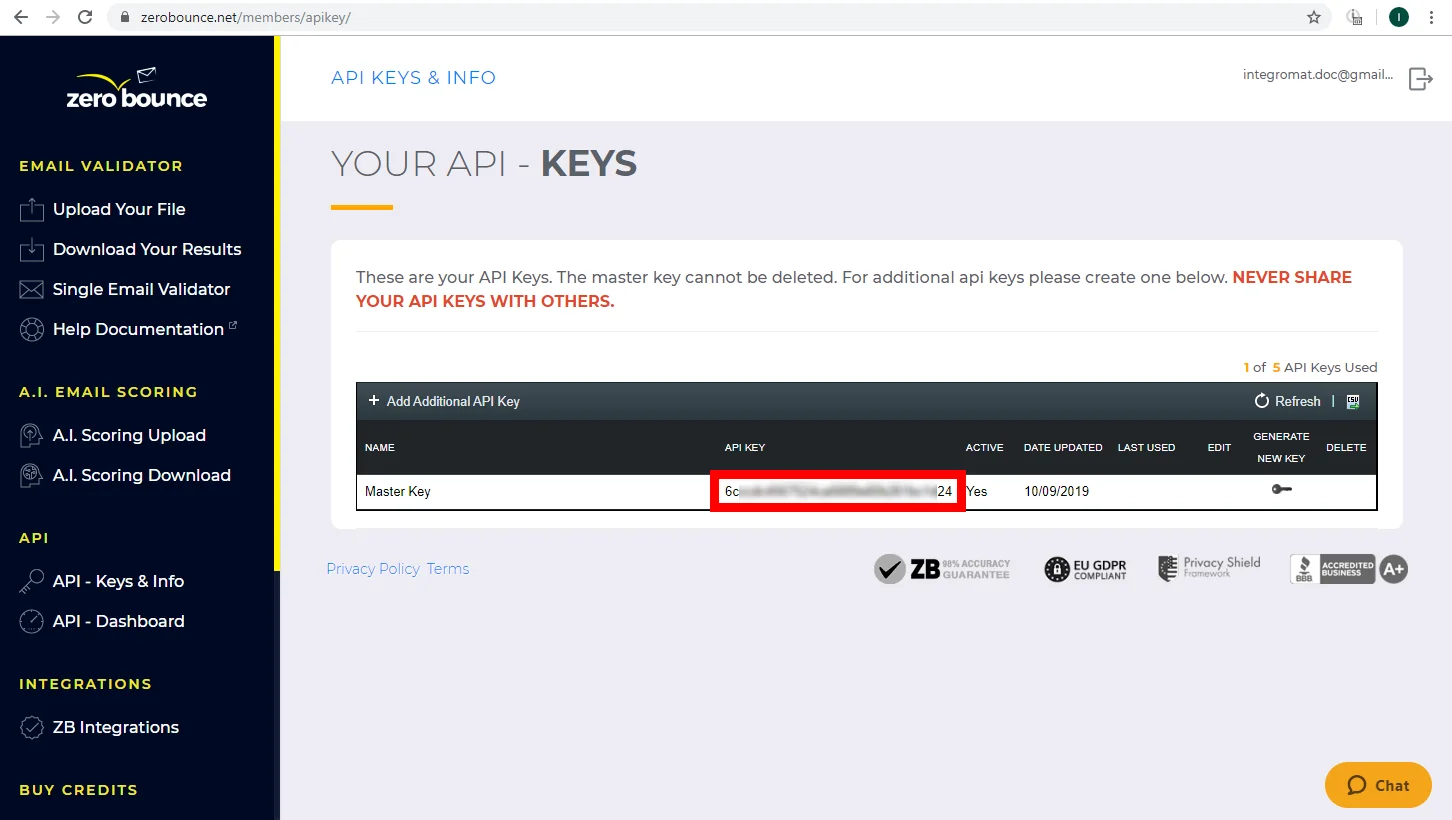
4. Copy the provided API Key.
5. Go to Boost.space Integrator and open the ZeroBounce module’s Create a connection dialog.
6. Enter the API Key you have copied in step 4 to the respective field and click the Continue button to establish the connection.
Actions
Get API Usage
Retrieves API usage statistics.
Connection
Establish a connection to your ZeroBounce account.
Start Date
Enter the start date of when you want to view API usage statistics. The list of supported date and time formats.
End Date
Enter the end date of when you want to view API usage statistics. The list of supported date and time formats.
Get Credit Balance
Gets your credit – available e-mail validations.
Connection
Establish a connection to your ZeroBounce account.
Validate Emails
Validates an email address.
The module requires that you have an active credit balance and will never consume a credit for any unknown result.
Connection
Establish a connection to your ZeroBounce account.
Email address
Enter the email address you want to validate.
IP Address
Enter the IP Address the email signed up from.
Make an API Call
Allows you to perform a custom API call.
Connection
Establish a connection to your ZeroBounce account.
URL
Enter a path relative to https://api.zerobounce.net. E.g. /v2/getcredits
For the list of available endpoints, refer to the ZeroBounce API Documentation.
Method
Select the HTTP method you want to use:
GETto retrieve information for an entry.
POSTto create a new entry.
PUTto update/replace an existing entry.
PATCHto make a partial entry update.
DELETEto delete an entry.
Headers
Enter the desired request headers. You don’t have to add authorization headers; we already did that for you.
Query String
Enter the request query string.
Body
Enter the body content for your API call.
Example of Use – Validate Email
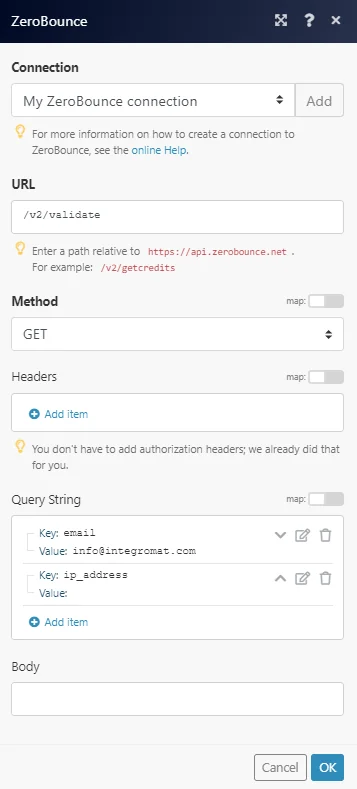
The following API validates a specified email:
URL:
/v2/validate
Query String:
Key:
email
Value:
Enter the email you want to validate.
Key:
ip_address (The IP Address the email signed up from (can be blank, but parameter required))
Value:
The field left blank.
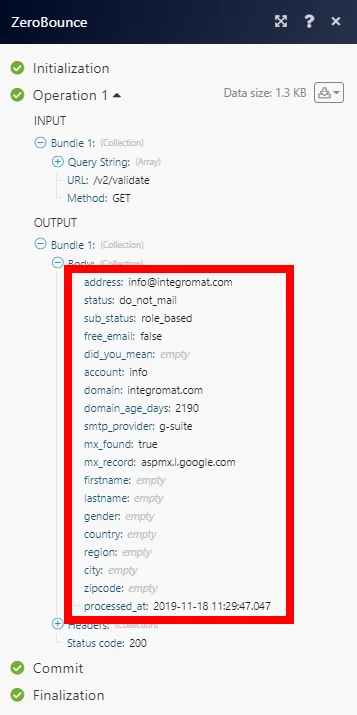
Validated email address details can be found in the module’s Output under Bundle > Body:
Legacy article, imported from the original Boost.space knowledge base (/knowledge-base/applications/marketing/zerobounce/).

